Enabling quick order for Ruby B2B storefronts (B2C and B2B)
In the Ruby storefront, you can enable quick orders functionality for shoppers. You have the option to enable or disable quick order functionality from Commerce Lab. By default, quick order functionality is disabled for Ruby storefronts (B2C and B2B).
Procedure
To enable quick order functionality for Ruby storefronts (B2C and
B2B), complete the following steps:
-
Open Commerce Lab Tools. From the hamburger menu, select store name.
Note: Select the RubyB2B store name for the Ruby B2B storefront.
-
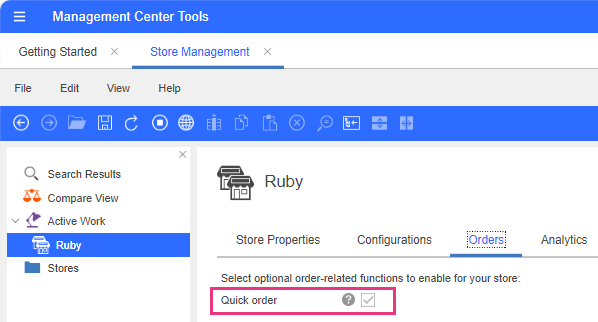
Click on the Orders tab to select the quick order
functionality.
The Orders tab opens.
-
Select the check box next to the Quick order
functionality.
The quick order functionality has been enabled for your Ruby storefront.