
Viewing Device Details
This task helps you to learn more about the device details.
Procedure
Follow the steps to view the devices details in the Antivirus Health,
Antivirus by vendor and Additional Environmental Information tiles. You can view the
device details for All anti-virus and individual vendor dashboard.
- Navigate to CMEP Application overview or individual vendor dashboard page.
-
Click the piechart, bar graph, or numbers to view the
list of available devices for that particular selection.
Figure 1. Antivirus Health 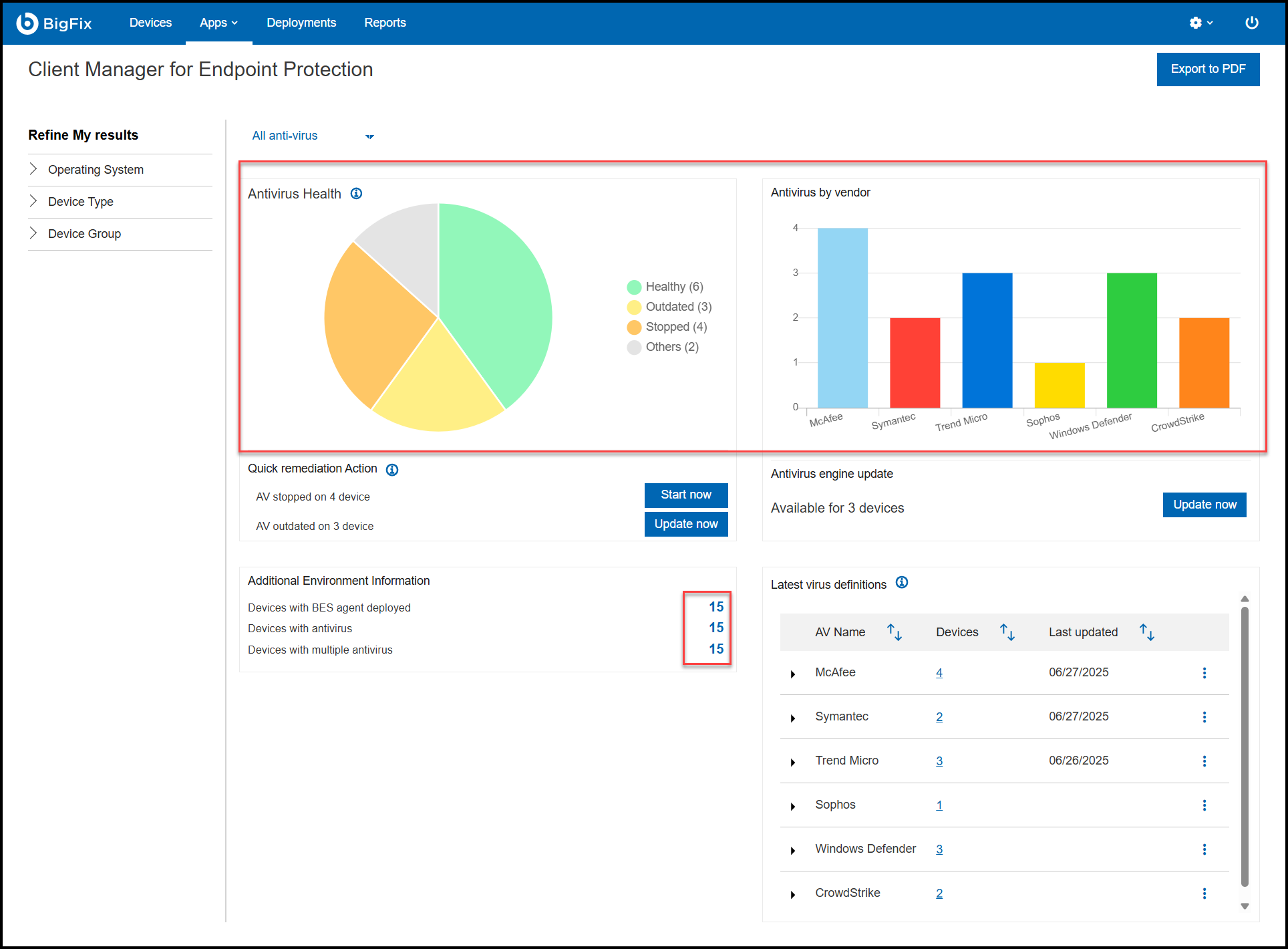
-
From the list of available devices, click the device
name.
Figure 2. Available devices 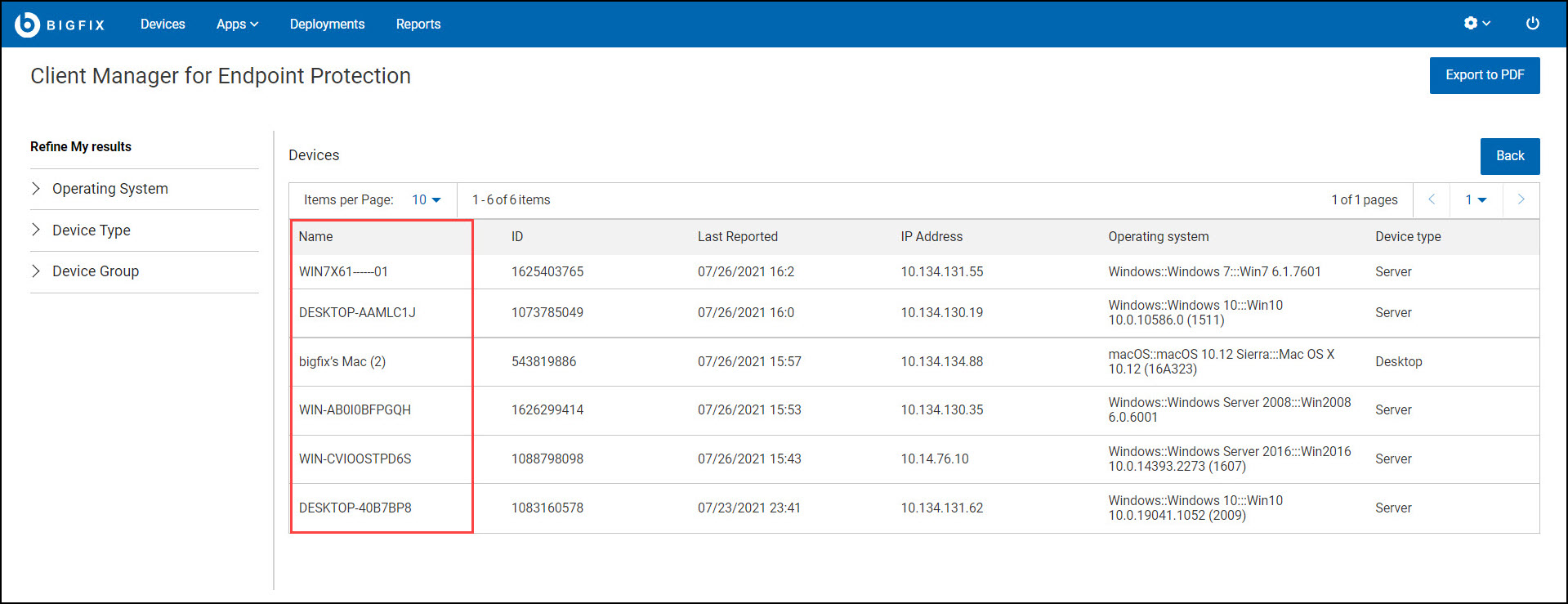
-
You are redirected to the device properties page, which contains Last Reported,
OS, User, Disk Space, and other details of the device.
Figure 3. Device Properties 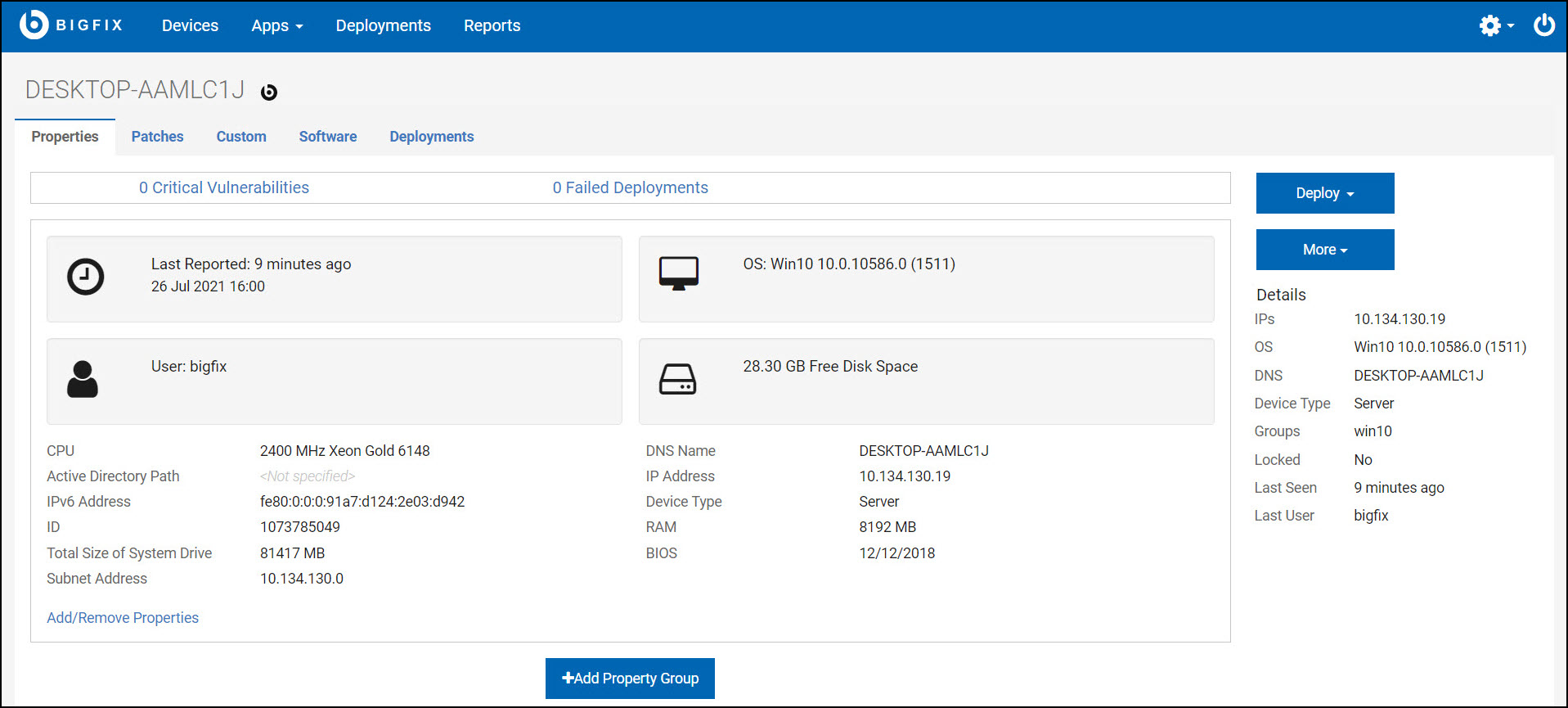
Note: You can also view the patches, custom, software, and deployments available for the individual device.