
Deploying Latest Antivirus Definitions
This task helps you to deploy latest antivirus definitions to the devices.
Procedure
Perform the following steps to deploy the latest virus definitions for your
antivirus products:
-
In the CMEP Application overview page, click on the vertical
ellipsis in the Latest virus definitions
tile.
Figure 1. Latest virus definitions 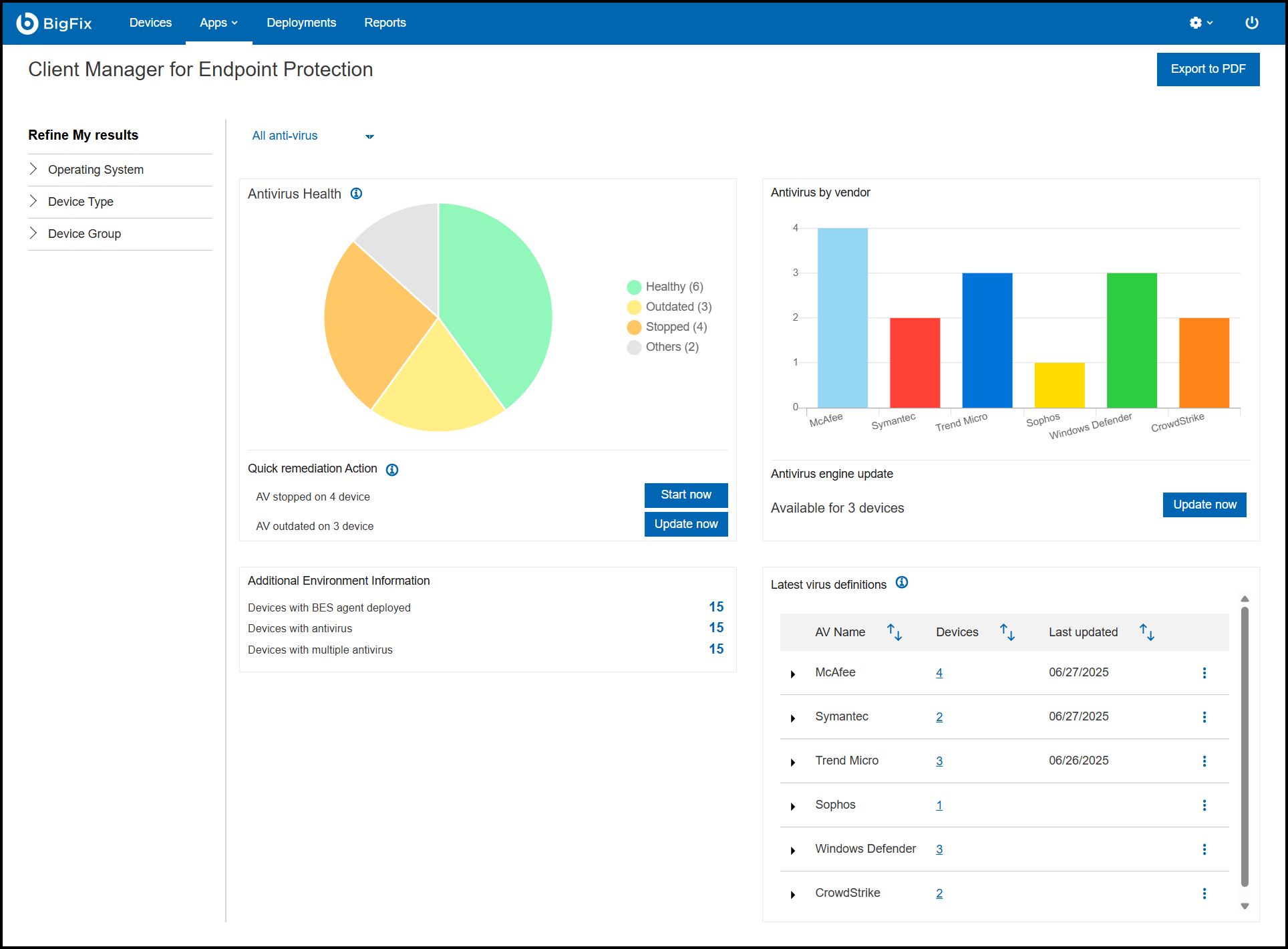
-
Click Deploy.
Note: The Deploy option is available if for any antivirus or if the version number of outdated devices is greater than 0. The CMEP Application has predefined Fixlets for certain antivirus versions, which can update the definition package of the product with those devices. With this option, you can deploy those Fixlets for those devices and update the definition packages.
Figure 2. Deploy 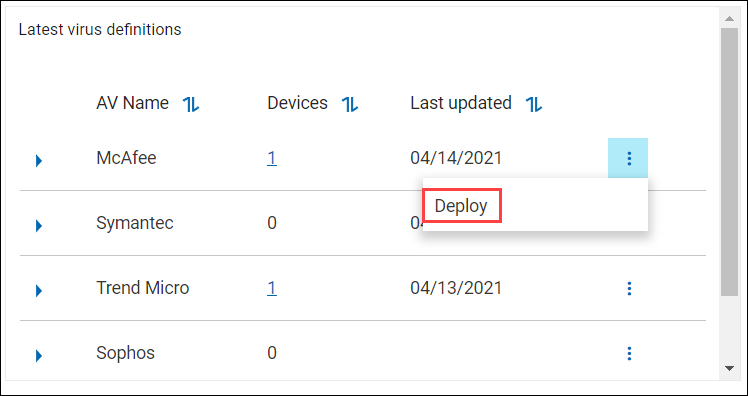
-
In the Select action tab, click Next.
Figure 3. Deployment summary 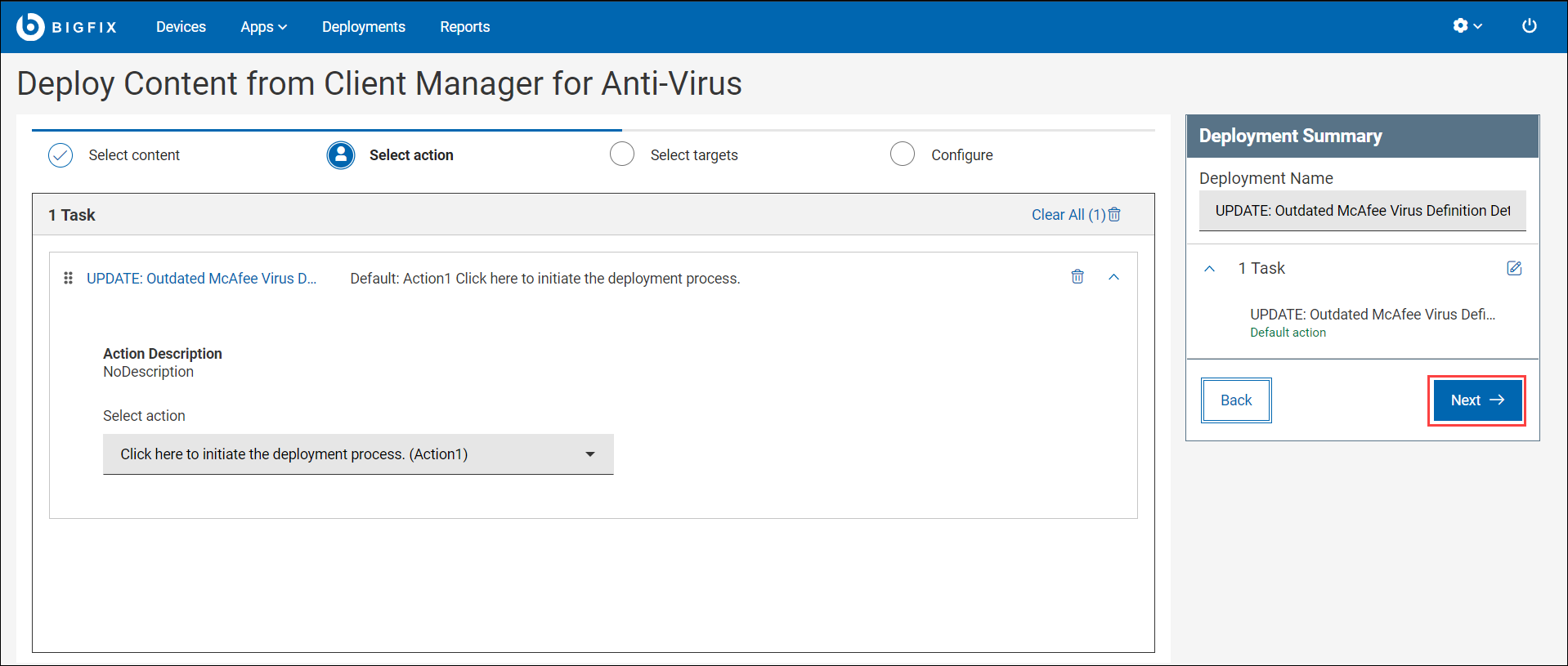
-
The Select targets tab, select the targets and click
Next.
Figure 4. Select targets 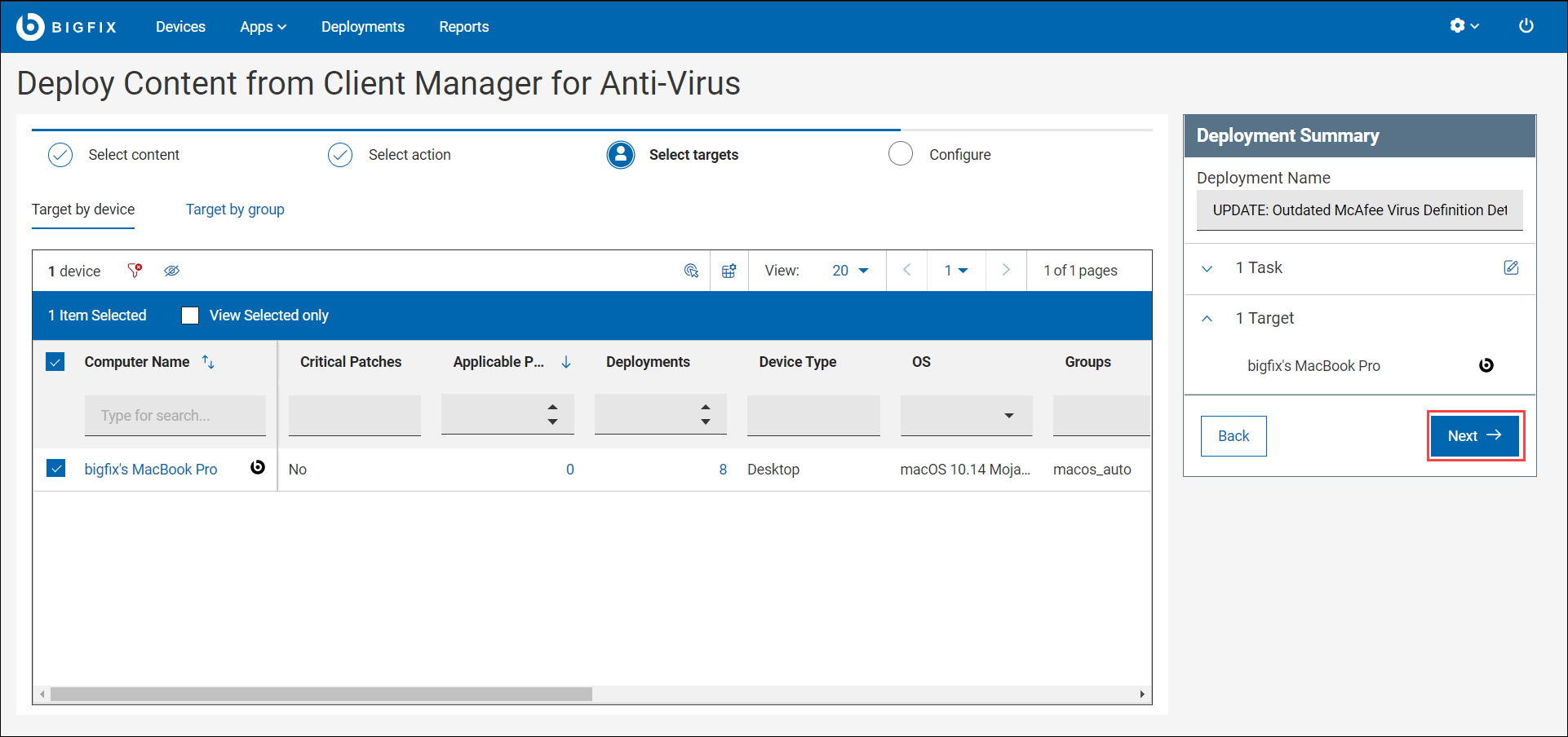
-
On the Configure tab, click Deploy.
Figure 5. Deploy content from client manager for Anti-virus 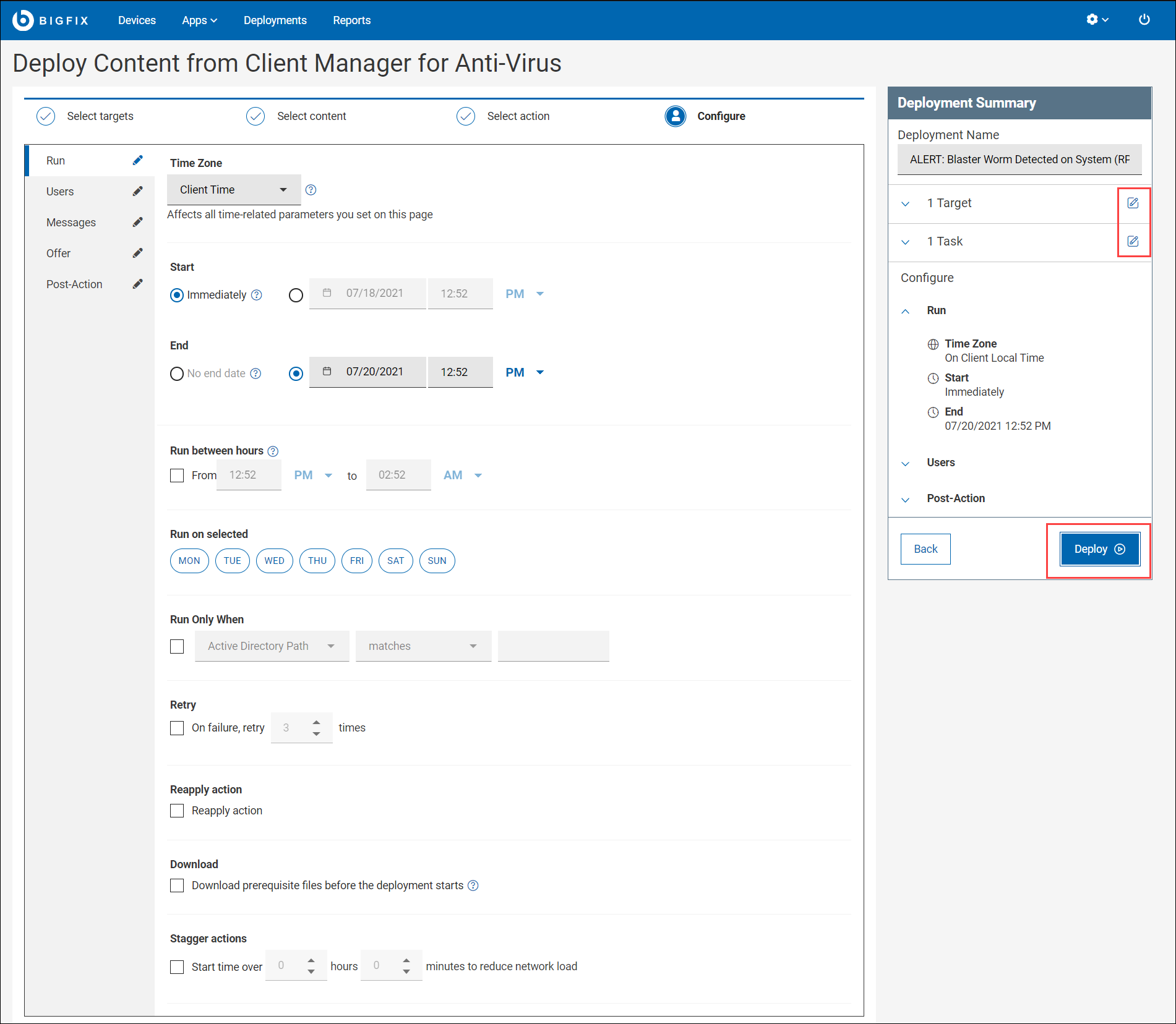
Note:- In the Deployment Summary, use the edit icon to edit the task and target.
- You can change the parameters in the Configure tab as required, the parameter includes Time Zone, Start, End date, and so on.
The deployment status is displayed as shown.Figure 6. Stop Deployment 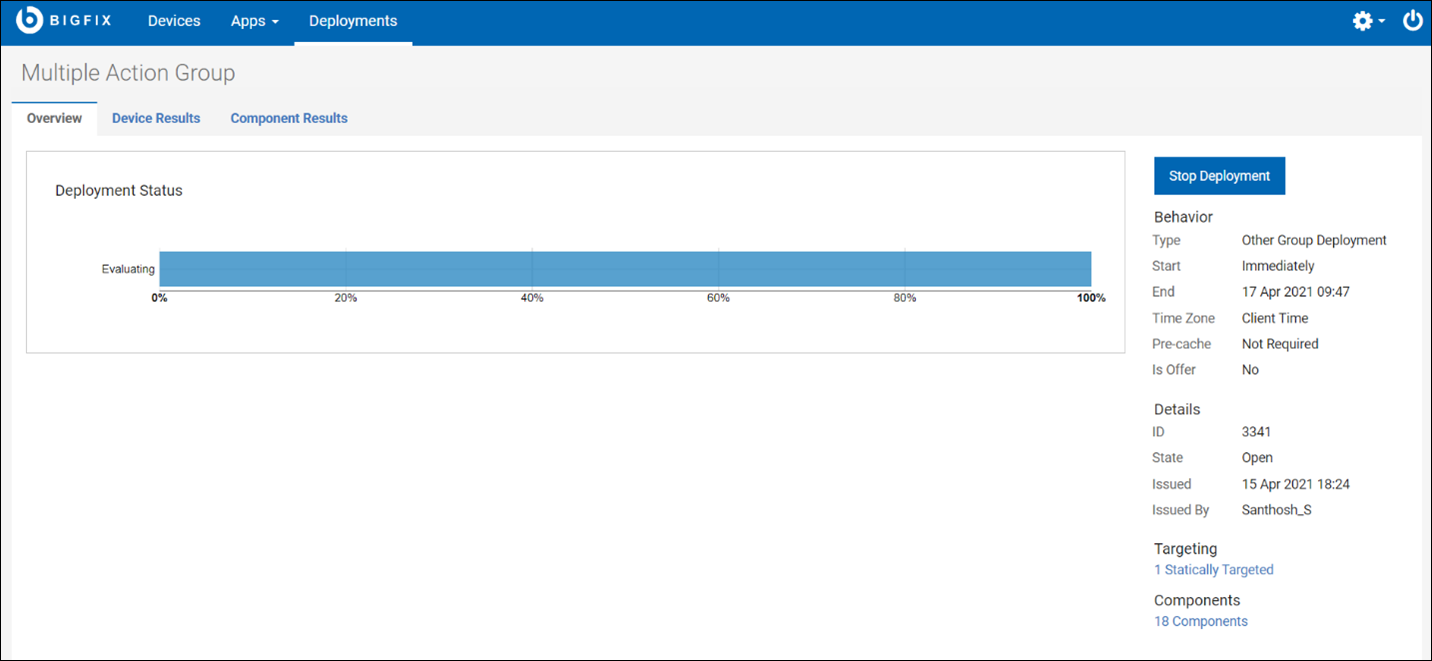
Click Stop Deployment to stop the deployment on the endpoints.