This task provides a quick status summary of antivirus products deployed on all the
devices managed by BigFix.
To navigate to the CMEP Application, log in to WebUI and select Apps > CMEP in the top navigation bar.
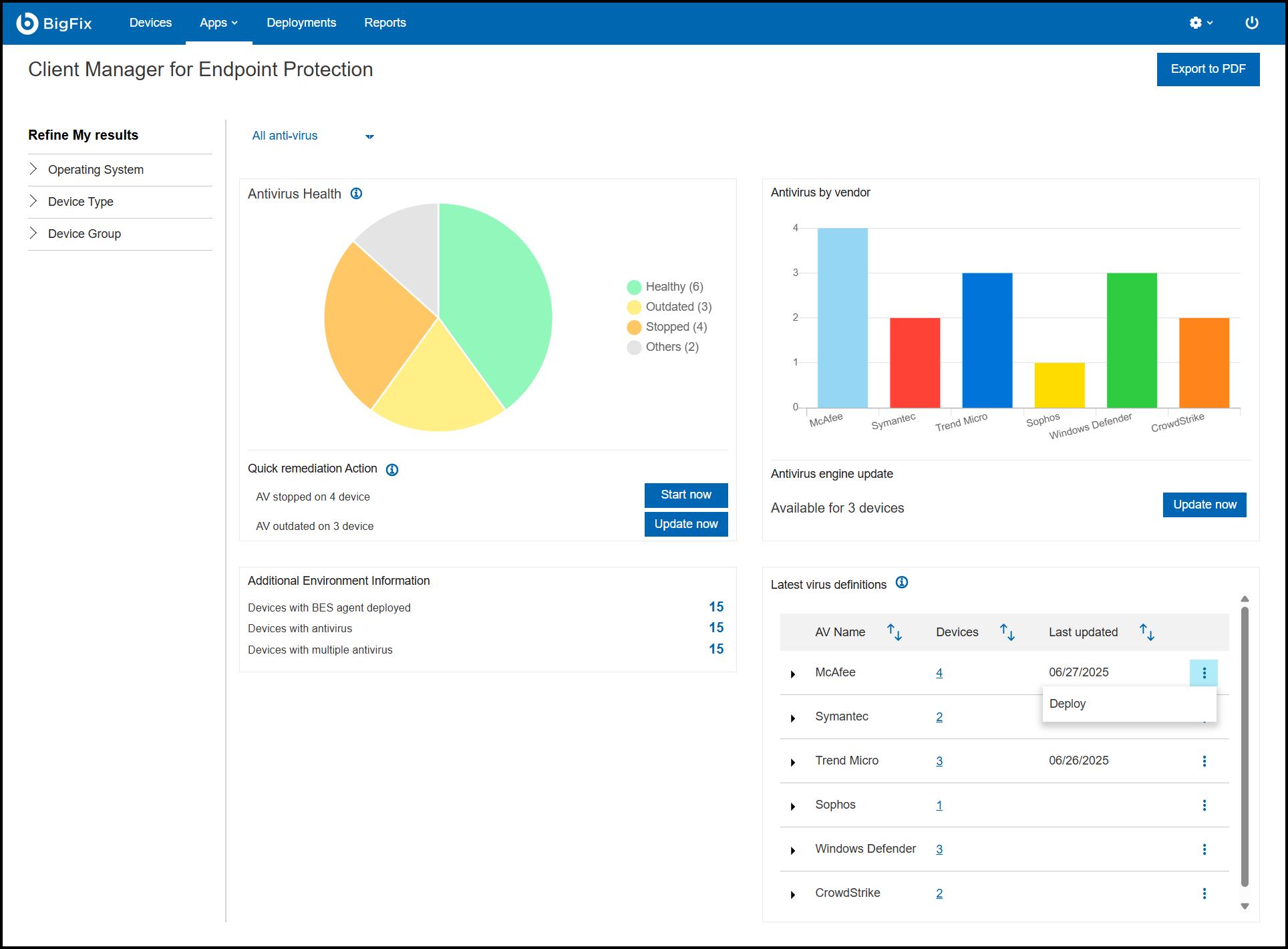
Figure 1. Overview
The overview page contains four tiles:
Antivirus Health: The pie chart in the Antivirus Health
window represents the status of the antivirus product installed on the devices.
These are the possible statuses:
Healthy: Devices with at least one antivirus
product installed, updated and running.
Outdated: The antivirus definition is out of date
and needs to be updated on the device.
Stopped: The installed antivirus application is
not running.
Others: This device has an antivirus product that
is not supported by CMEP, or no antivirus product is installed.
A status summary with quick remediation action buttons (Start now
and Update now).
Start now: Allows you to restart an antivirus
product.
Update now: Allows you to update an outdated
antivirus definition.
Antivirus by vendor: A bar graph, which displays the
number of antivirus product installed by an individual vendor.
Additional Environment Information: This tile provides
information about the number of devices with BES agent deployed, devices with
antivirus, and devices with multiple antivirus (antivirus product installed by
vendor and Windows Defender).
Latest virus definitions: This component contains the
vendor’s product name with the number of installed device and the last updated
date. You can also Deploy an antivirus definition package
by clicking the vertical ellipsis. For more information about uploading a
package and deploying it, see Deploying Latest Antivirus Definitions.
The left panel of the homepage includes a Device Filter, which allows you to
specify the criteria displayed in the Overview Report.
The upper-right corner includes the Export to PDF button.
Individual vendor dashboard - Overview
CMEP provides a dashboard for each supported antivirus product.
To view the individual vendor dashboard, click all antivirus dropdown menu in the
CMEP application overview page and select the antivirus vendor.
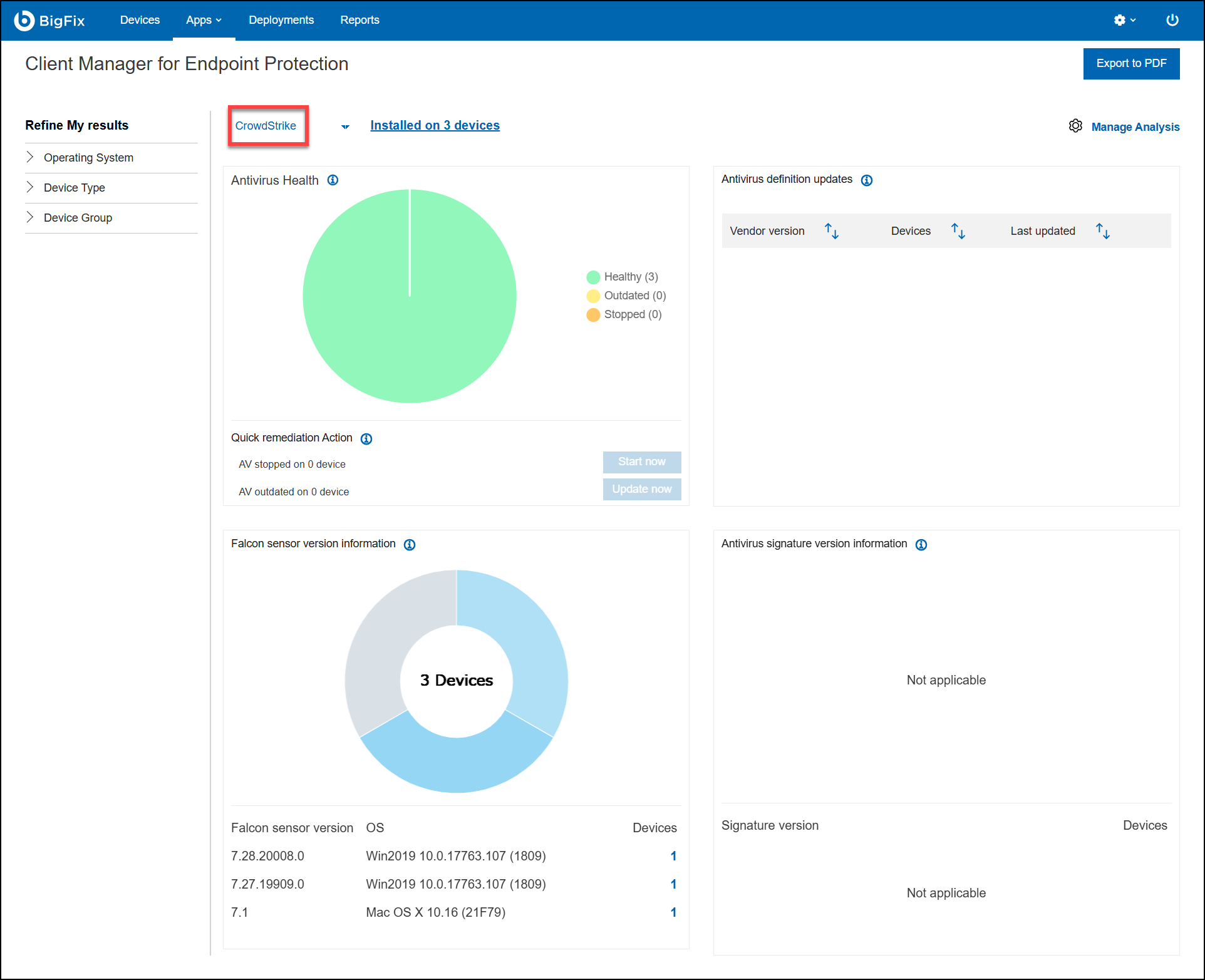
Note: Other antivirus products show the engine and signature
version details. CrowdStrike does not show these details; it shows the Falcon
Sensor version instead.
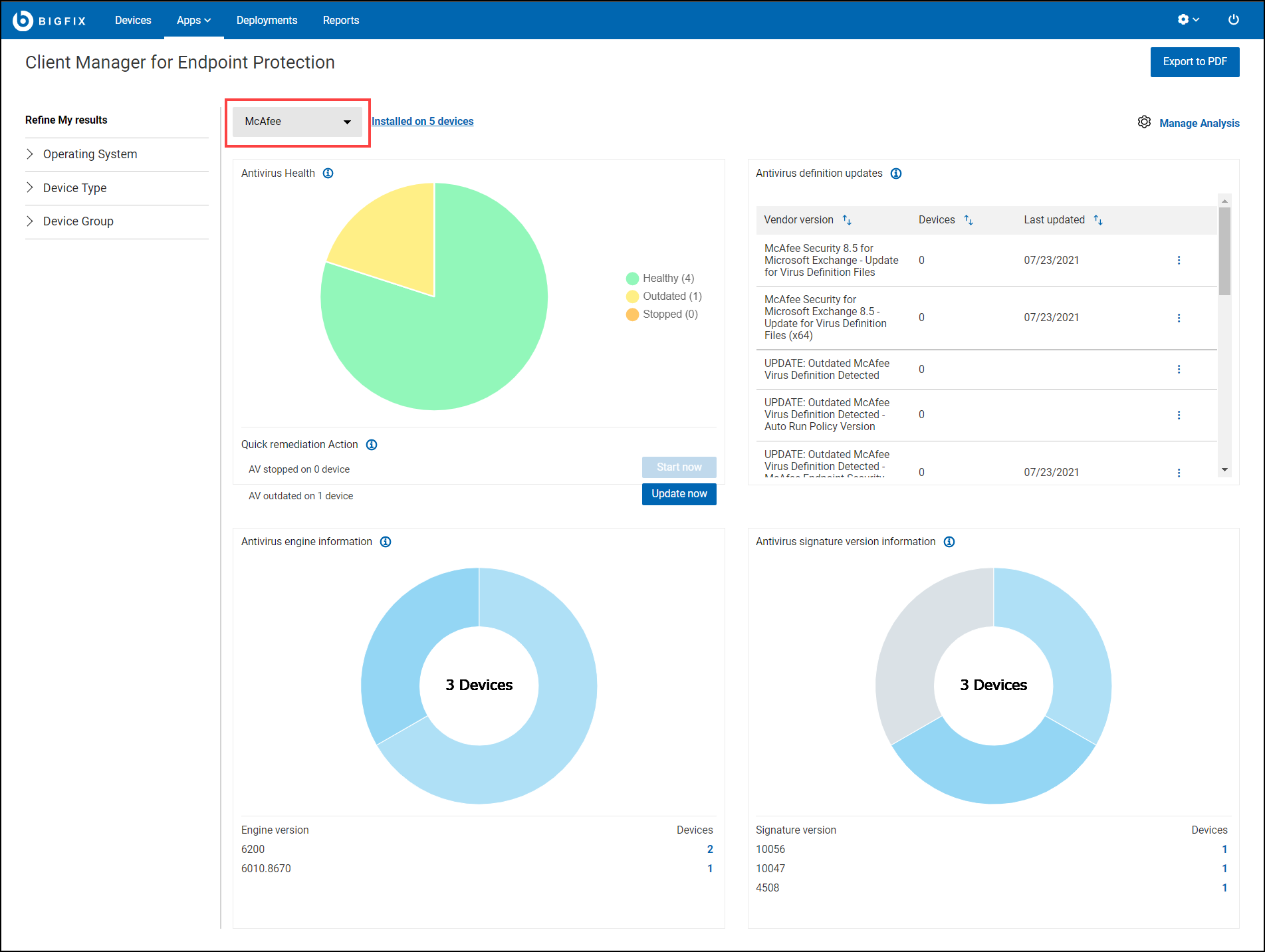
The individual vendor dashboard overview page contains four tiles:
Antivirus Health: The pie chart in the Antivirus
Health represents the status of the antivirus product installed on the
devices. These are the possible statuses:
Healthy: Devices with at least one antivirus
product installed, updated and running.
Outdated: The antivirus definition is out of
date and needs to be updated on the device.
Stopped: The installed antivirus application
is not running.
A status summary with quick remediation action buttons (Start
now and Update now).
Start now: Allows you to restart an
antivirus product.
Update now: Allows you to update an
outdated antivirus definition.
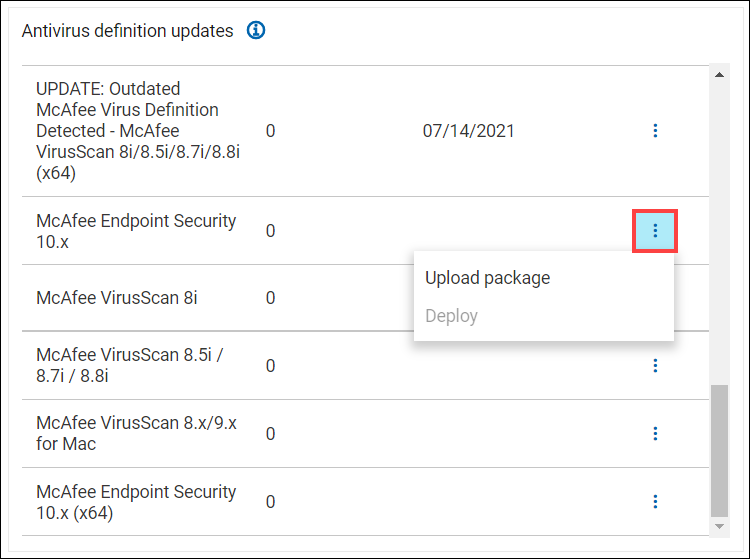
Antivirus definition updates: This component contains the vendor’s
product name and version number with the number of installed device and the
last updated date. You can also Upload or
Deploy an antivirus definition package by
clicking the vertical ellipsis as shown in the following screenshot. For
more information about uploading a package and deploying it, see Deploying Latest Antivirus Definitions.
Figure 4. Antivirus definition updates
Antivirus engine information: An antivirus product may have multiple
antivirus engine versions. Information about the engine that various
antivirus product use (installed on the subscribed device) with the number
devices having that engine installed.
Note: CMEP
supports all engine versions of antivirus products. Therefore, the
number of devices shown here may differ from the vendor's total device
count.
Note: For CrowdStrike, antivirus
engine version details are not available; Falcon Sensor version
information is provided instead.
Antivirus signature version information: An antivirus signature
version may not be same for different device. The number of devices that
have the signature version or definition version of the antivirus signatures
of the antivirus product.
Note: The antivirus signature
version is not applicable for CrowdStrike.