Backup - Administrator Only
An Administrator can perform backup functions on any available repository:
-
Select either from the administrator menu option Backup/Restore or from the Actions menu available on each repository from the Repositories List page.
-
Select Backup from the repository actions menu.
The repository gets selected based upon the selected action menu repository name.
-
Continue from Backup Storage Media.
-
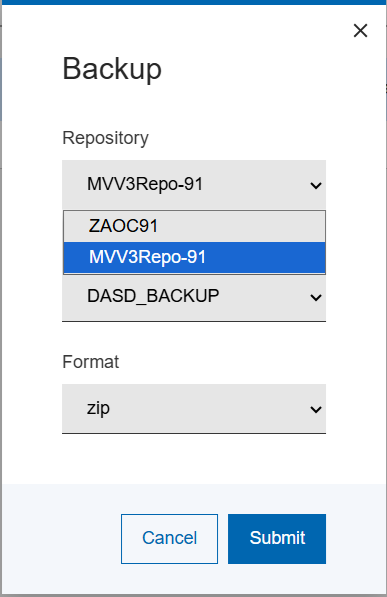
If you selected Backup/Restore from the navigation menu, when you click on the Backup button, a pop-up displays with three selection options as depicted in the following image.Note:Firstly, you need to choose the repository that you wish to back-up.
Figure 1. Repository Backup Selection