
Reset Repository – Administrator Only
To reset a repository, i.e, initialize or reset it for data loading:
- Navigate to the Repositories page, identify the repository that you wish to reset.
- Right-click on the three dots icon under the More Info column, select the
Reset option.A confirmation pop-up with options is displayed wherein you can also reset any associated LKB database contents.
Figure 1. Repository Database Reset 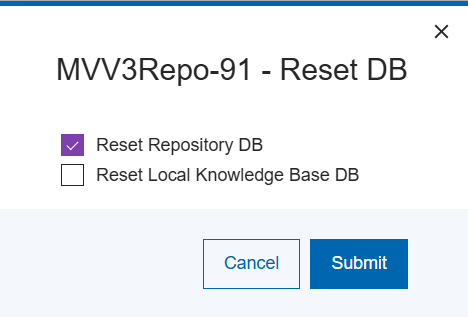
-
Select the options desired and select Save.
The repository database and all its logs will be deleted. An empty repository database will then be created.
Note:
This action will result in permanent repository data
loss. It can only be reversed if a valid backup of the repository is available for
restore.