
Database Setup
- On the Database Details view, type the Server Name , and the
Database Instance Name.
Figure 1. Database Setup 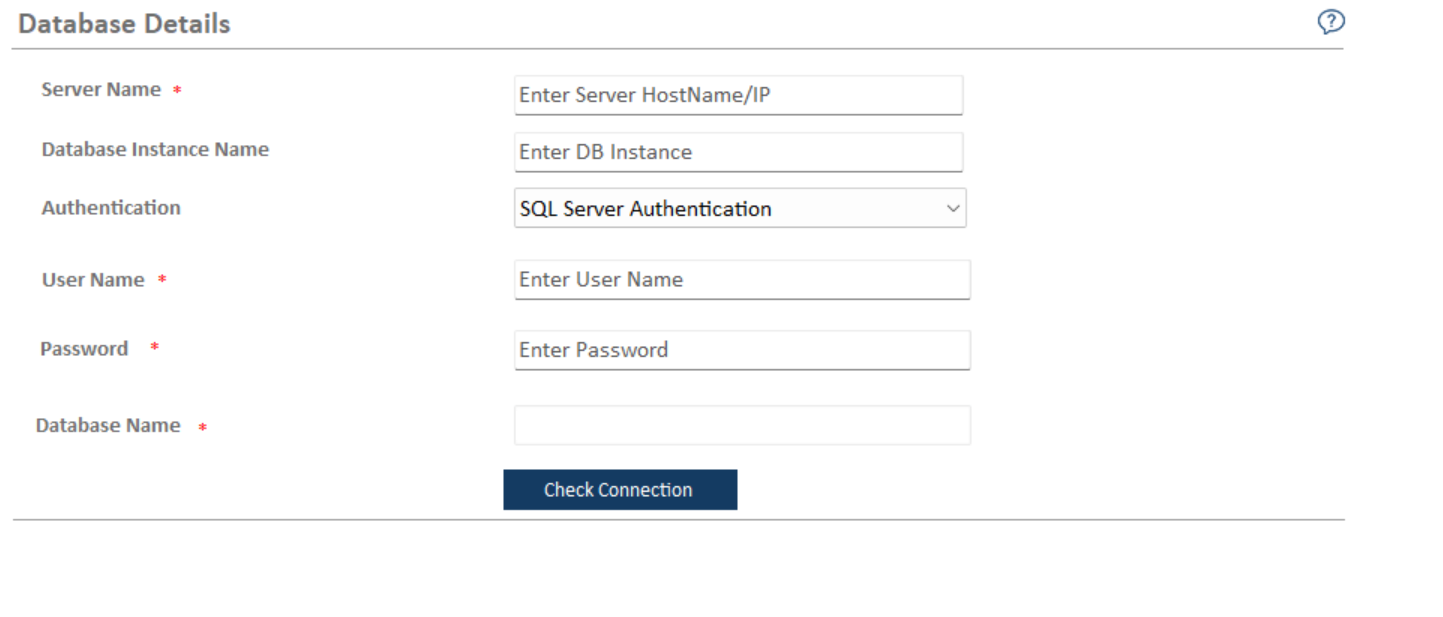
- Select the Authentication type. The type of login authentication used to configure the database determines the resulting username.
- There are two types of authentications used for database configuration:
- Windows Authentication
- SQL Server Authentication
Note:It is recommended to use windows authentication in production environment. - In the UserName and Password fields, type username and password to access the server.
- In the Database Name field is auto filled by default.
- To check the connectivity to a server using the credentials provided, click Check Connection.
- On successful connection to the database, below screen appears.
Figure 2. Database Setup(cont.) 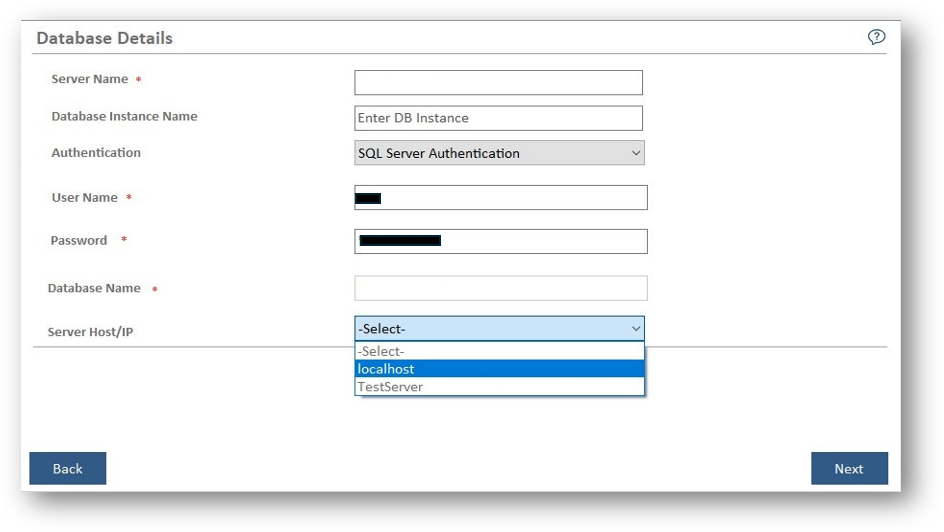
- Select ServerHost/IP on which the upgrade is required.
- Click Next. The Component Setup page appears.
Note:
All fields marked with an asterisk (*) are mandatory.