
Component Setup
After creating the iAutomate database, perform the following steps to set up the Web UI components.
- The Component Selection view lists the
components and their corresponding parameters based on the selected
component. A
 is displayed against
each component which was installed earlier on previously selected
server host/IP.
is displayed against
each component which was installed earlier on previously selected
server host/IP.
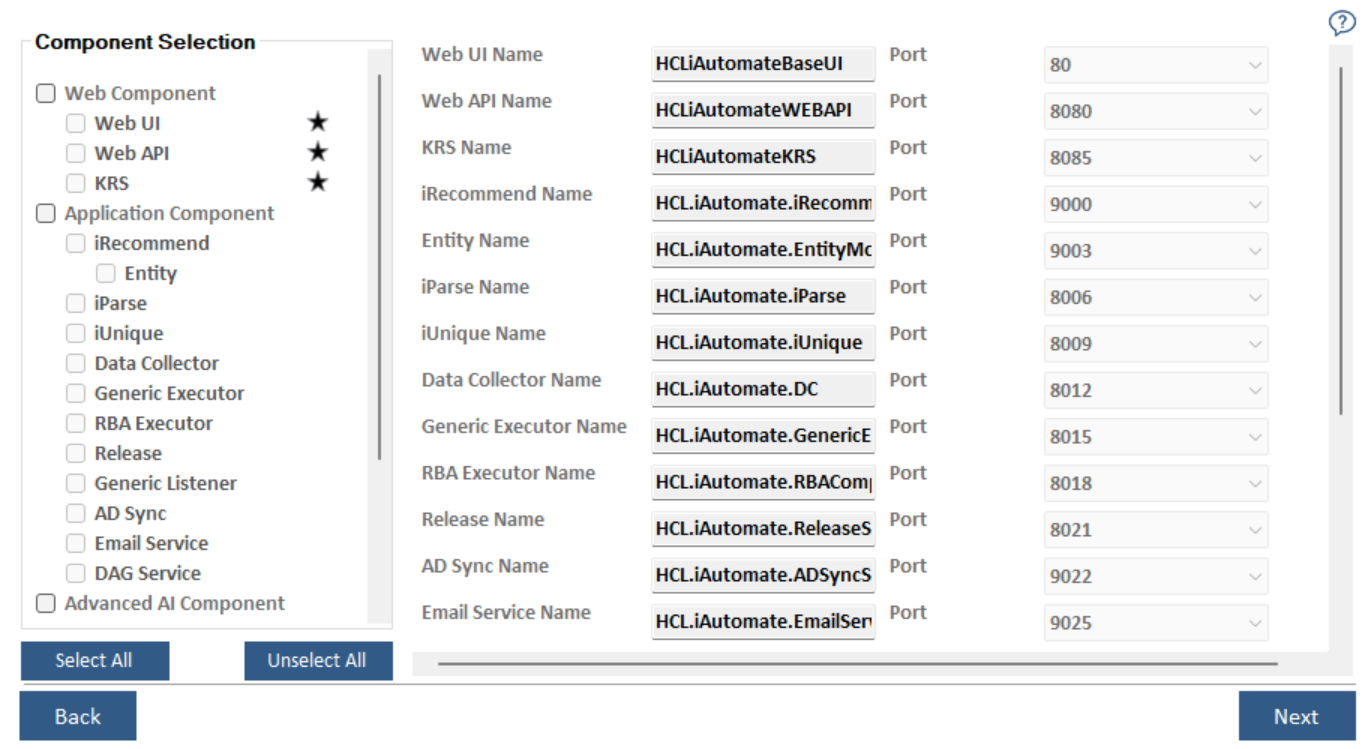
- Select the components as planned for the server configuration.
- Select the Web Component, Application Component, Ansible CLI Wrapper Component or Advanced AI Component check boxes to install all the components listed under the servers simultaneously or select a single component to install it individually.
- After component selection, their corresponding details are auto filled and enables user to select the Port for each component.
- Click Next. The Server Configuration page appears.
Note:
All fields marked with an asterisk (*) are mandatory.