
Import Process Template
- To Import existing process templates of an organization, follow the below
steps:
Figure 1. Import Process Template 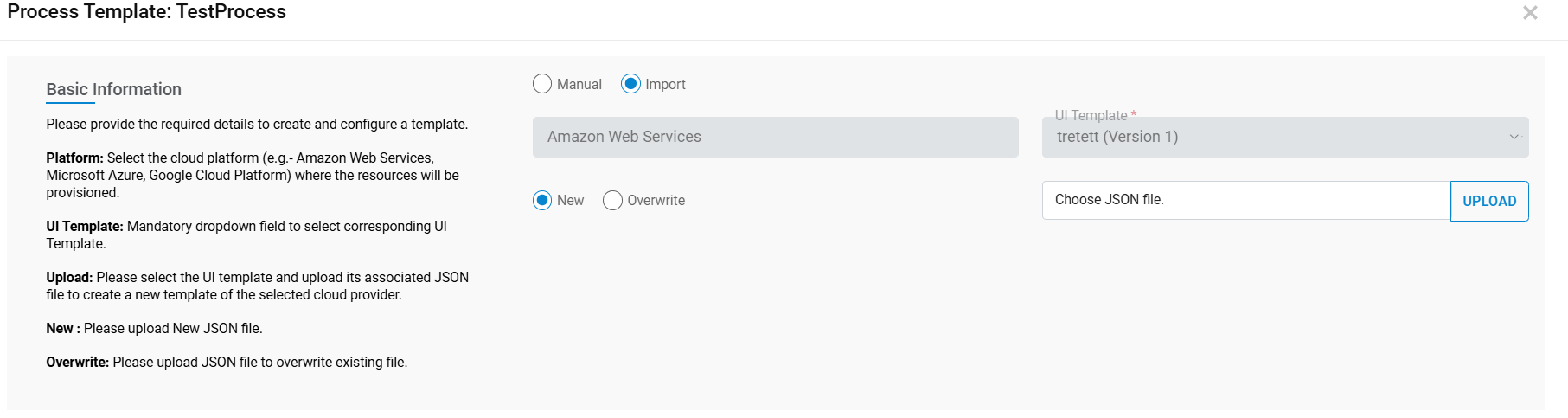
- Select the Import Type as New or Overwrite.
- As soon as Process Template File is uploaded the Upload button appears.
- Select Organization, Platform and UI Template.
- If the Overwrite option is selected from Point 1 then select the Process Template Name field.
- Click on Import.
Figure 2. Import Process Template (Cont.) 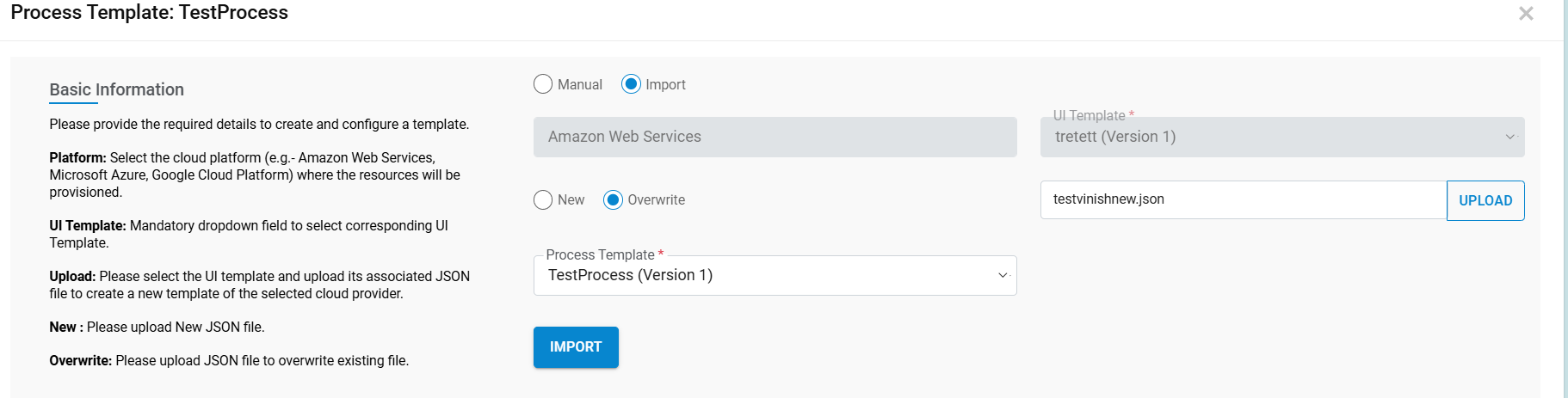
- All the tasks in Process Template get imported and listed with all configurations.
- If a user wishes to change the configuration (e.g., Success Service Name, Task Name etc.), it is done through manage process template.
- Click on IMPORT.
- A success message box appears.
- Click ADD.
Figure 3. Confirmation Message 