
Manage Process Template
It is an orchestrator’s task configuration module and is accessible to Provider user. The provider can configure tasks that are run by HCL BigFix CLM orchestrator’s engine. Cloud Orchestration enforces a workflow to automate tasks and enhances security with identity and access management policies. It can also unite disparate cloud deployments to work together for a given workload.
Whereas a process template is a series of sequential tasks that are carried out based on user-defined rules or conditions, to execute a business process. It is a collection of data, rules, and tasks that need to be completed to achieve a business outcome.
Before discussing this module in detail, a Provider needs to create the mechanism where HCL BigFix CLM communicates with enterprise tools through APIs. To configure and manage it, Provider user needs to follow the below steps:
- On the main menu bar, click Configuration and then click Integration.
- Click + Integration.
- Then click on ITSM.
Figure 1. Configuration 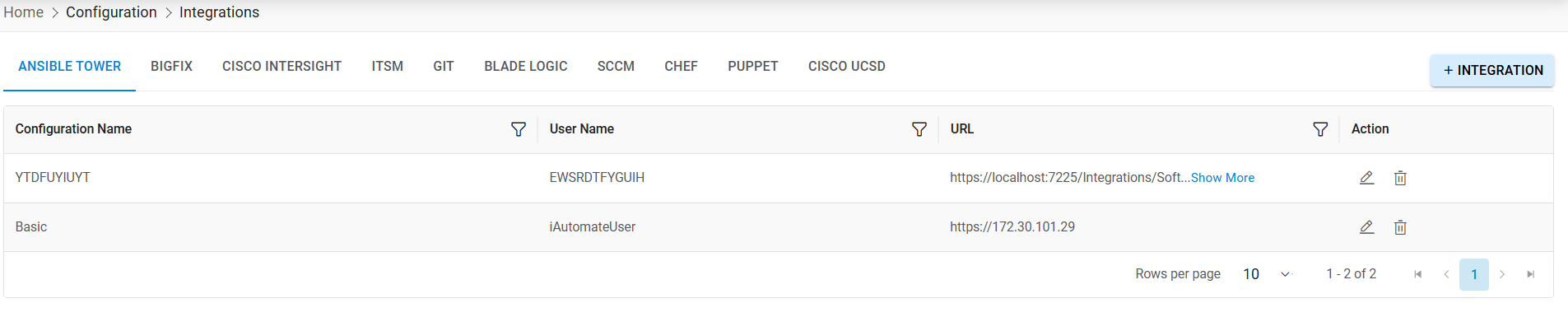
Figure 2. Select Integration 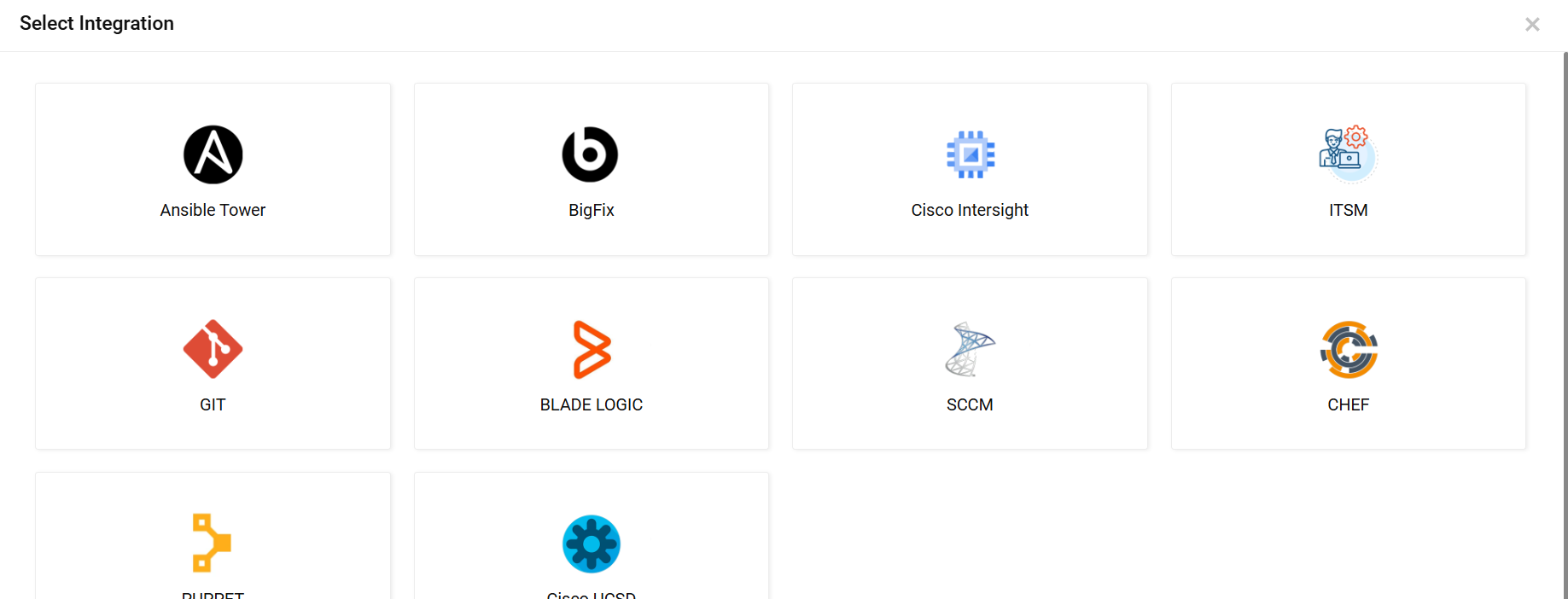
Figure 3. Add Configuration 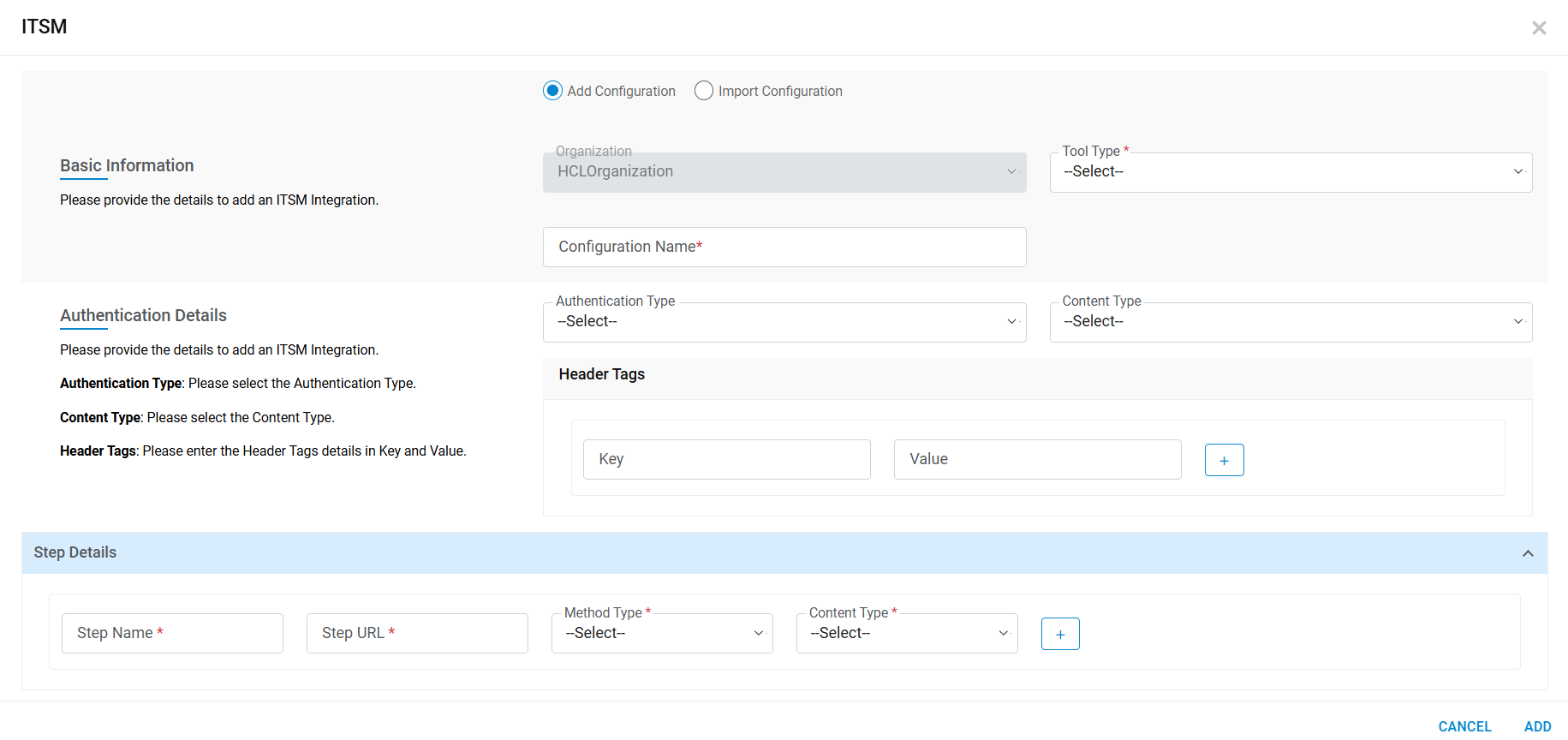
- Select Tool Type.
- Organization will be filled automatically.
- Enter Configuration Name.
- Select Authentication Type. Based on selected Authentication Type, share the information.
- Enter Header Tags.
- Select Content Type.
- In the Step Detail section, provide Step Name, Step URL, Method Type, and Content Type.
- Click Save.
Figure 4. Add Snow Configuration 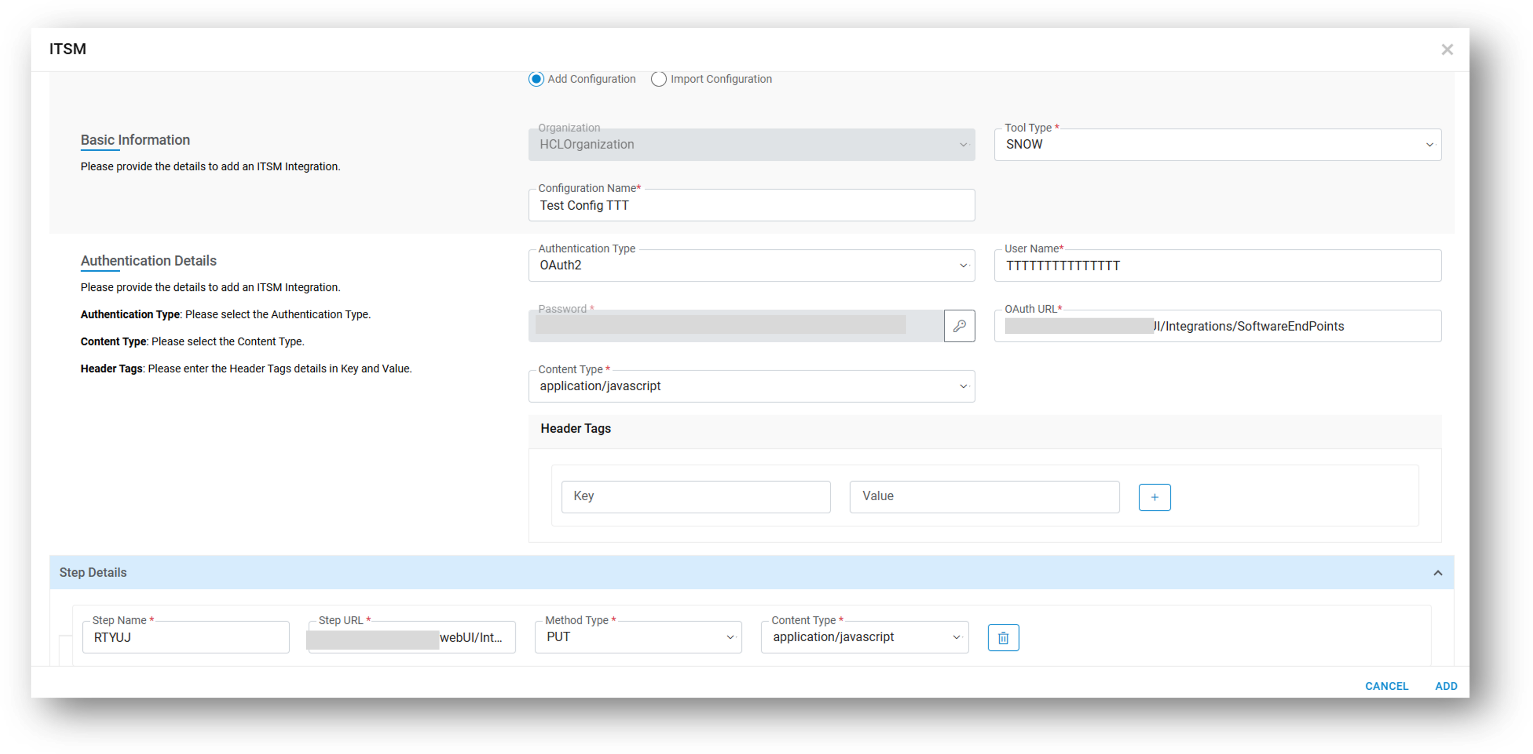
Refer to the below table to understand the fields mentioned in the above figure:
Table 1. Configuration Field Fields Description Tool Type The name of ITSM tool Organization The organization that uses the ITSM tool Configuration Name Name the configuration Authentication Type Two types of authentications (BasicAuth and OAuth2) are available in HCL BigFix CLM. Username User credentials which have access to ITSM Cloud Account Content Type What content type supports the Authentication like “application/Json”, “Text” etc. Oauth URL If authentication type is “OAuth2” then Oauth URL is required to authenticate the user. Step Name Create step (s) for single tool configuration. Step URL Step URL to access API for mentioned in step. Method Type What method type support step URL like “PUT” or “POST” Content Type What content type supports the step URL like “application/Json”, “Text” etc. Header Tags Header tags passed in header Action Provider user to take actions like Edit and Delete against the listed ITSM configurations -
A success message box appears.
Figure 5. Confirmation Message 
- Click OK.
The ITSM Configuration is added, and it appears in the View Configuration tab.
Note:All fields marked with asterisk (*) are mandatory. For more details on View Configuration tab, refer to HCL BigFix CLM Configuration Guide.
Now, Provider user needs to follow the below sections to configure Process Templates.