
Generic Task
If provider user selects the task type as Generic.
- Click on Configure Task (
 ), a window pops up
where Provider maps HCL BigFix CLM’s out of the box tasks.
), a window pops up
where Provider maps HCL BigFix CLM’s out of the box tasks.Figure 1. Manage Generic Task 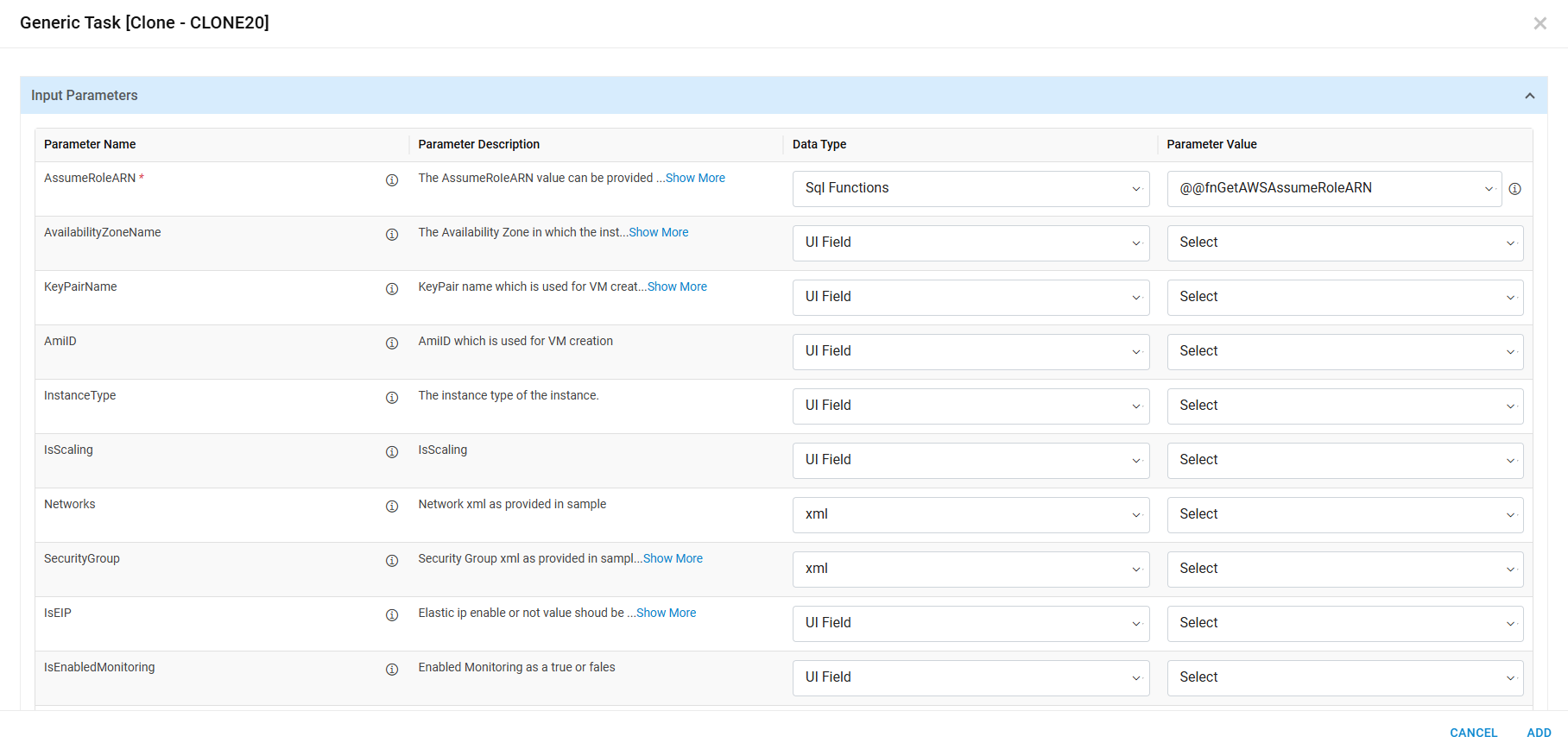
Refer the below table to understand the fields mentioned in the above figure:
Table 1. Manage Generic Task Fields Description Parameter mapping This icon highlights the output parameters of current generic tasks. Parameter Name These are predefined parameters to execute generic task within HCL BigFix CLM Parameter Description Parameter description contains all the information about the parameter. Datatype Type of data to map parameter Name except for e.g., string, xml SQL function etc.
 icon shows the type
of data that is required for corresponding parameters.
icon shows the type
of data that is required for corresponding parameters.HCL BigFix CLM Predefined SQL Function List is a list of HCL BigFix CLM predefined functions that are used for mapping sensitive data to parameter name that are not present in dynamic UI.
e.g.,Azure subscription details etc.
Below datatypes which provides parameters values which are not present in dynamic UI. For example:
Static: To specify the fix hard coded parameter value to workflow task.
Secret Key: It populates all the keys which is defined in secret manager screen and takes the value of key on workflow task execution. Secret key value displayed format is $.ConfigurationName.KeyName
Key value: it shows Map key value button (
 ) option to add parameter values. On click of Map Key
value below popup opens.
) option to add parameter values. On click of Map Key
value below popup opens.
- Enter Key Name.
- Select Data Type.
- Select/Enter key value based on the Data Type.
- Invoke the Action button (
 ).
). - Click Submit.
Parameter value Parameter Value contains all control fields of dynamic UI associated with a process template. Mainly, it contains 2 unique fields of HCL BigFix CLM which are RequestDetailID and RequestmasterNo.
It is used in various APIs which HCL BigFix CLM supports for e.g., GetVMname, Update CI etc. For SQL function datatype all HCL BigFix CLM predefined SQL functions will populate to map parameter names.
- Populate the fields and click Submit.