
View Chat History
Users can view their chat history with BigFix AEX in case they want to revisit historical queries.
Chat History has the following information about user’s conversations:
Note:
This functionality is not available in Microsoft Teams
- Type of query
- Time
- Query ID
- Resolution Provided
To view the chat history, perform the following steps:
- On the BigFix AEX top navigation bar, click
.png) .
.The Chat History window lists all the conversations.
Figure 1. Chat History List View .png)
- Click
 to view the Chat
History and other details such as
to view the Chat
History and other details such as- Chat ID
- Date and Time
- Resolution Provided
- User Feedback
Figure 2. Viewing Chat History: Chat History Details 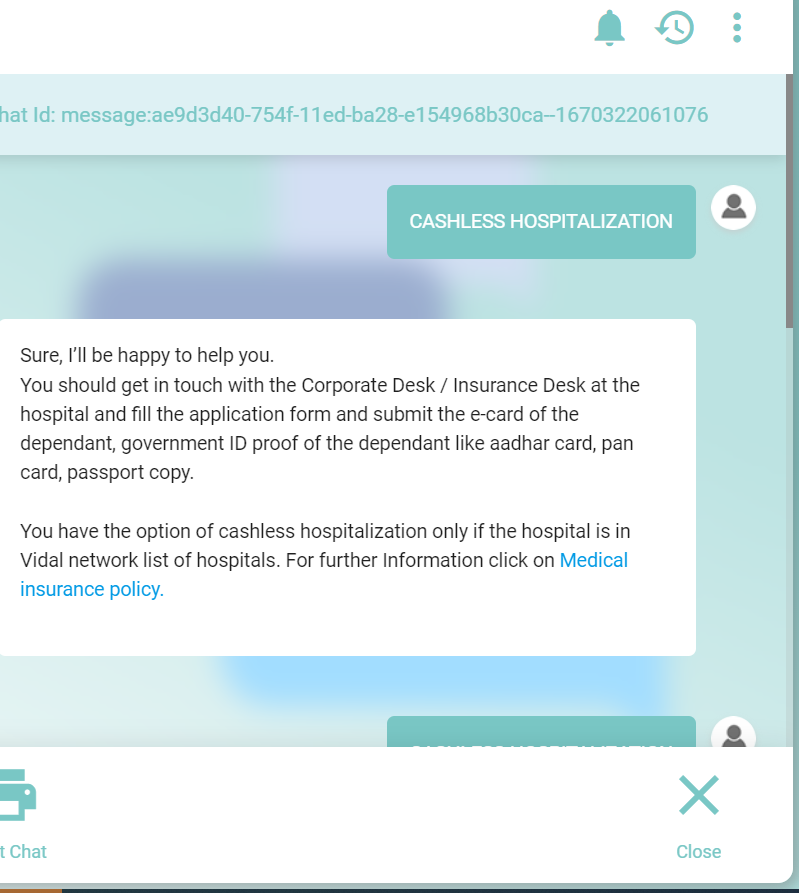
- Click
.png) at the bottom of the
chat window to print the chat or click
at the bottom of the
chat window to print the chat or click  to close the chat.