
Signing Out of BigFix AEX
After completing your conversation, sign out from the application.
- To sign out from BigFix AEX, click
 at the top right
corner of the BigFix AEX home page and select Logout from the drop-down list.
at the top right
corner of the BigFix AEX home page and select Logout from the drop-down list.Figure 1. Signing out of BigFix AEX 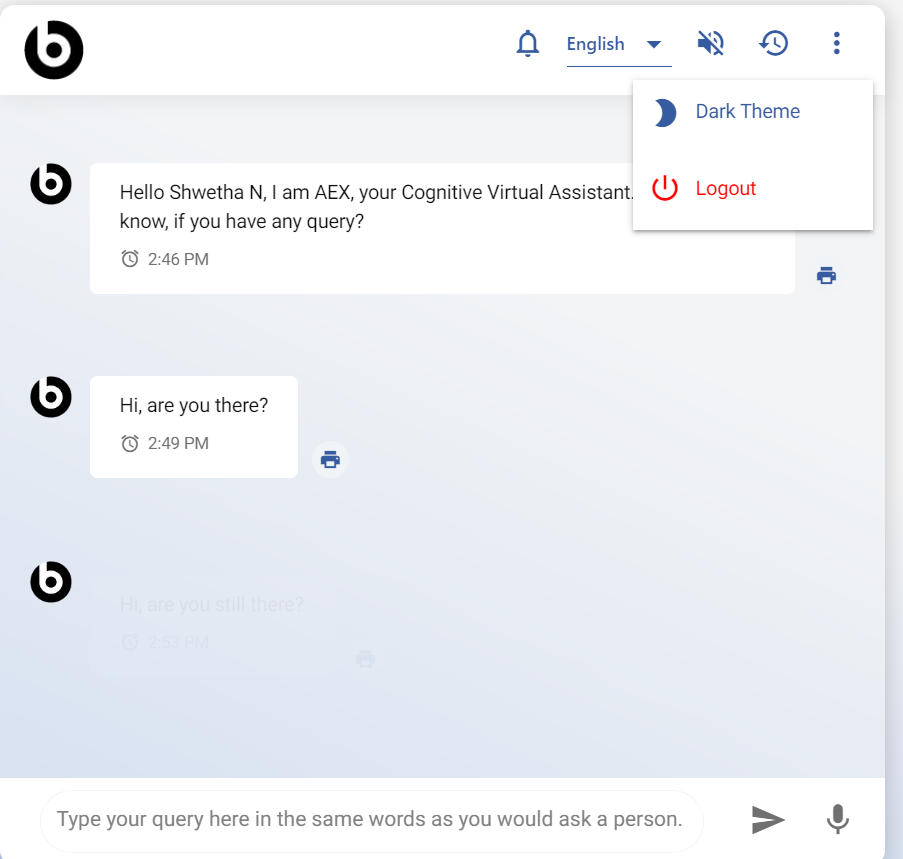
- You can now go ahead and start your first conversation with BigFix AEX.
Note:
This functionality is not available in Microsoft Teams for BigFix AEX, however users can logout of the Teams client.