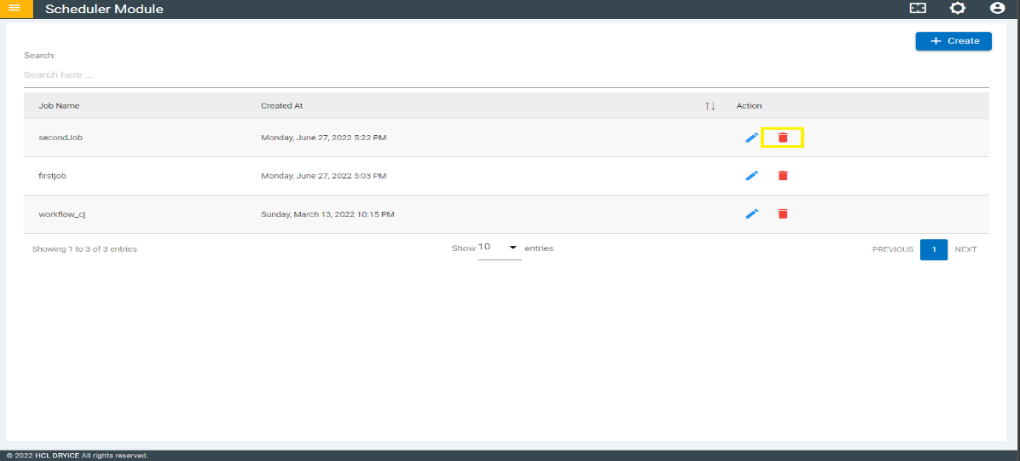
In the Scheduler Page you can find the list of Scheduled Jobs. For every job listed, a
corresponding delete icon is available under the Action column. You can click that
delete icon to delete the existing Jobs.
Figure 1. Scheduled Job List
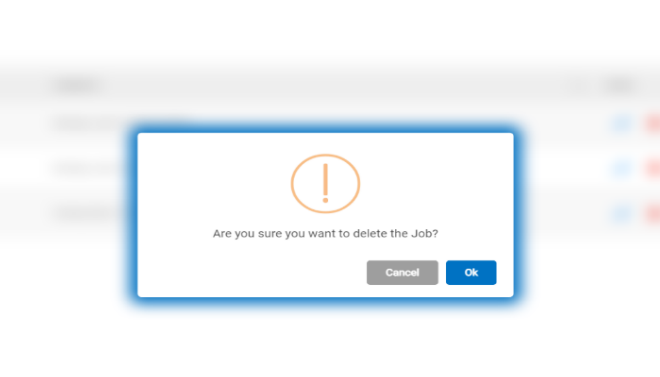
Once the “Delete” button is Click
a pop up appear showing that “Are you sure you want
to delete the Job”.
Click “OK” to delete the Job.
Figure 2. Confirm Scheduled Job Delete
Once the Job is deleted a pop up appears showing that the "Job Successfully deleted"
and Click “OK” it will redirect to the job list page.