
User Context Persistence (UCP)
User context persistence (UCP in short) allows conversational designer and cognitive SMEs to save user related context across sessions and channels for re-use in subsequent chat sessions to provide seamless user experience and eliminating the need for prompting for user information which is consistent, such as location, application preferences, operating systems etc.
To use UCP, ensure the user context persistence connector is enabled for your tenant. Follow the steps in the one-click connector section to enable it:
- If the connector is enabled, user context can be persisted using the persist_context_keys context variable with relevant values in the welcome node of the skill.
- Context variables changed during a conversation would be available for future actions.
- Context variables changes managed through Openwhisk actions are not saved immediately but would be available in the subsequent conversation.
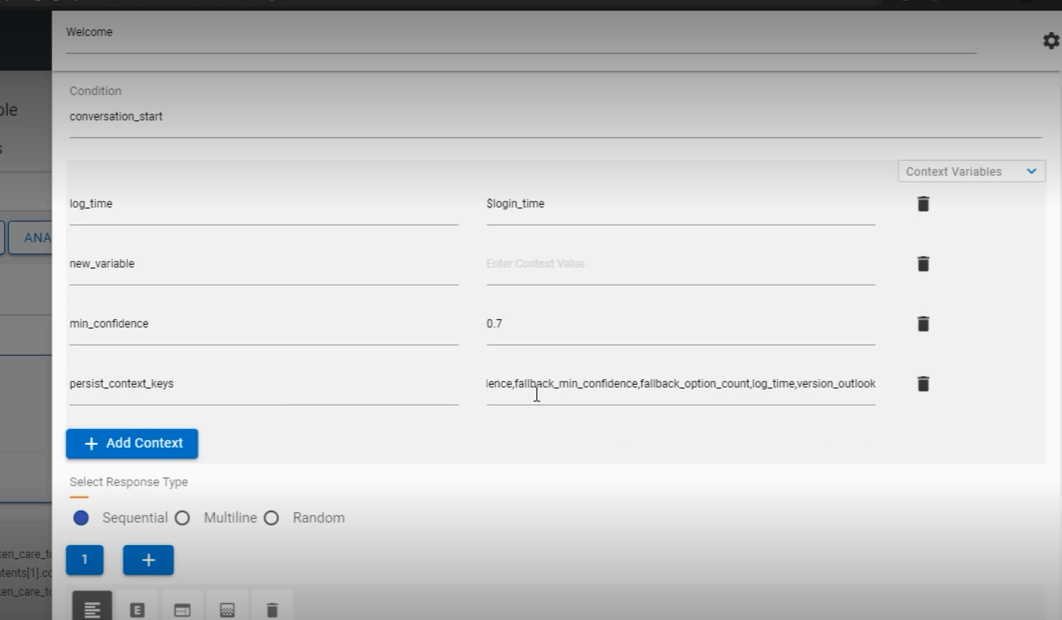
- All context variables to be tracked can be added as comma separated values. E.g., fallback_min_confidence, fallback_option_count etc. $ should not be added as a prefix for context names.

- Based on the available user information, the requisite variables can be added in subsequent dialog nodes.
Let’s take an example of getting user’s outlook version and how UCP can help us to save that information, so it’s not asked from the user every time.
- We added a context variable named version_outlook to the persist_context_keys array in the welcome node.
- Since this information is not present when the session starts or when a use case is
triggered for the first time, the use case should be designed in such a way, that value of
version_outlook is checked before acquiring user input.
Figure 3. Validate if Context Variable is Empty 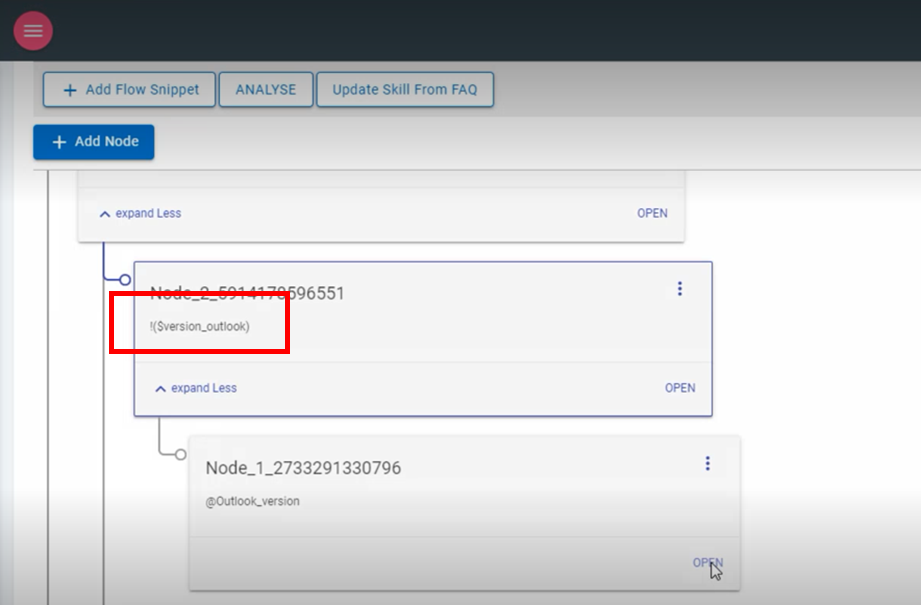
- An empty context can be checked using the NOT operation - !(version_outlook) to
check if this value has been provided by the user. Once this node is triggered, a child node
can be added to obtain and store the value from an MCR input.
Figure 4. MCR Input for User 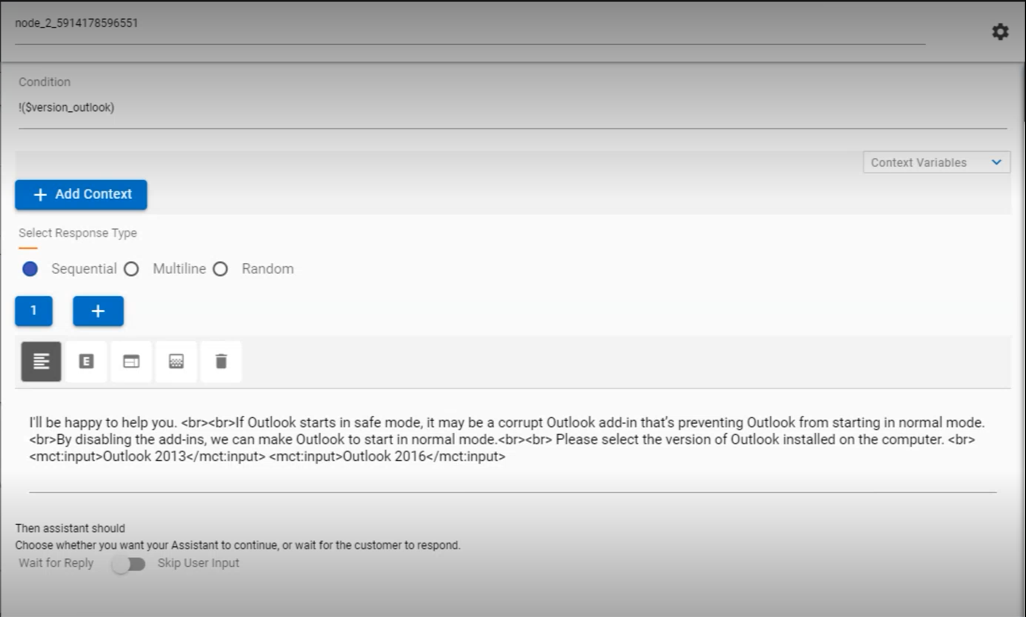
- The following node shows the user input saved into the user context persistence using the
version_outlook variable which can be re-used.
Figure 5. MCR Input from User to save in UCP Array 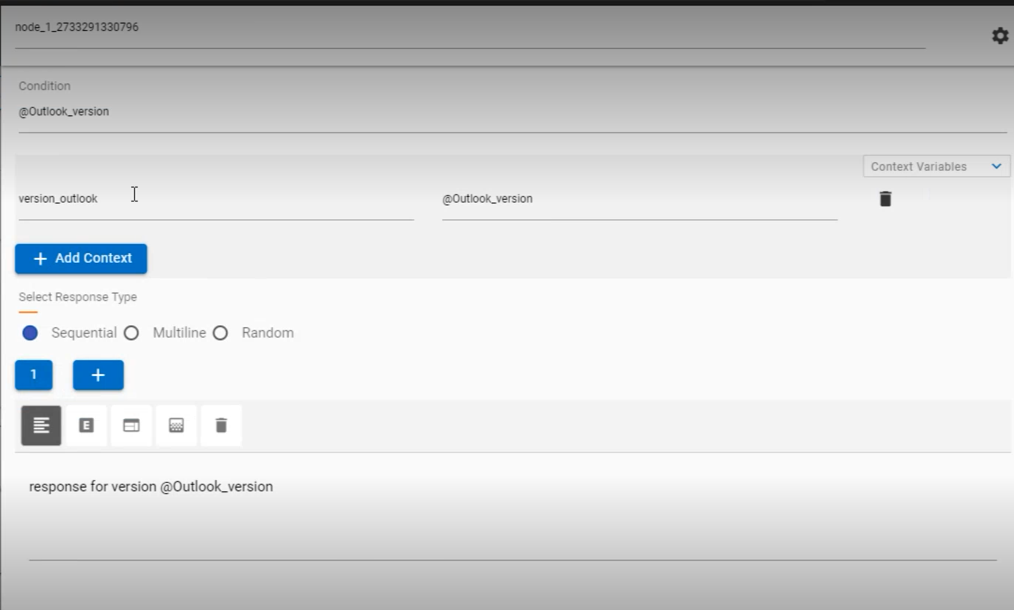
- UCP values can only be overwritten using persist_context_keys as NULL to remove past values.
- A simple example of using UCP in the chat dialogue is shown below:
Figure 6. UCP Array Saving User’s Outlook Version 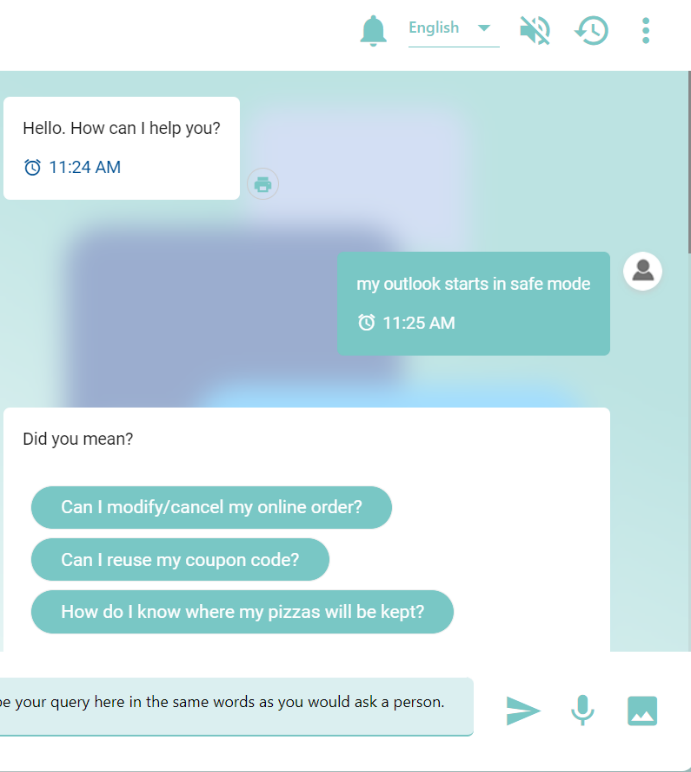 Note:
Note:This feature should not be used to store large data.