Deploying CDP RTS MS
This section provides detailed instructions on how to deploy HCL CDP RTS MS using the Devtron in the OpenShift.
Before you begin
Make sure to create a rts-ms secret with required data in the HashiCorp Vault before deploying CDP RTS MS.
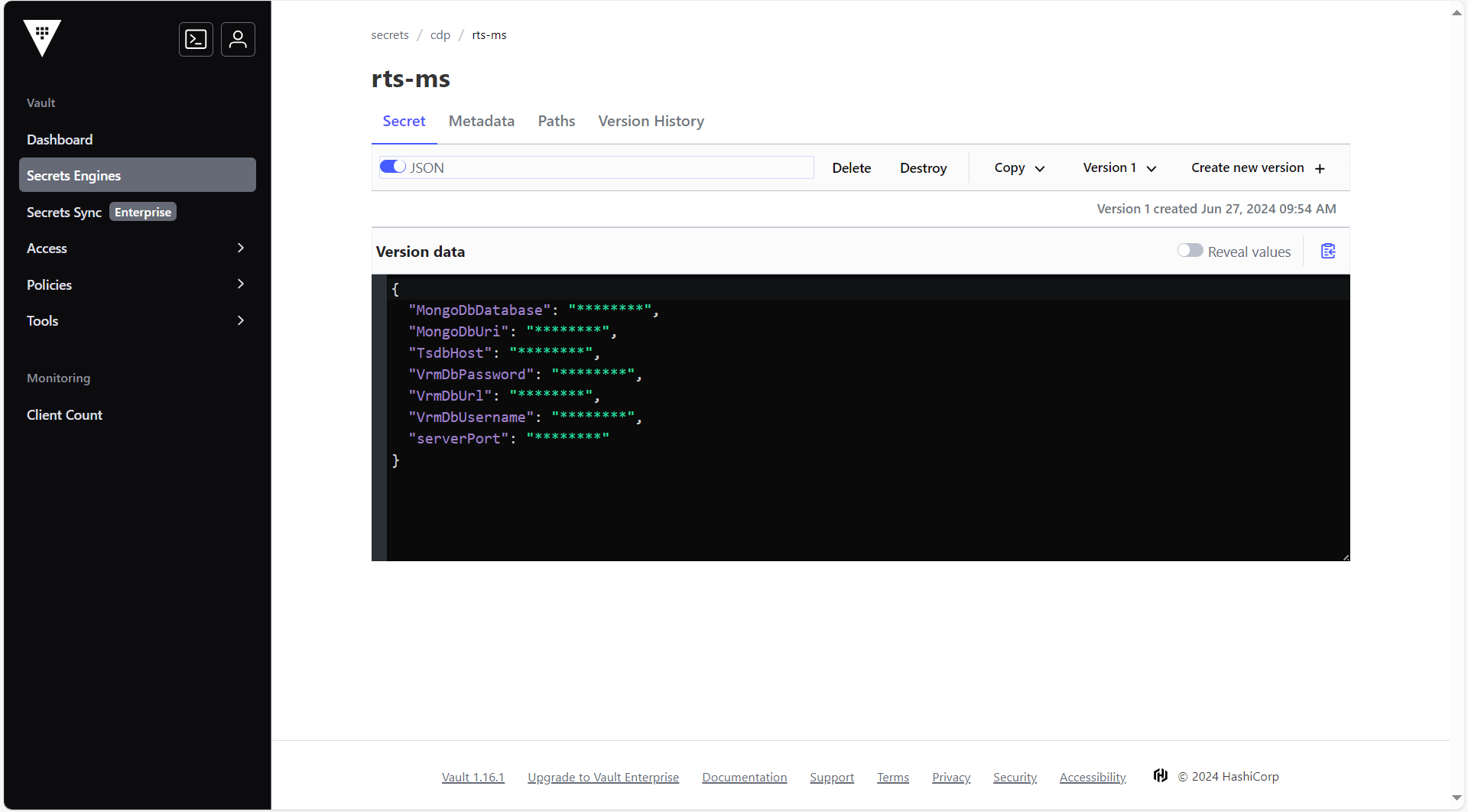
To create the rts-ms secret in the HashiCorp Vault, follow the steps below:
- Create a rts-ms secret sample key and value in the UI secret, and update
ConfigMaps data with actual values.
{
  "serverPort": "8080",
  "VrmDbUrl": "jdbc:mariadb://<DB_HOST>:3307/vrm?autoReconnect=true",
  "VrmDbUsername": "<DB_USER>",
  "VrmDbPassword": "<DB_PASSWORD>",
  "MongoDbUri": "mongodb://<MONGO_USER>:<MONGO_PASSWORD>@<MONGO_HOST>:51090/?directConnection=true",
  "MongoDbDatabase": "segmentation",
  "TsdbHost": "<TSDB_HOST>"
}
Procedure
-
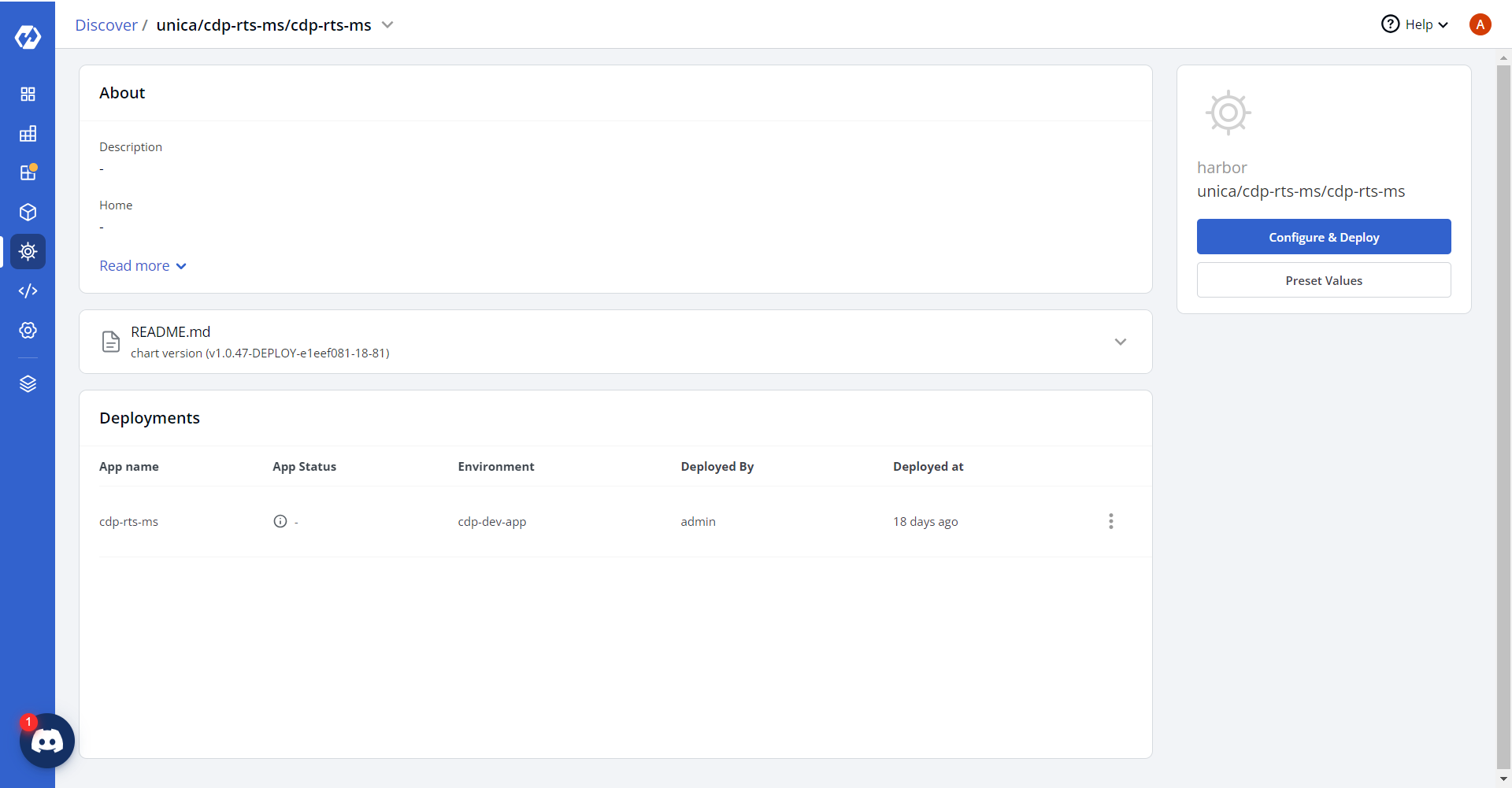
Navigate to the Devtron Chart Store, and select the cdp-rts-ms chart to
deploy.
.png)
-
Now, configure and deploy the CDP RTS-MS charts.
-
In the YAML section, update the ConfigMap using below details, and deploy
the charts.
countCollectionSuffix: count countQueryIdKey: queryId countUpdateThreshold: "10" countUpdateWaitTimeout: "5000" suggestionCollectionSuffix: suggestion suggestionQueryIdKey: queryId suggestionUpdateThreshold: "1440" suggestionUpdateWaitTimeout: "330" statsCollectionSuffix: count statsQueryIdKey: queryId statsUpdateThreshold: "60" statsUpdateWaitTimeout: "10" maxPoolSize: "100" minIdle: "10" idleTimeout: "10000" fromEmailId: user@domain.com toEmailId: user@domain.com VrmDbDriver: org.mariadb.jdbc.Driver physicalStrategy: org.hibernate.boot.model.naming.PhysicalNamingStrategyStandardImpl dialect: org.hibernate.dialect.MySQLDialect dbRefreshInterval: "1" serverPort: "8080" TsdbPort: "80" jobStore: jdbc quartzSchema: always quartzDataSource: "" quartzTablePrefix: QRTZ_ instanceName: scheduler-2 instanceId: AUTO isClustered: "" clusterCheckinInterval: "20000" AWS_REGION: ap-south-1 AWS_BUCKET_NAME: <masked-bucket> BucketType: s3 LOG_LEVEL_APP: info LOG_LEVEL_ROOT: info threadPoolSize: "10" batchSize: "1000" maxBatchRecords: "10000" athenaQueryOutputBucket: <masked-bucket>/athenaResults glueJobName: FetchCustomerID_ETL_SegAudience glueJobFunnelName: FunnelSegementExport_ETL_Dynamic trendsGluejob: EventTrendsJob baseUrl_coreApi: https://coreapi.<domain>.cloud athenaBuckets: "<masked tenant-bucket mapping>" athenaDatabase: "<masked tenant-db mapping>" trinoUrl: jdbc:trino://<masked-trino-host>:443/minio?SSL=true&SSLVerification=NONE trinoUsername: admin trinoDriveName: io.trino.jdbc.TrinoDriver airflowUrl: https://airflow-webserver.<masked>.cloud/api/v1/dags/ airflowUsername: airflow-user airflowPassword: "<masked_password>" ACCESS_KEY: "<masked_access_key>" ACCESS_SECRET: "<masked_secret_key>" MINIO_ENDPOINT_URL: https://minio-operator.<masked>.cloud airflowSegmentExportDAGName: export_customers_with_events_csv_dag queryEngine: athena nightlyRefreshJobName: TriggerNightlyRefreshDAG dashbackend_auth: "<masked_auth_token>" dashbackend_baseurl: https://coreapi.<domain>.cloud exportType: Table masterIdGlueJobName: FetchMasterID_ETL_SegAudience masterIdEnabled: "false" masterIdTenants: 6525:false,6543:true,6602:false,6555:false,6556:true,6552:false airflowMasterIdDagName: export_masterid_csv_dag metadataCacheRefreshRateMs: "3600000" cdmEnabledTenatrefreshrateMs: "3600000" cdmExportGlueJobName: CDMExportGlueJob.png)
-
On successful deployment, validate the deployment as shown below.
.png)