Deploying CDP Manager
This section provides detailed instructions on how to deploy HCL CDP Manager using the Devtron in the OpenShift.
Before you begin
Make sure to create the cdp-manager secret with required data in HashiCorp vault before deploying the CDP Manager.
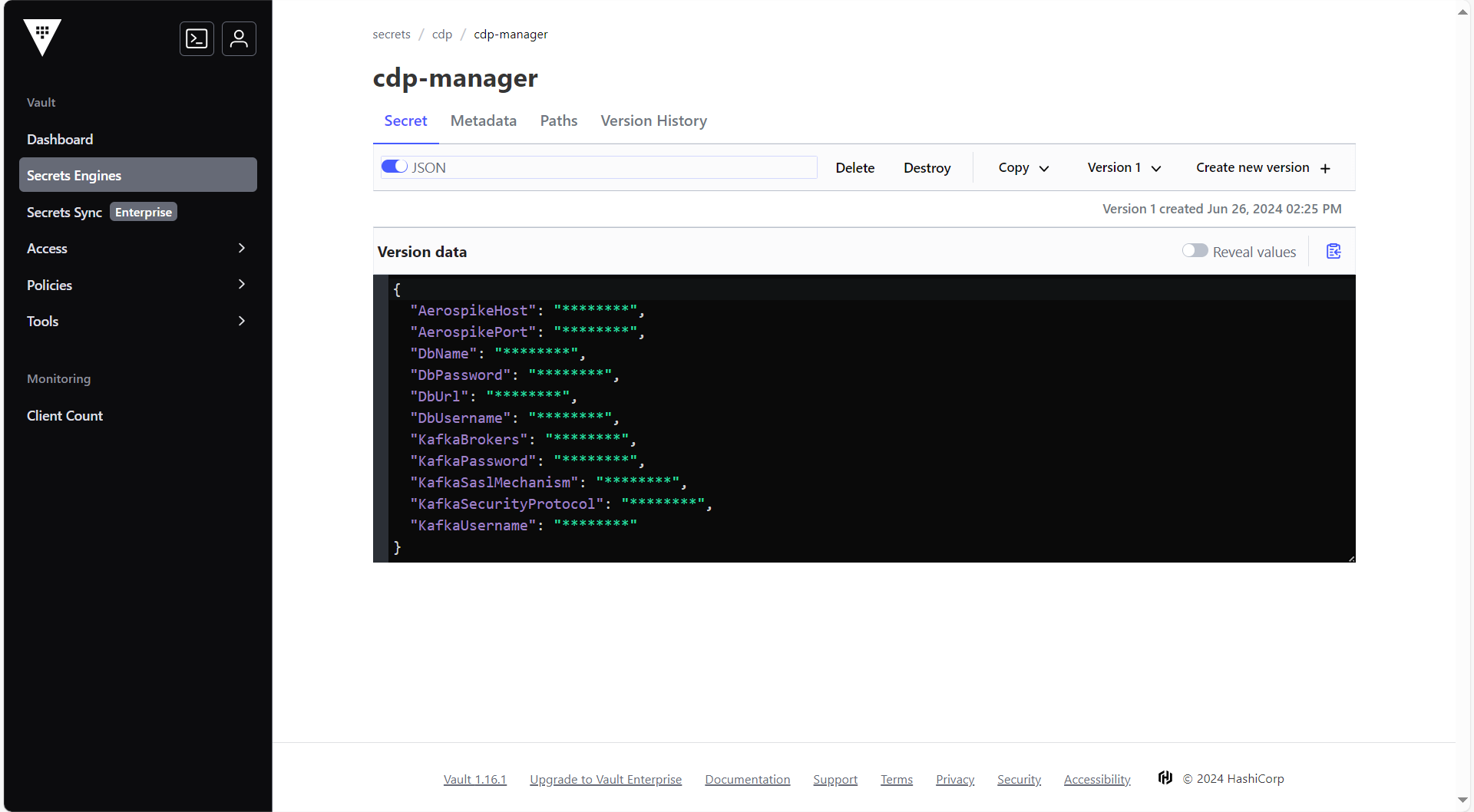
To create the cdp-manager secret in HashiCorp Vault, follow the steps below:
- Create a cdp-manager secret sample key and value in the UI secret, and update
ConfigMaps data with actual values.
{
  "AerospikeHost": "<AerospikeHost>",
  "AerospikePort": "<AerospikePort>",
  "DbName": "<DbName>",
  "DbPassword": "<DbPassword>",
  "DbUrl": "<ip:port>",
  "DbUsername": "<DbUsername>",
  "KafkaBrokers": "<KafkaBrokers>",
  "KafkaPassword": "<KafkaPassword>",
  "KafkaSaslMechanism": "<KafkaSaslMechanism>",
  "KafkaSecurityProtocol": "<KafkaSecurityProtocol>",
  "KafkaUsername": "<KafkaUsername>"
}
Procedure
-
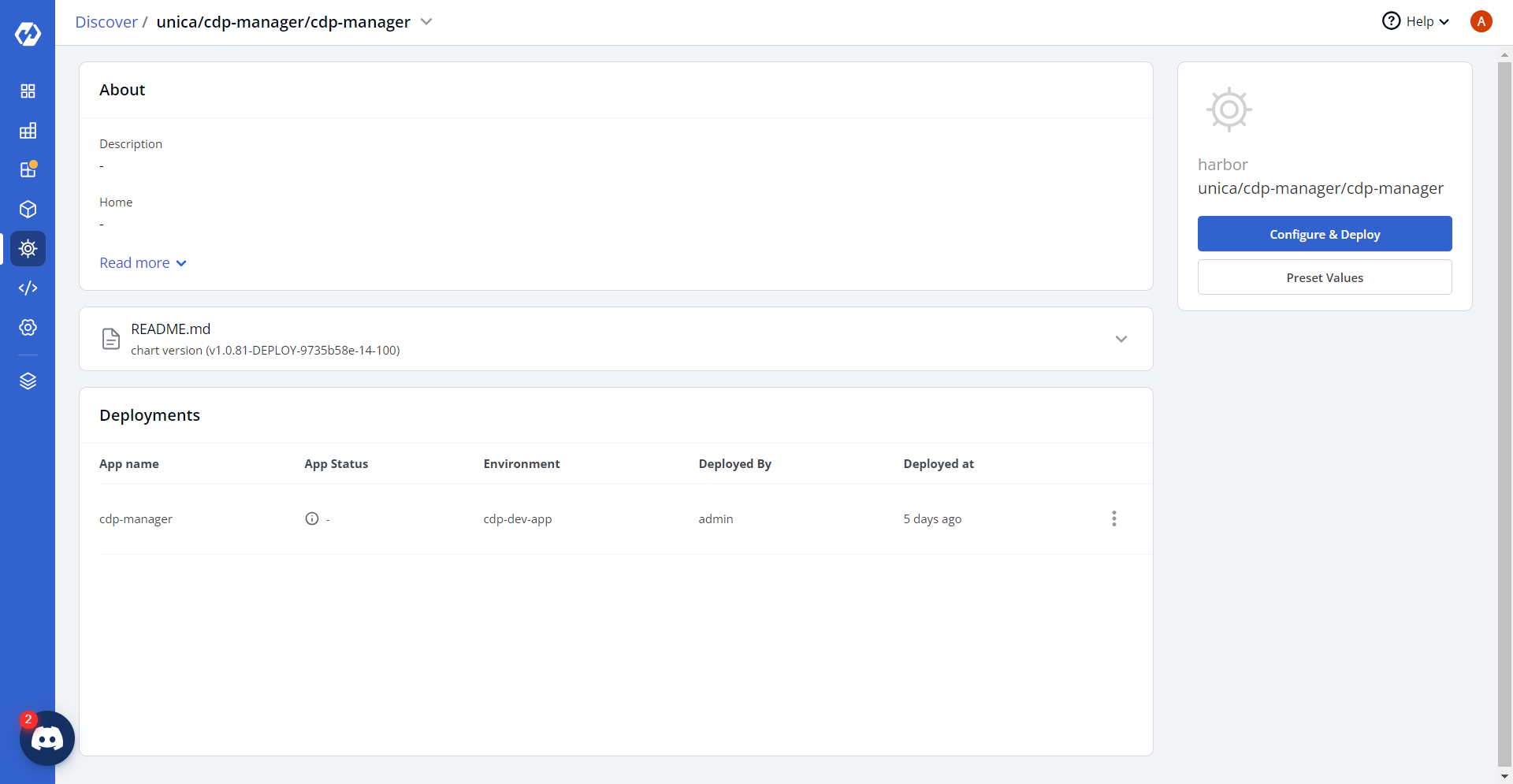
Navigate to the Devtron Chart Store, and select the cdp-manager chart to
deploy.
.png)
-
Now, configure and deploy the CDP Manager charts.
-
In the YAML section, update the ConfigMap using below details and deploy
the charts.
NifiApiUrl: http://<nifi-host>:8080/nifi-api
NifiProtocol: http
NifiParentProcessorGroupId: <nifi-parent-processor-group-id>
NifiRouteonattributeProcessorId: <nifi-routeonattribute-processor-id>
NifiRouterProcessorId: <nifi-router-processor-id>
NifiSourceSuccessProcessorId: <nifi-source-success-processor-id>
NifiSourceFailureProcessorId: <nifi-source-failure-processor-id>
KafkaDestinationId: "23"
sftpDestinationId: "24"
S3DestinationId: "7"
KafkaSourceId: "8"
JsSdkSourceId: "1"
ClientKafkaSourceId: "999"
RestapiSourceId: "2"
SourceTransformerConnectionTimeout: 30 sec
KafkaTopicPartition: "2"
KafkaTopicReplication: "2"
AerospikeNamespace: cdpstore
AerospikeSetName: cdp_data
ApiId: <api-id>
ApiStage: prod
FROM_EMAIL_ID: <from-email-id>
ALERT_TO_EMAIL_ID: <alert-email-id>
LOG_LEVEL_ROOT: info
LOG_LEVEL_APP: info
ApiEnabled: "true"
hclunifiedprofileDestinationId: "3"
NifiUsername: <nifi-username>
NifiPassword: <nifi-password>
flinkApiBaseUrl: https://<flink-api-url>/api
flinkApiSourceDestMappingEndpoint: flink-pipeline/trigger-flink-pipeline
flinkSourceMaxSource: "1000"
kafkaBrokers: <kafka-brokers>
kafkaUsername: <kafka-username>
kafkaPassword: <kafka-password>
sslMechanism: SCRAM_SHA_512
securityProtocol: SASL_SSL
flinkApiSyncTimeoutSeconds: "60"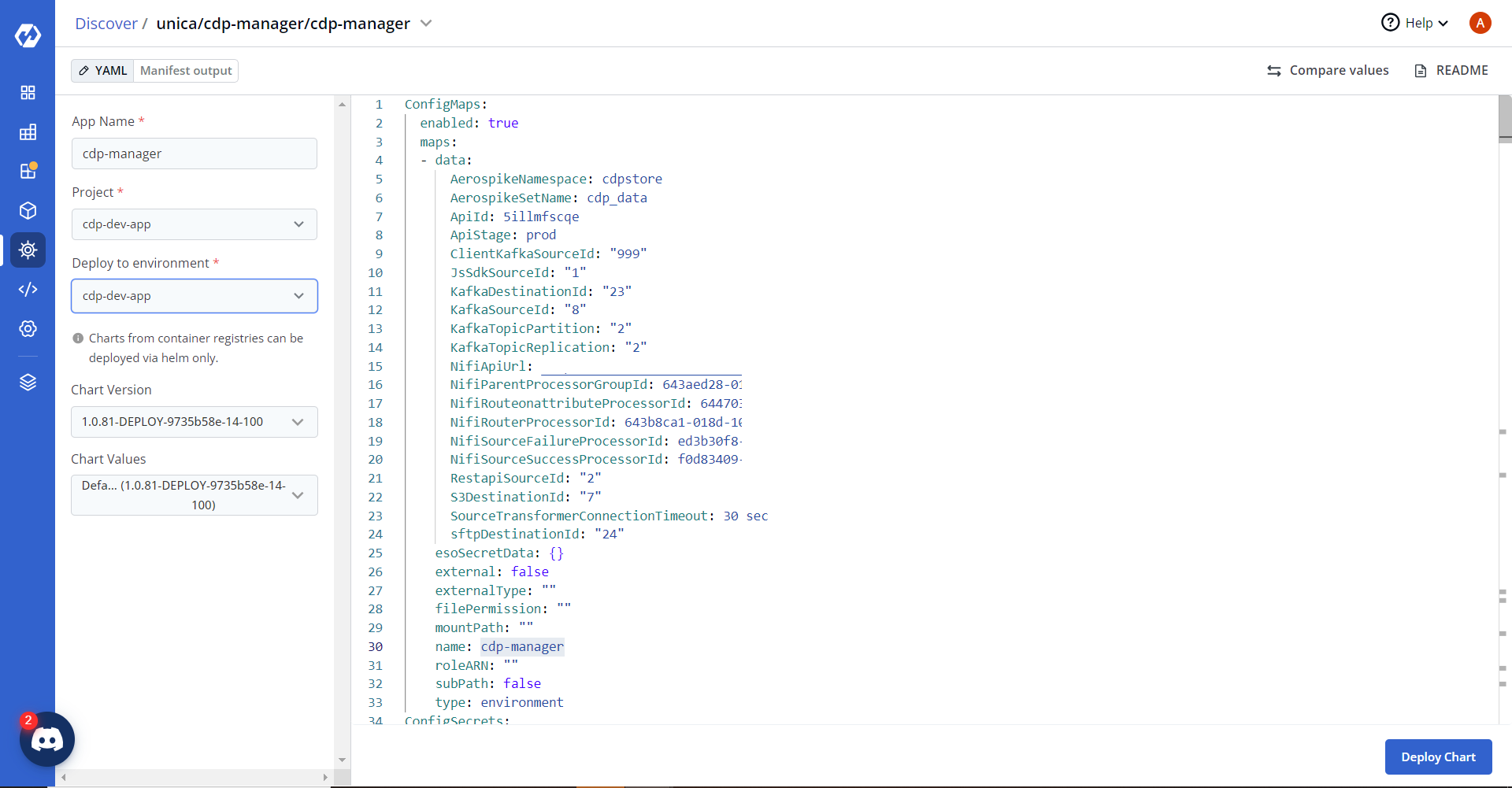
-
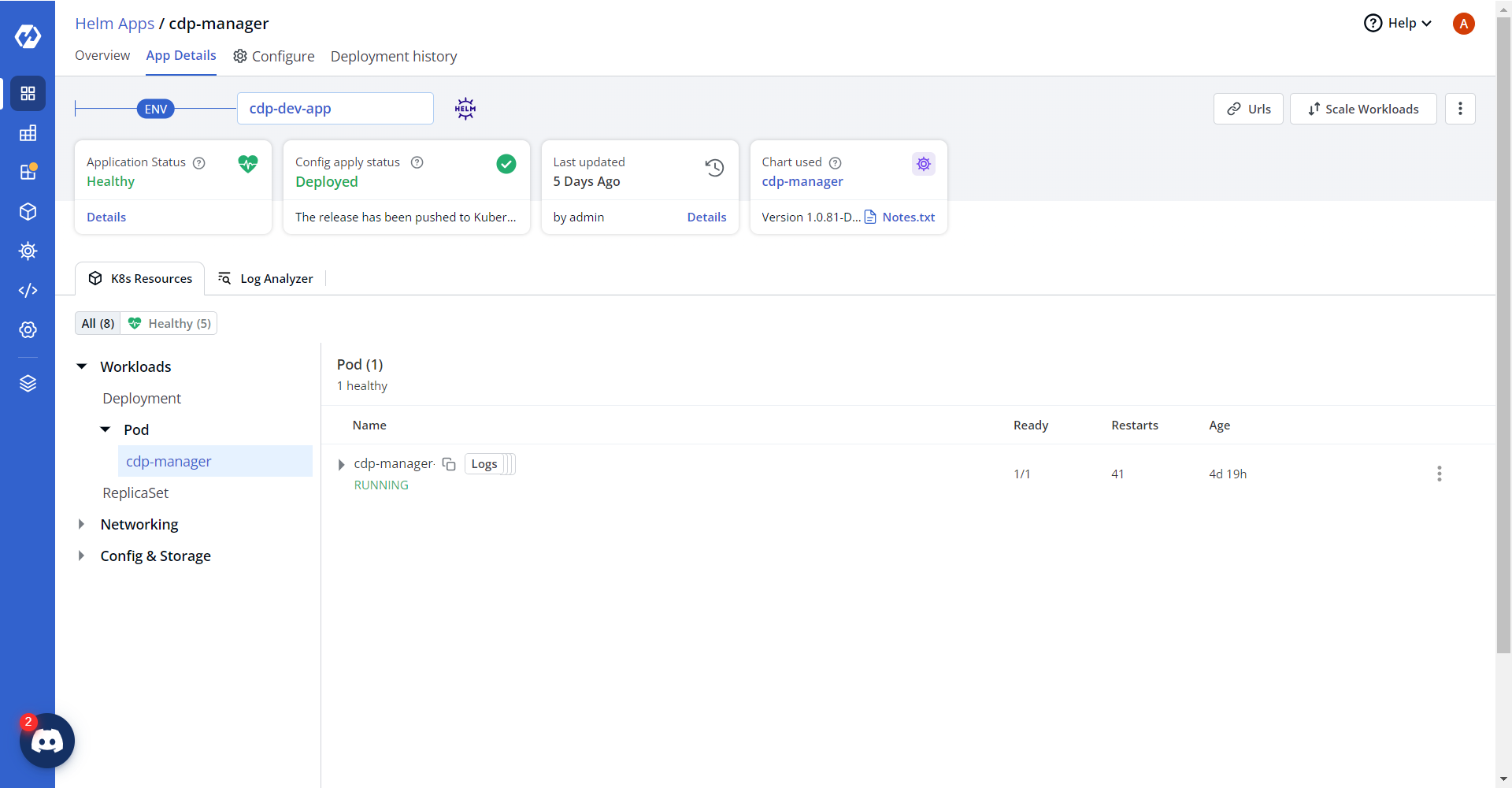
On successful deployment, validate the deployment as shown below.