Deploying CDP Trigger
This section provides detailed instructions on how to deploy HCL CDP Trigger using the Devtron in the AWS.
Before you begin
Make sure to create cdp-trigger secret in the AWS Secret Manager before deploying CDP Trigger.
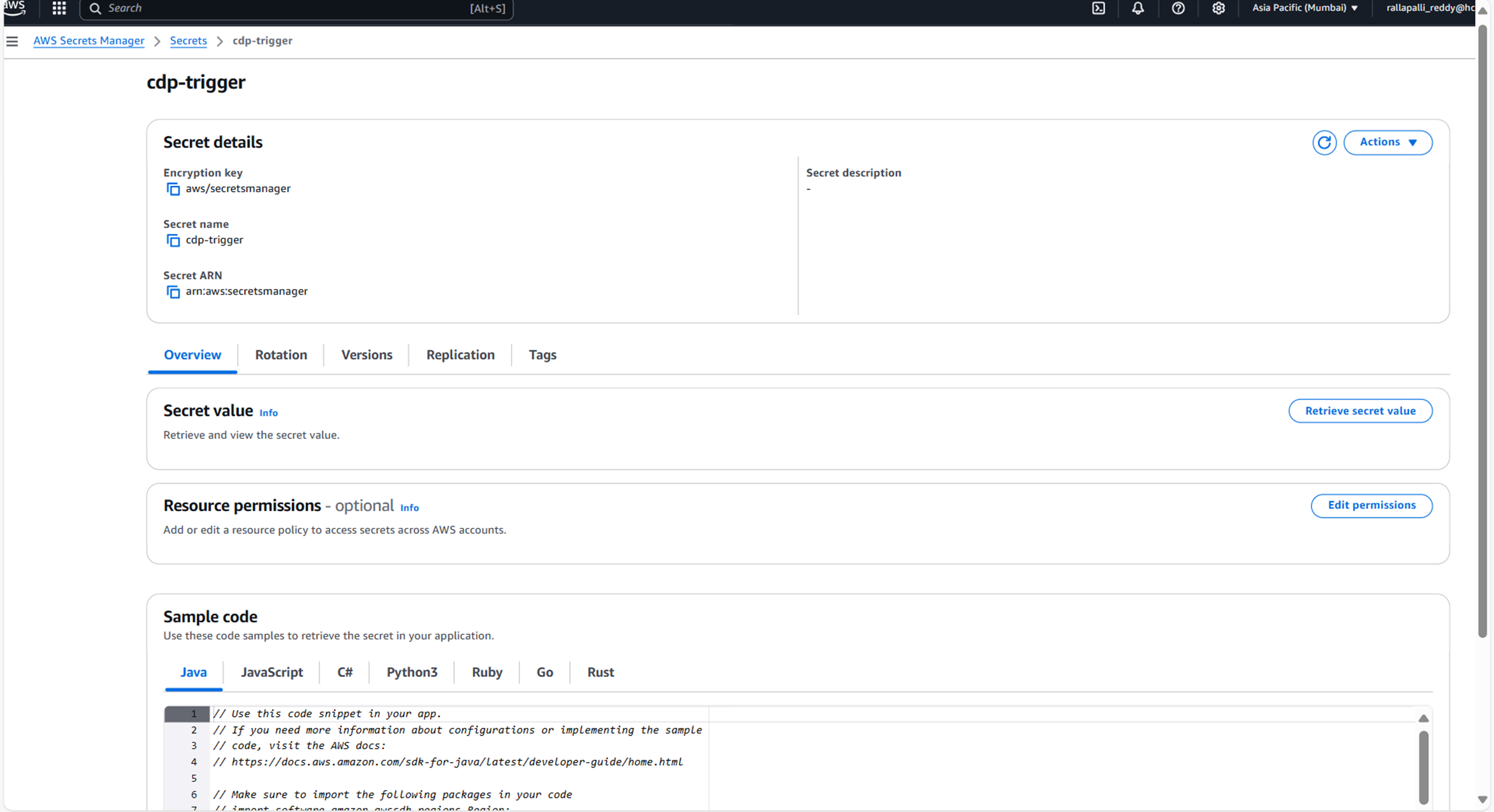
To create CDP Trigger secret in the AWS secret manager, follow the steps below:
- Create a cdp-trigger secret sample key and value, and update the actual values
as shown below.
{ "AerospikeCluster":"", "AerospikeTimeout":"10000", "MY_SQL_HOST":"", "MysqlDatabase":"vrm", "MysqlUsername":"", "MysqlPassword":"", "MysqlPort":"", "allowTrafficForSpecificCampaign":"false", "KafkaConsumerConfig":"", "KafkaProducerConfig":"", "KafkaProducerConfigaps1":"" } - Create a Kubernetes Secret with Vault credentials to fetch the secrets from the
vault.
apiVersion: v1 kind: Secret metadata: name: vault-creds namespace: cdp-dev-app type: Opaque data: username: <vault username> password: <vault password> - Create separate service account cdp-dev-app-sa with appropriate roles and permissions, and update ConfigMaps data with actual values.
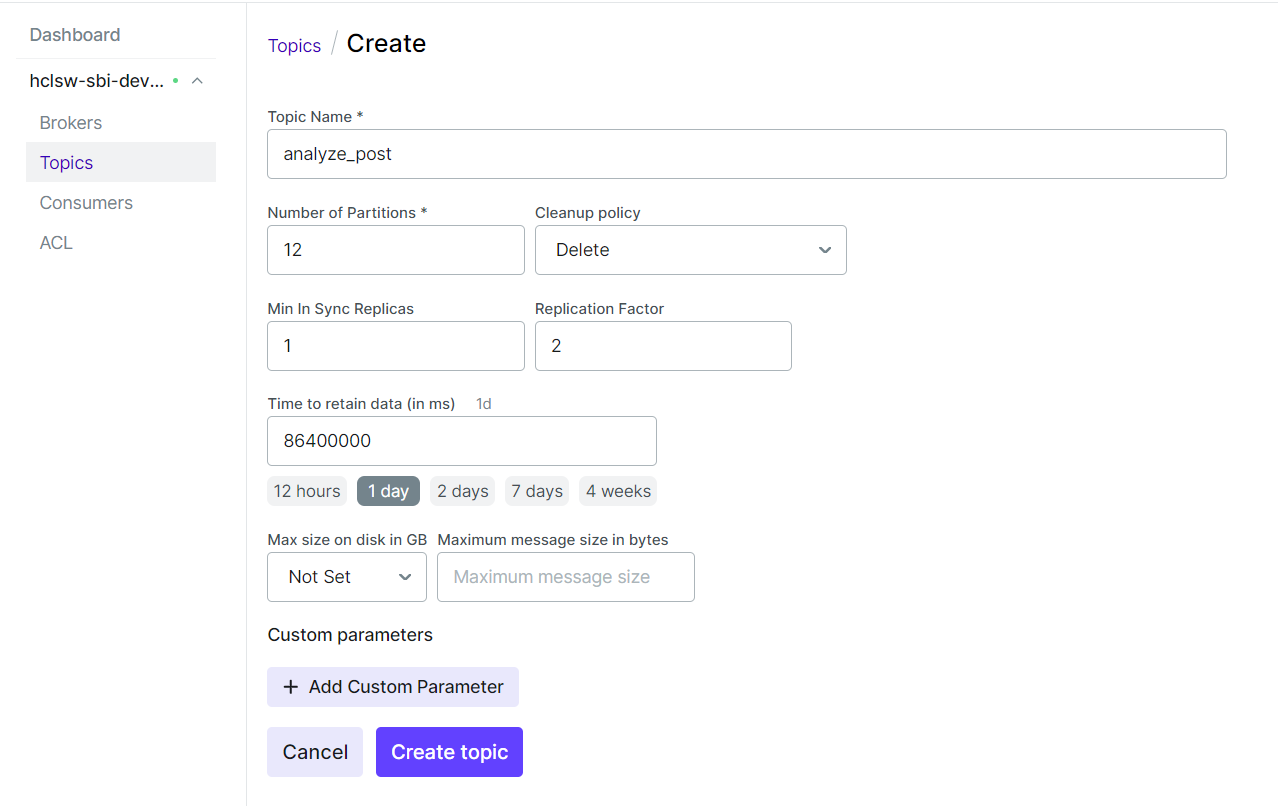
- Create required Kafka topics before deployment. A sample Kafka topic
configuration is shown below.
Procedure
-
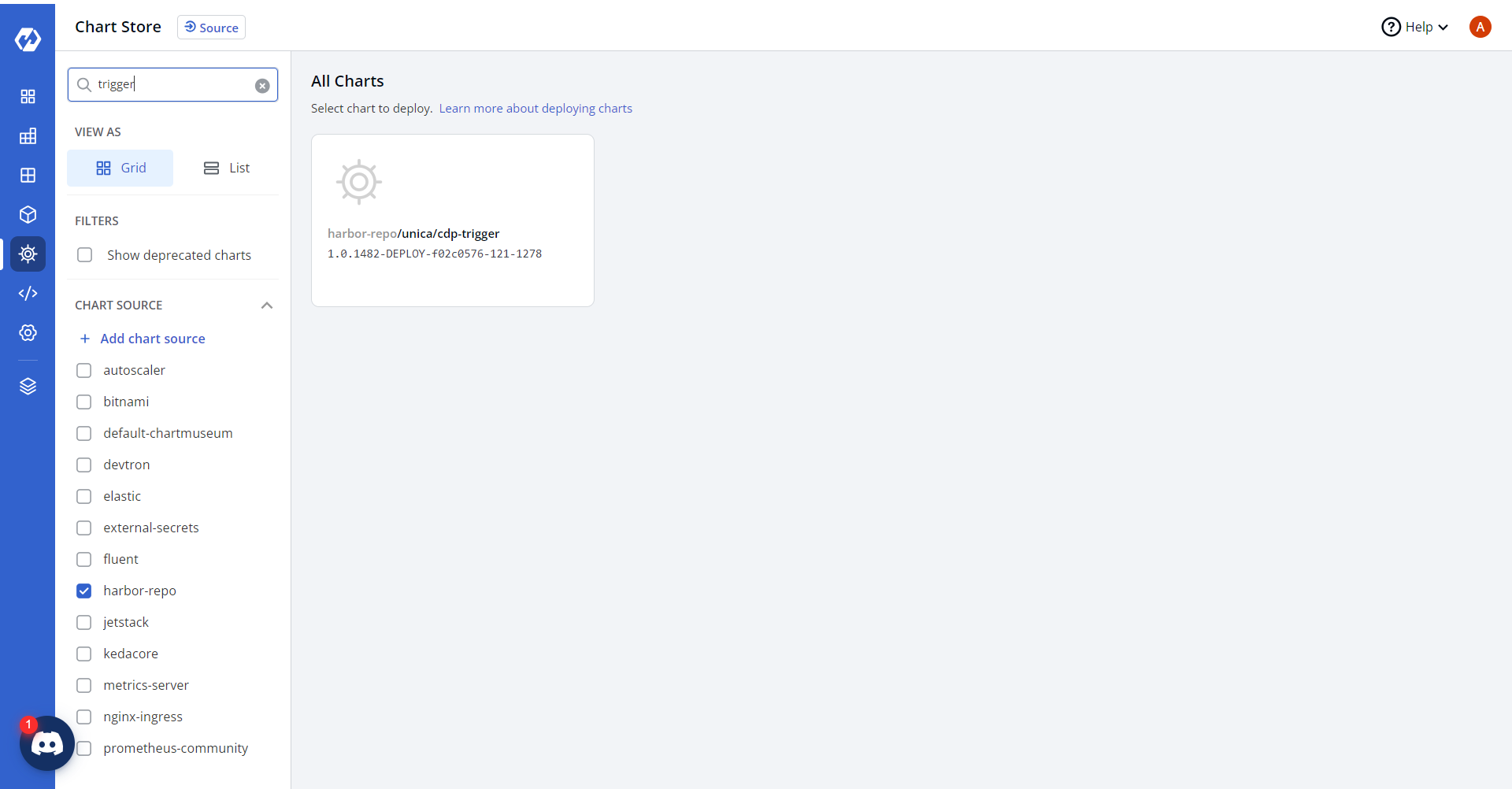
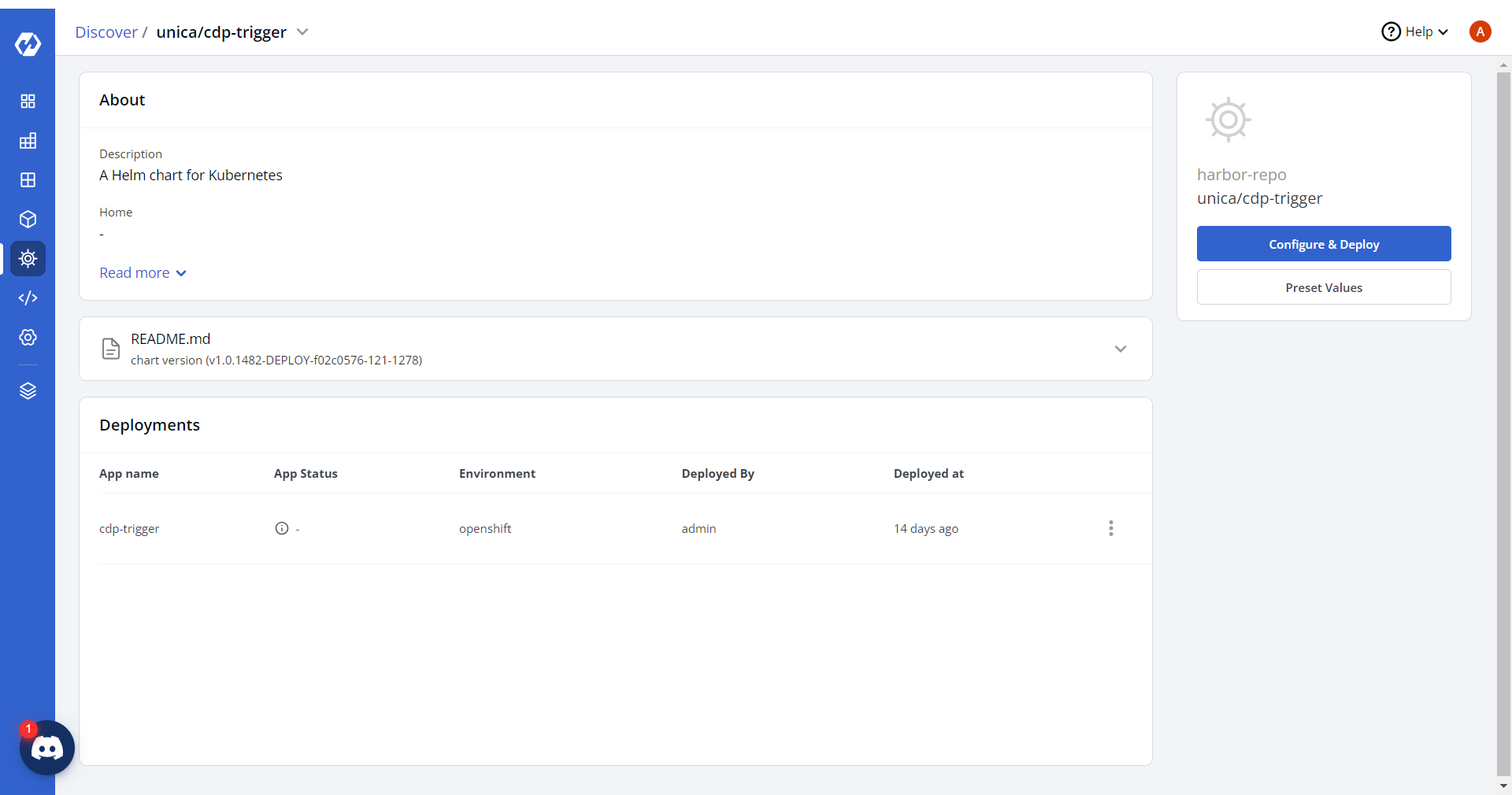
Navigate to the Devtron Chart Store, and select cdp-trigger chart to
deploy.
-
Now, configure and deploy the cdp-trigger charts.
-
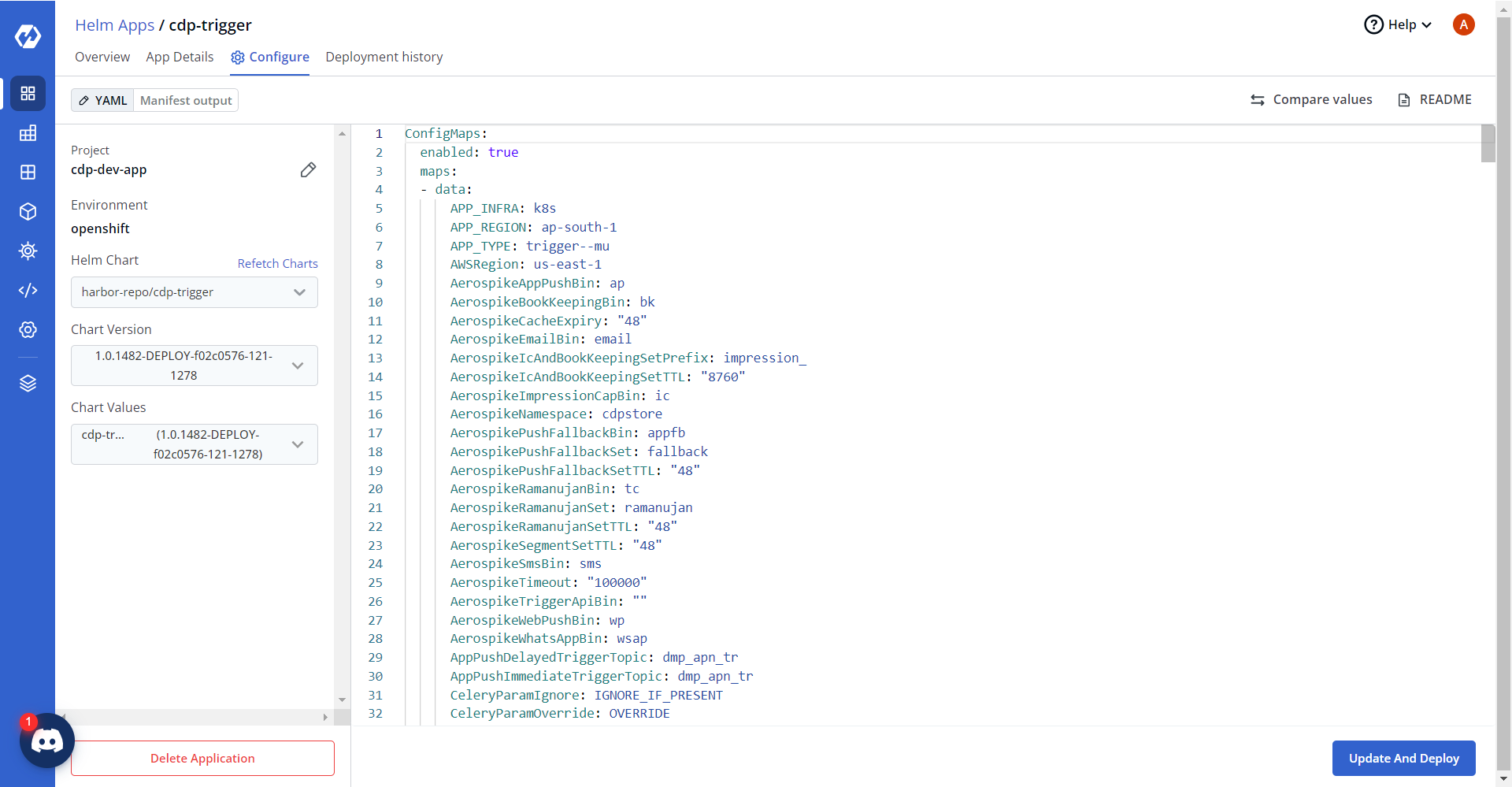
In the YAML section, update the ConfigMap using the below details and deploy
the chart.
{
  "AerospikeCluster": "<AERO_HOST_1>:13000,<AERO_HOST_2>:13000",
  "AerospikeTimeout": "10000",

  "MY_SQL_HOST": "<DB_HOST>",
  "MysqlDatabase": "vrm",
  "MysqlUsername": "<DB_USER>",
  "MysqlPassword": "<DB_PASSWORD>",
  "MysqlPort": "3307",

  "allowTrafficForSpecificCampaign": "false",

  "KafkaConsumerConfig": "bootstrap.servers::<KAFKA_HOST_1>:9096,<KAFKA_HOST_2>:9096|security.protocol::SASL_SSL|sasl.jaas.config::org.apache.kafka.common.security.scram.ScramLoginModule required username='<KAFKA_USER>' password='<KAFKA_PASSWORD>';|sasl.mechanism::SCRAM-SHA-512|client.dns.lookup::use_all_dns_ips|group.id::k8s-trigger-prod",

  "KafkaProducerConfig": "bootstrap.servers::<KAFKA_HOST_1>:9096,<KAFKA_HOST_2>:9096|security.protocol::SASL_SSL|sasl.jaas.config::org.apache.kafka.common.security.scram.ScramLoginModule required username='<KAFKA_USER>' password='<KAFKA_PASSWORD>';|sasl.mechanism::SCRAM-SHA-512|client.dns.lookup::use_all_dns_ips|acks::all|max.block.ms::5000",

  "KafkaProducerConfigaps1": "bootstrap.servers::<KAFKA_HOST_1>:9096,<KAFKA_HOST_2>:9096|security.protocol::SASL_SSL|sasl.jaas.config::org.apache.kafka.common.security.scram.ScramLoginModule required username='<KAFKA_USER>' password='<KAFKA_PASSWORD>';|sasl.mechanism::SCRAM-SHA-512|client.dns.lookup::use_all_dns_ips|acks::all|max.block.ms::5000",

  "AerospikeUsername": "<AERO_USER>",
  "AerospikePassword": "<AERO_PASSWORD>"
}
-
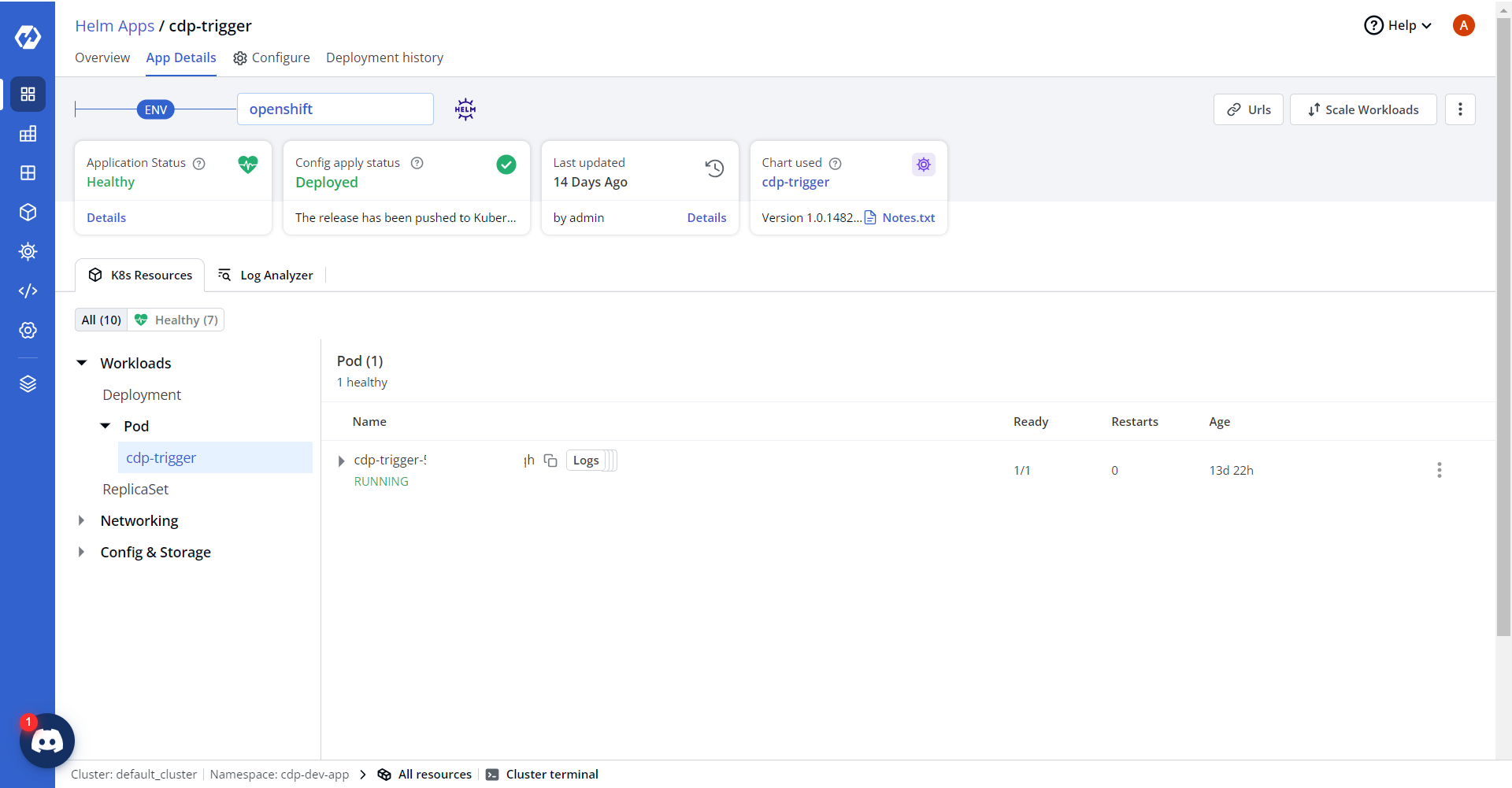
On successful deployment, validate the deployment as shown below.