Deploying CDP KMS Service
This section provides detailed instructions on how to deploy HCL CDP KMS Service using the Devtron in the AWS.
Prerequisites:
Make sure to create a cdp-kms-service secret with required data in the AWS Secrets Manager before deploying CDP KMS Service.
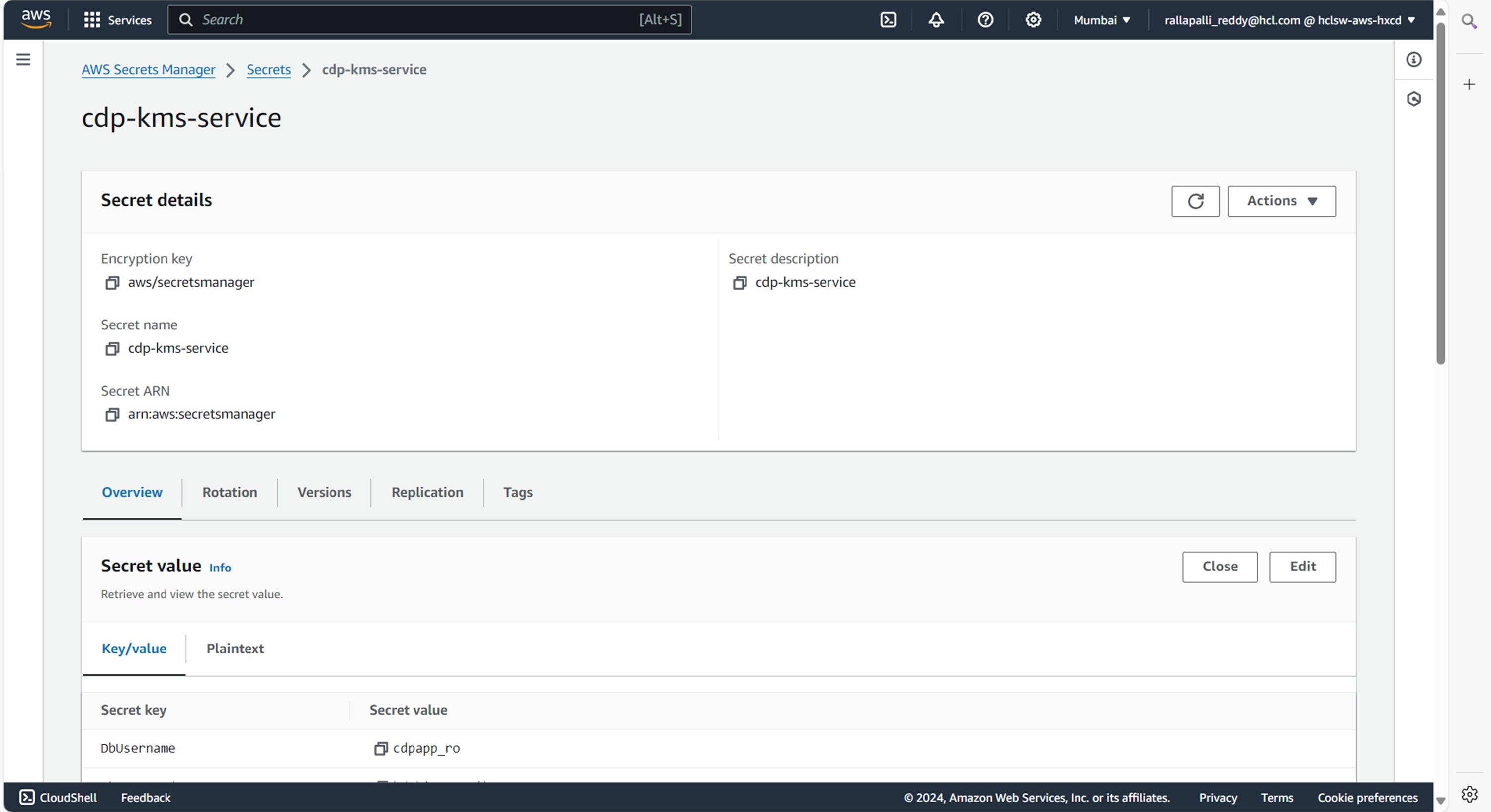
To create the cdp-kms-service secret in the AWS secret manager, follow the steps below:
- Create a cdp-kms-service secret sample key and value in the cdp-kms-service
secret, and update ConfigMaps data with actual
values.
{
  "CAMPAIGN_DEFAULT_TTL": "21600",
  "DbDriver": "<DbDriver>",
  "DbPassword": "<DbPassword>",
  "DbUrl": "<DbUrl>",
  "DbUsername": "<DbUsername>",
  "KMS_HASHICORPVAULT_ENDPOINT": "<KMS_HASHICORPVAULT_ENDPOINT>",
  "KMS_HASHICORPVAULT_ENDPOINT_TOKEN": "<KMS_HASHICORPVAULT_ENDPOINT_TOKEN>",
  "KMS_IMPLEMENTATION": "HashiCorpVault",
  "awsRegions": "ap-south-1",
  "supportedRegions": "aps1"
}
Deploying CDP KMS Service
To deploy the CDP KMS Service, follow the steps below:
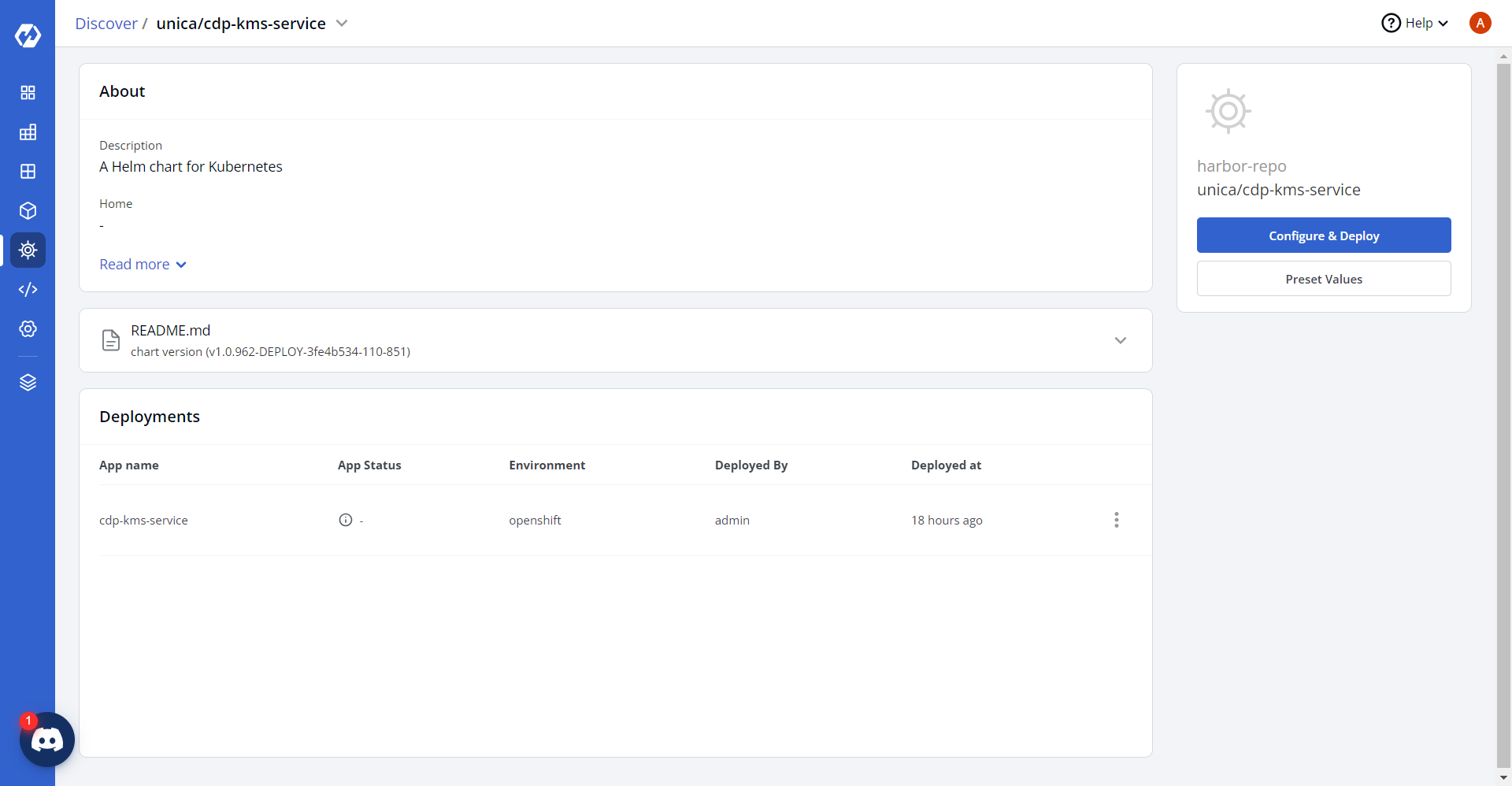
- Navigate to the Devtron Chart Store, and select the cdp-kms-service chart
to deploy.
.png)
- Now, configure and deploy the CDP KMS Service.
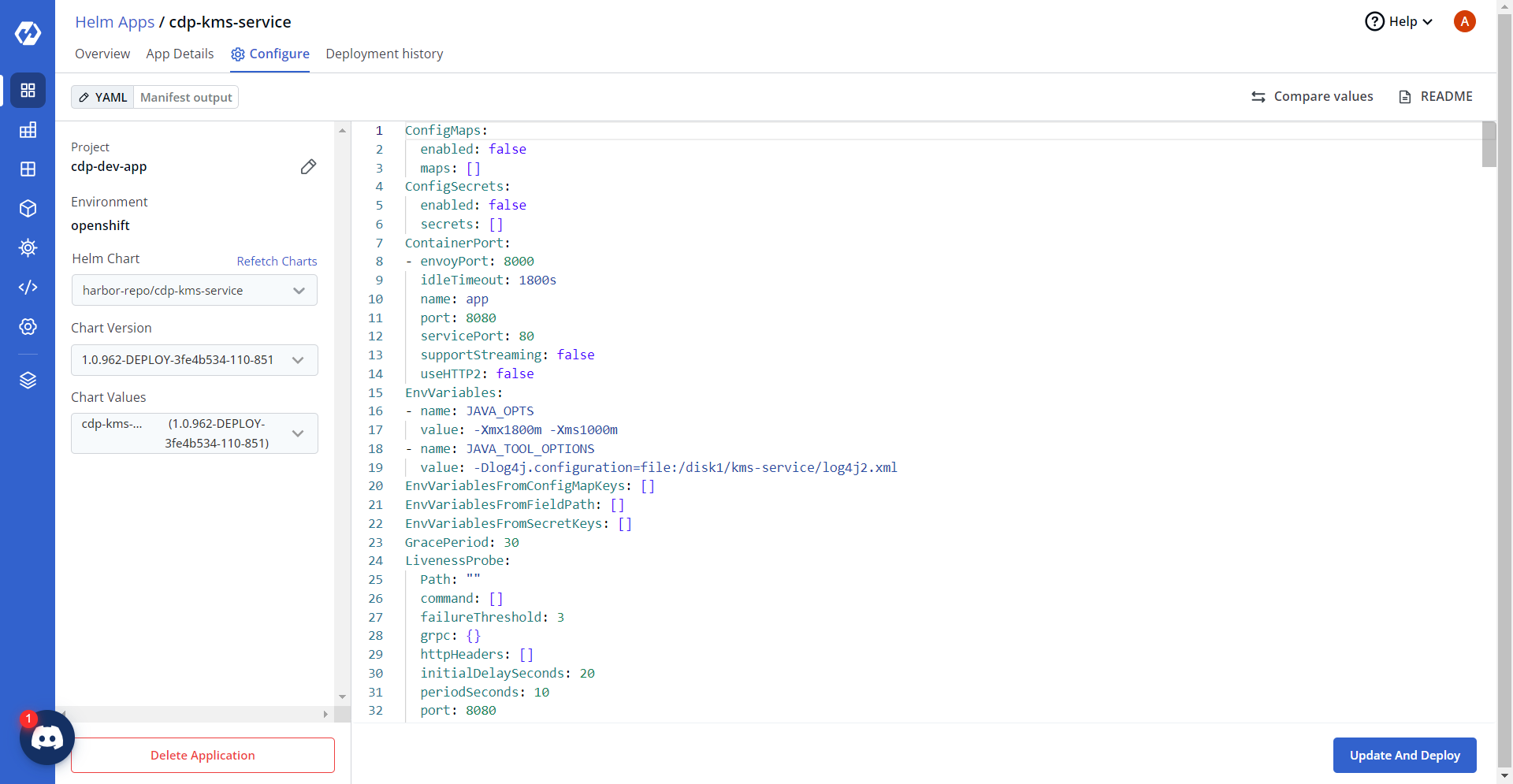
- In the YAML section, update the ConfigMap using below details, and deploy
the charts.
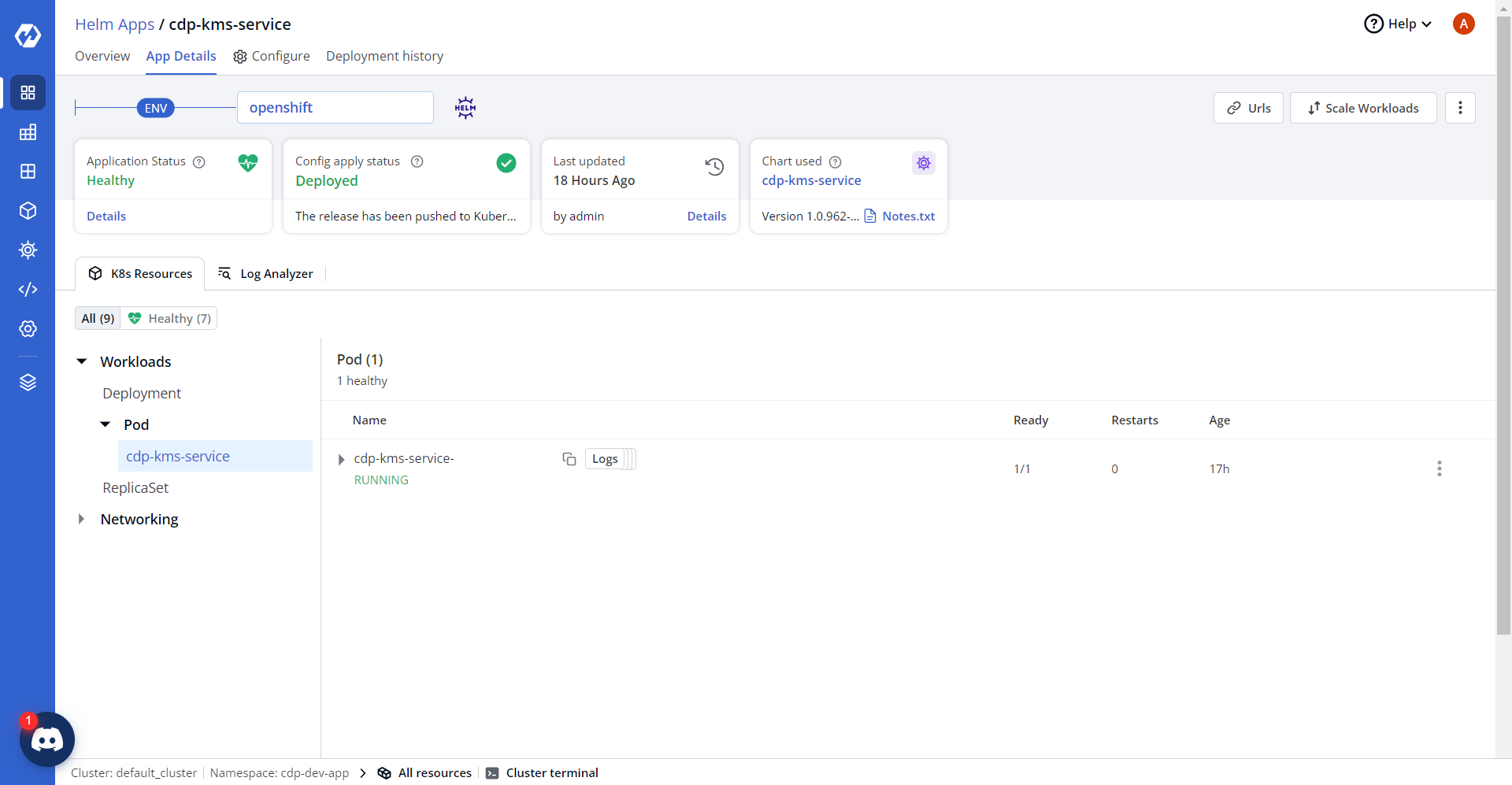
- On successful deployment, validate the deployment as shown below.