
Deploying CDP DMP SST
This section provides detailed instructions on how to deploy HCL CDP DMP SST using the Devtron in the AWS.
Prerequisites:
Make sure to create dmp-sst secret with required data in the AWS secret manager before deploying CDP DMP SST.
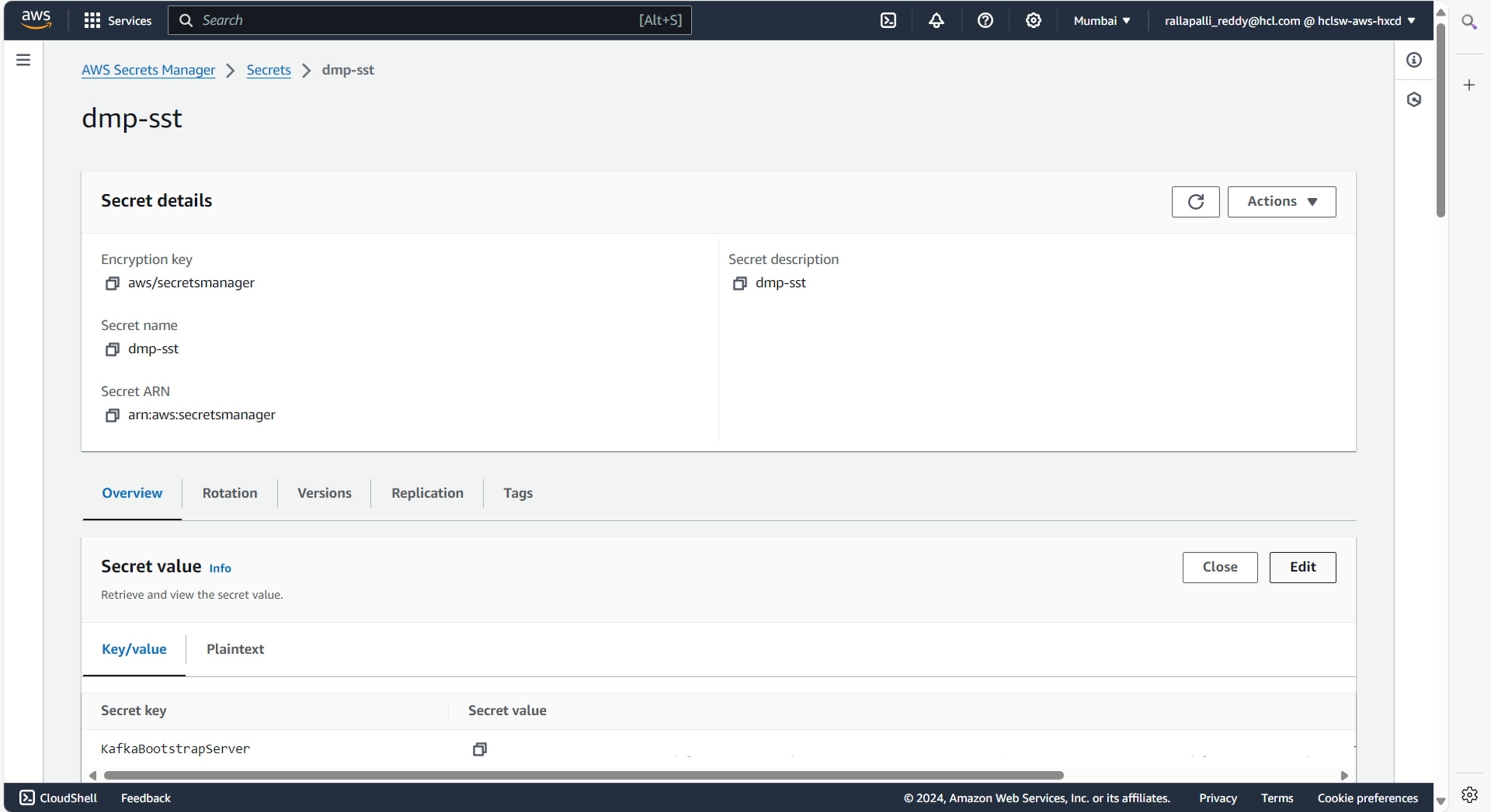
To create the dmp-sst secret in the AWS secret manager, follow the steps below:
- Create a dmp-sst secret sample key and value in the dmp-sst secret, and update
ConfigMaps data with actual values.
{
  "AWSRegion": "<AWSRegion>",
  "AerospikeNamespace": "<AerospikeNamespace>",
  "AerospikeServerAddress": "<AerospikeServerAddress>",
  "AerospikeServerPort": "<AerospikeServerPort>",
  "AerospikeTTL": "15552000",
  "AerospikeTimeOut": "10000",
  "AlertEmail": "",
  "AlertFromEmail": "",
  "CookieCacheThreshold": "60",
  "DbDriver": "<DbDriver>",
  "DbHost": "<DbHost>",
  "DbPassword": "<DbPassword>",
  "DbPort": "<DbPort>",
  "DbUrl": "jdbc:mariadb://<ip:port>/dbName",
  "DbUsername": "<DbUsername>",
  "GraphDBEnable": "false",
  "GraphDBEndpoint": "<GraphDBEndpoint>",
  "GraphDBPort": "<GraphDBPort>",
  "HBaseDBEnable": "false",
  "HbaseZookeeperClientPort": "",
  "HbaseZookeeperQuorum": "",
  "KafkaBootstrapServer": "<KafkaBootstrapServer>",
  "KafkaConsumerGroup": "<dmp-sst-kafka-k8>",
  "KafkaPassword": "<KafkaPassword>",
  "KafkaProducerHostName": "<KafkaPassword>",
  "KafkaProducerTopic": "<dmp_sst_rt_profile>",
  "KafkaProfileProducerTopic": "<dmp_sst_profile>",
  "KafkaTopicConsumerBatchSize": "<10,10,10,10>",
  "KafkaTopicConsumerDefaultBatchTimeoutMS": "<5000,5000,5000,5000>",
  "KafkaTopicConsumerDefaultBatchTimeoutTrigger": "<60000,10000,10000,10000>",
  "KafkaTopicConsumers": "<6,6,6,6>",
  "KafkaTopicList": "<dmp_sst_nba,dmp_sst_nba_di_api,analyze_post,dmp_sst_data>",
  "KafkaUsername": "<KafkaUsername>",
  "SstApiAuthKeys": "<HdxDeMMHvUyrqlSBHyaCaQGA>",
  "TsdbHost": "<TsdbHost>",
  "TsdbPort": "<TsdbPort>",
  "ZookeeperClients": "<15>",
  "ZookeeperLockAddress": "<cdp-dmp-sst-zookeeper.cdp-dev-app:2181>",
  "ZookeeperLockAddressOld": "",
  "ZookeeperRetrySleepTime": "<1000>",
  "region": "<region>",
  "type": "<realtime>"
}
Deploying CDP DMP SST
To deploy the CDP DMP SST, follow the steps below:
- Navigate to the Devtron Chart Store, and select the cdp-dmp-sst chart to
deploy.
.png)
- Now, configure and deploy the CDP DMP SST charts.
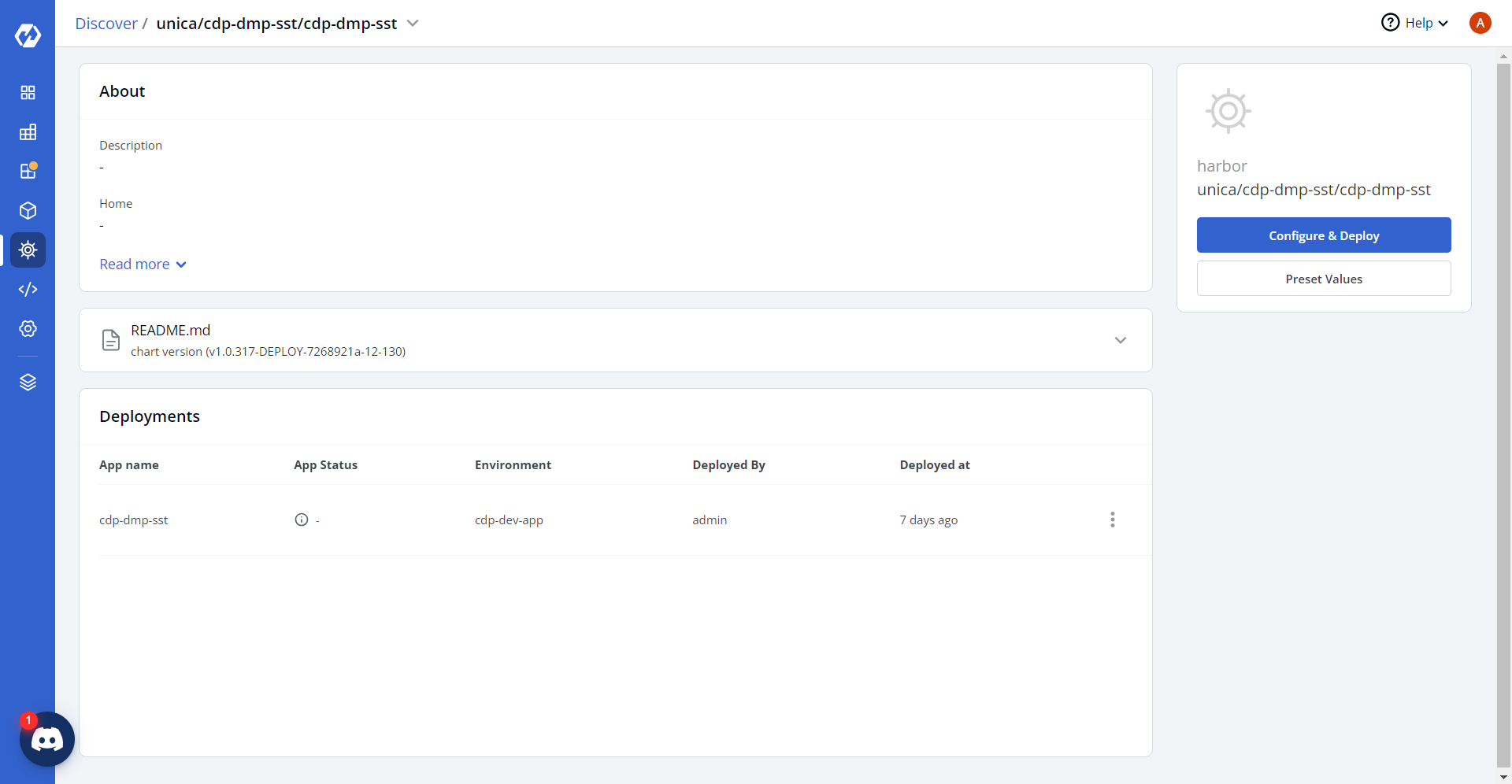
- In the YAML section, update the ConfigMap using below details, and deploy
the
charts.
ValidValuesConfig: /disk1/config/dmp-sst-maps/valid_values.json
ValidValuesS3Path: s3://<bucket_name>/dmp/config/predictivesegments/validvalues.tsv
ValuesMappingConfig: /disk1/config/dmp-sst-maps/values_mapping.json
ValuesMappingS3Path: s3://<bucket_name>/dmp/config/predictivesegments/mappingvalues.tsv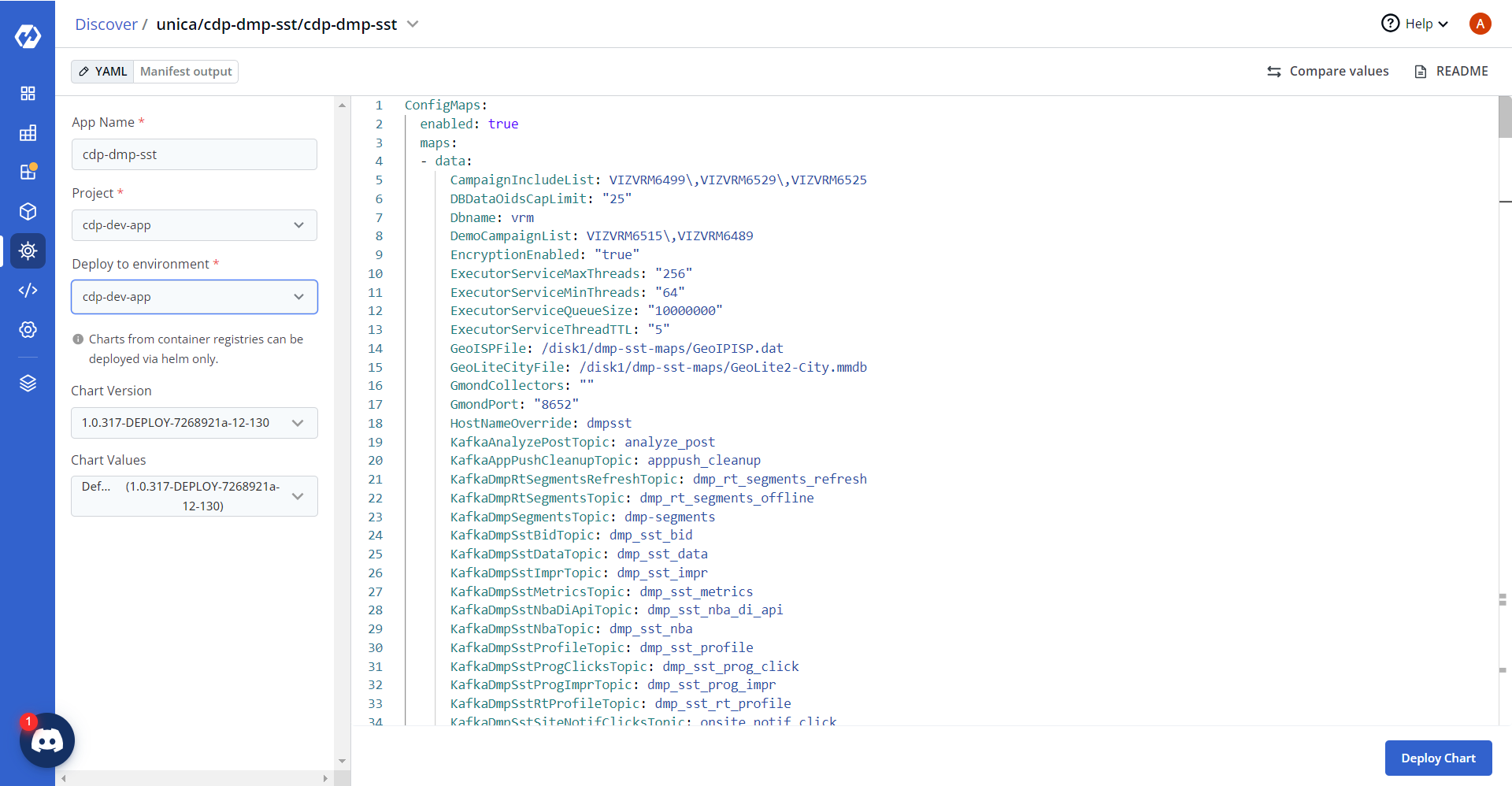
- On successful deployment, validate the deployment as shown below.
.png)