Looking up the unique ID of a member group
Use the Commerce Lab tools to look up the ID of a member group to specify in the Customer Condition in a price rule.
Procedure
- Open Commerce Lab tools.
- From the left navigation menu, go to .
- Enter the name of the member group in the Search column for which you are looking for the unique ID. The scare results related to the name are listed on the page.
-
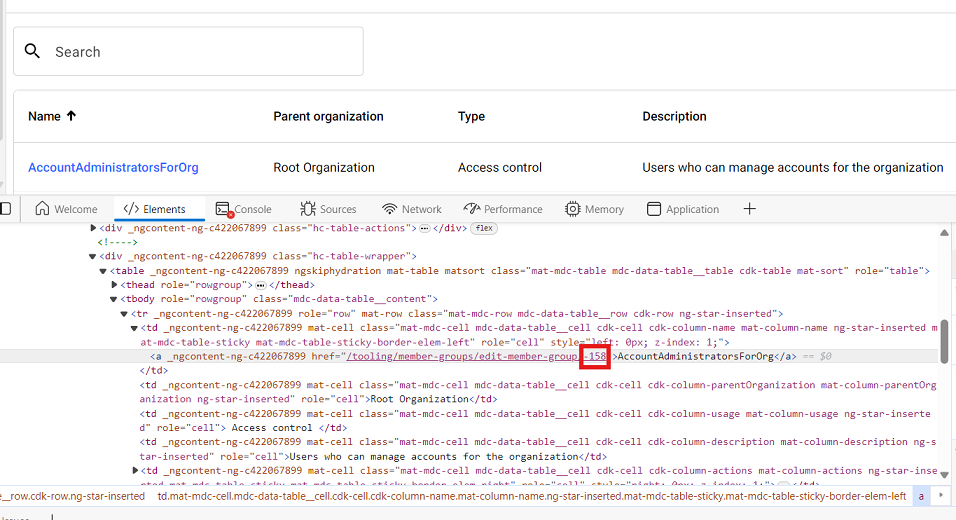
Right-click the name of the member group, and then click
Inspect.
The unique ID of the member group displays, as shown in the red box in this example: