
Troubleshooting Steps for Release
Steps to troubleshoot issues with release in a software system, including not being able to reach the component, tickets not being visible, tickets getting stuck in the grid, and unauthorized errors.
“Not able to reach the component”
| Issue Description | Error message “Not able to reach the component” appears in Manage Jobs job Log screen of respective Job |
|---|---|
| Modules Impacted | Release |
|
Steps to resolve

If Listener is not picking up Release service, then troubleshoot the service. Refer to Troubleshooting Steps for Listener. |
|
Tickets are Not Visible in Actionable Tickets
Table 66 - Release: Scenario 2
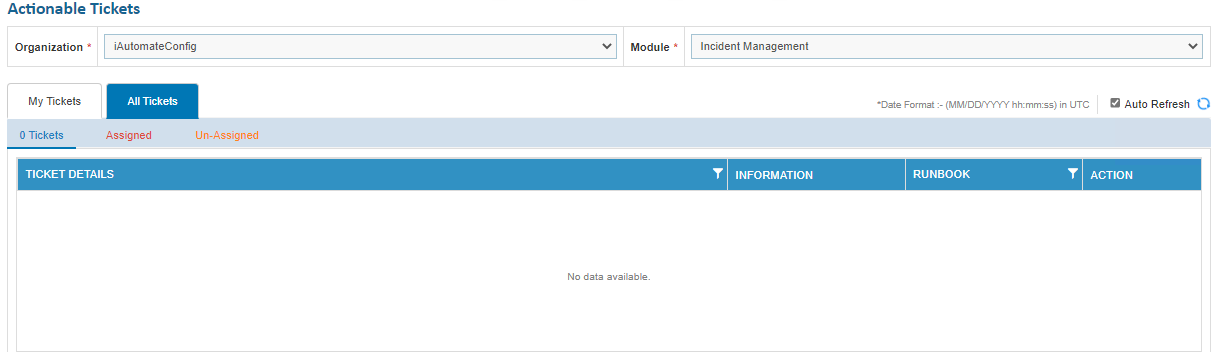
| Issue Description | Tickets are not visible in Actionable tickets due to unspecified module. |
|---|---|
| Modules Impacted | Release |
| Probable root cause |
Incident management module is not added in user management
Figure 106 - Tickets are not visible in Actionable tickets |
| Steps to resolve |
Go to user management – edit it. Add incident module to it. |
Tickets stuck in grid
| Issue Description | Tickets stuck in grid - Marked for Release for Actionable Tickets |
|---|---|
| Modules Impacted | Release |
|
Steps to resolve

All the existing rules are listed in the tabular view with the associated parameters and enable user to manage the parameters for the existing rule. |
|
Unauthorized Error
| Issue Description | Unauthorized Error |
|---|---|
| Modules Impacted | Release |
|
Steps to resolve Ensure that the Authentication Type, URL, User ID and Password are correct under Create Data Source Release Rules Configuration. 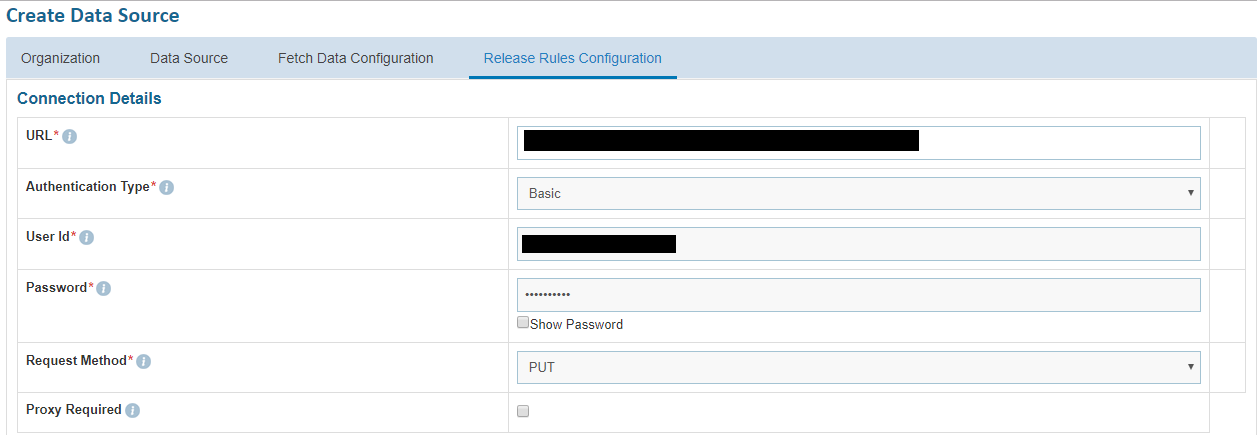
|
|