Service Now Integrations
DEX allows you to integrate Service Now
Integrating DEX with Service Now
- Navigate to the Service Now application.
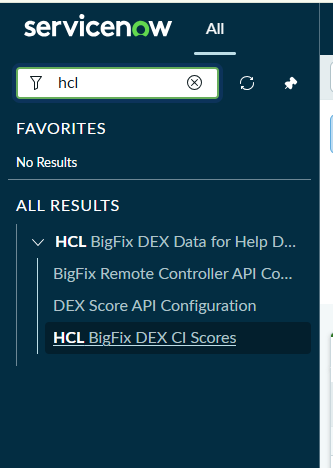
- Configure the API variables with valid data. Configurable API parameters are
listed in two separate page for BigFix Remote Controller and DEX score:
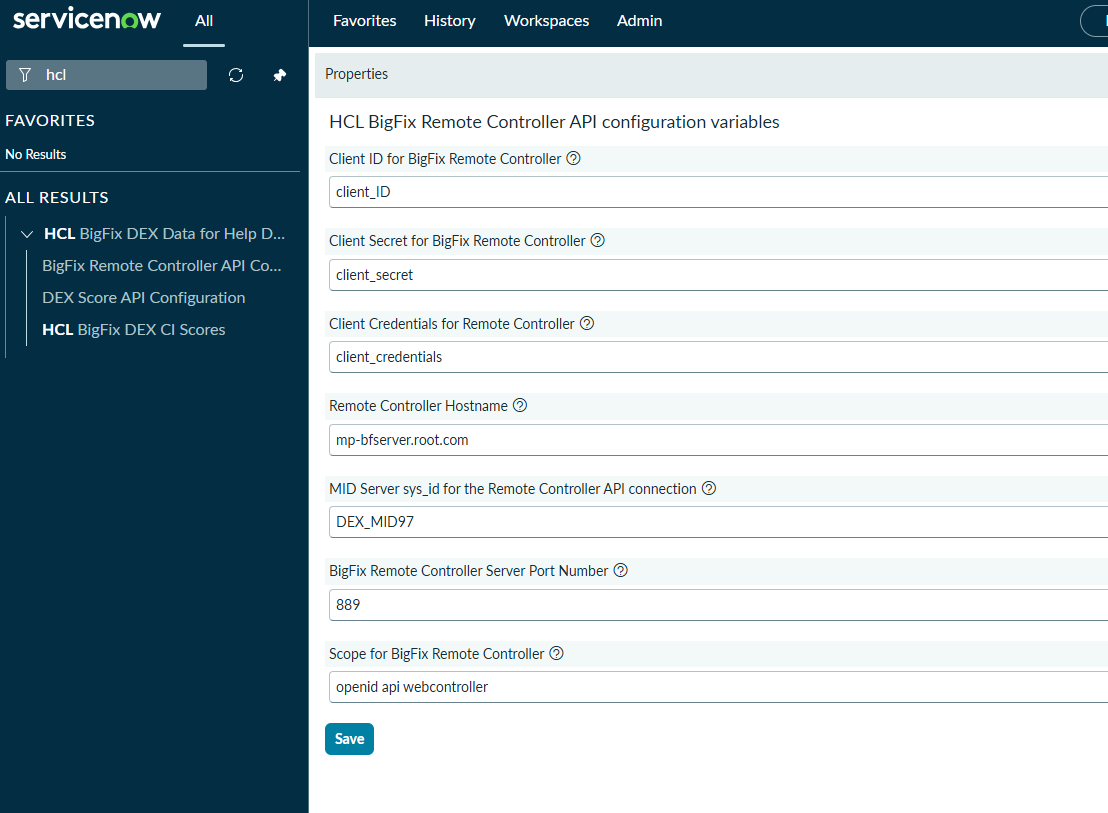
BigFix Remote Controller API properties
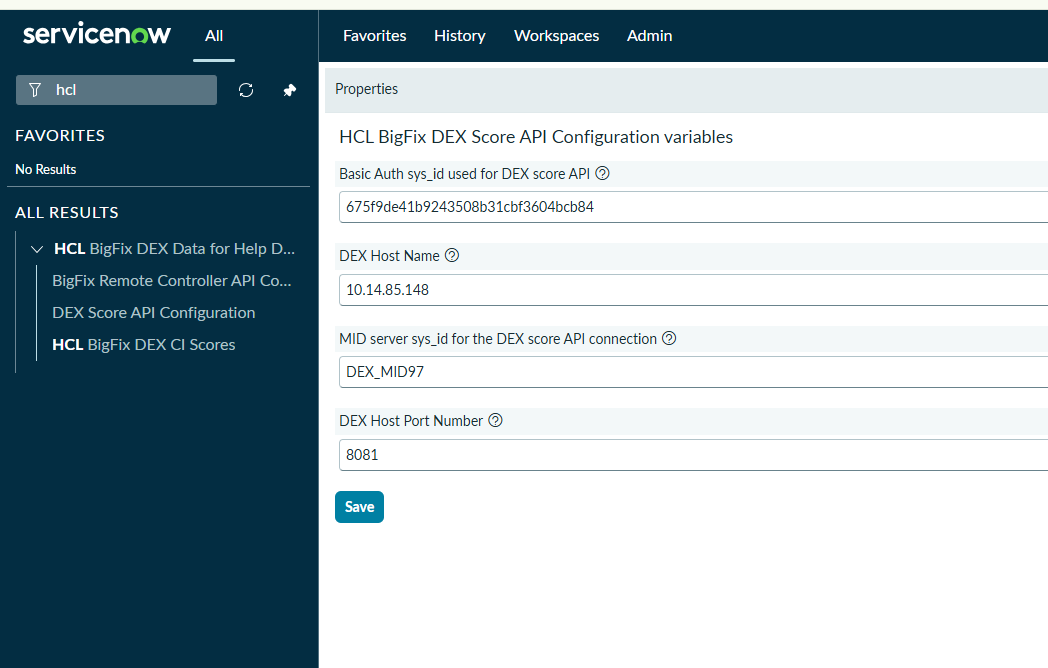
DEX API configurable parameter
-
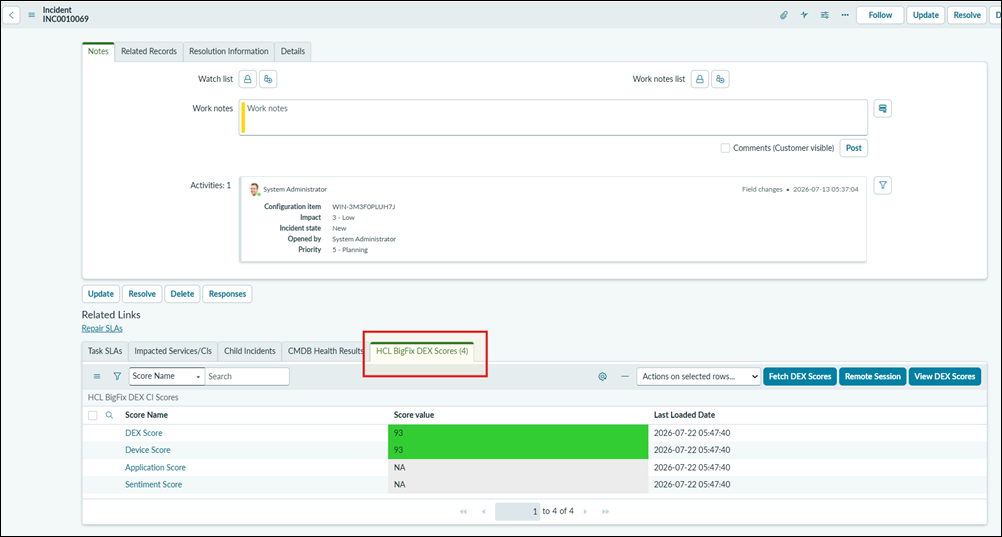
Once this application is installed, the end user has to add the related list to the Incident form. Once the related list is added you will be able to see the tab as shown below:
-
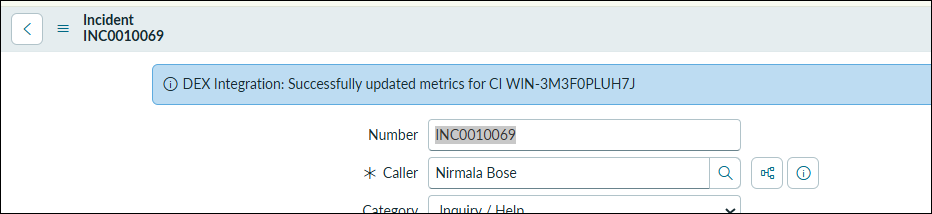
When the Fetch DEX scores action button is clicked and when the action is successful we get to see the below message on the Incident page:
-
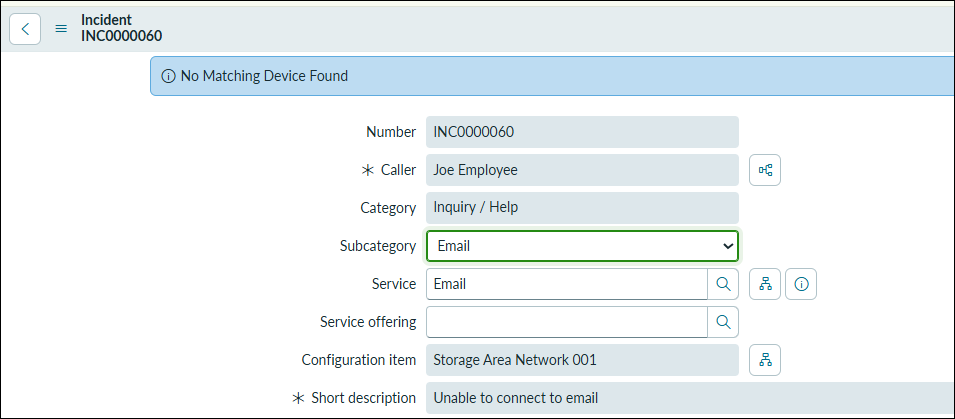
When there is no valid data to be pulled from the DEX serve we get the below message:
-
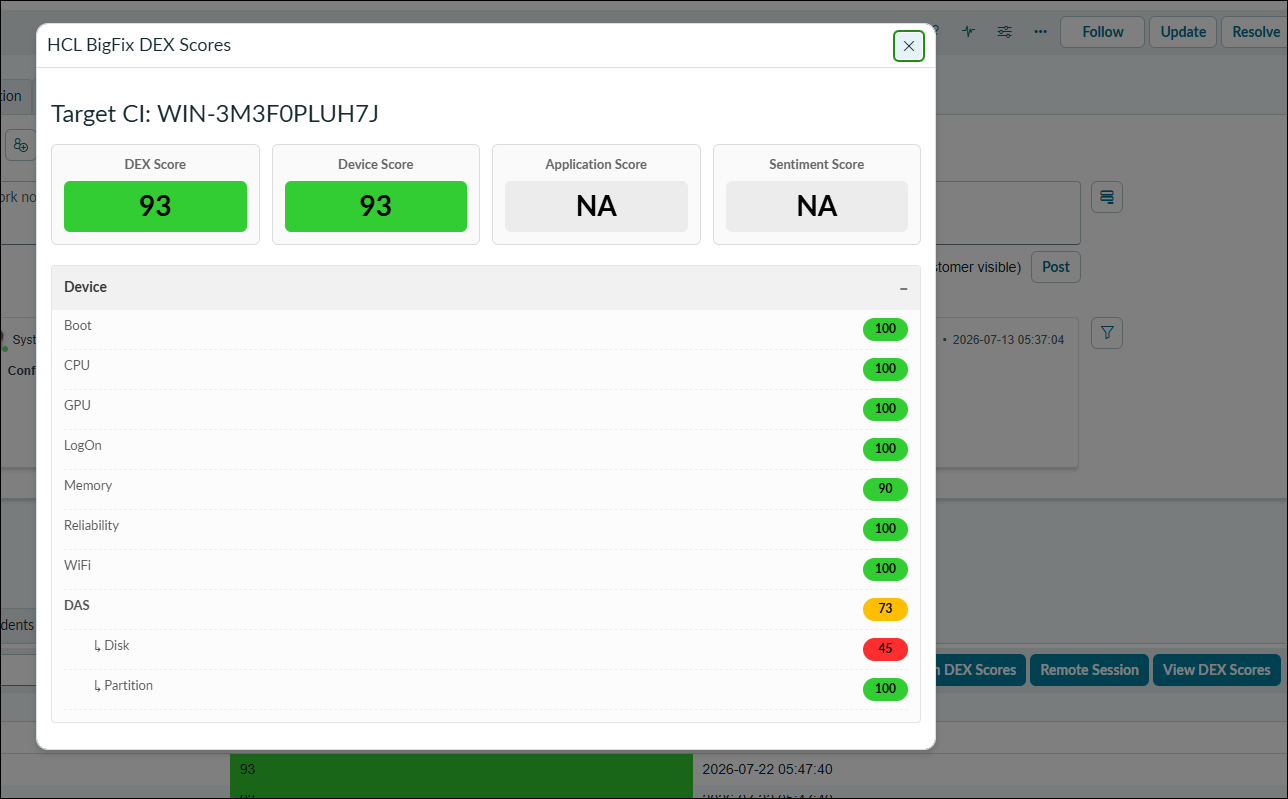
When there are scores retrieved by ServiceNow users can view the score by clicking on the 'View DEX Scores' button and the view below is displayed:
-
By clicking on the 'Remote Session' button it validates the logged in users mail ID and redirects to the new tab with Web Controller login page: