
Deleting a Fixlet Stream
Delete a Fixlet Stream when you no longer need it. A stream must be inactive before you can delete it.
Before you begin
- You must have permission to manage Fixlet Streams.
- The stream must be inactive. The delete icon is unavailable while a stream is active. See Activating and deactivating a Fixlet Stream.
About this task
Expand Resolve from the side navigation, select Fixlet Streams, and then click the name of the stream.
CAUTION: Deleting a Fixlet Stream permanently stops all deployments
associated with the stream that are still running, and deletes the corresponding
automation. The stream's criteria and device subscription are also removed. You
cannot undo this action. Deployments that already ran are not reversed, and
historical deployment records remain available from
Explore > Deployments.
Procedure
- Deactivate the stream if it is active.
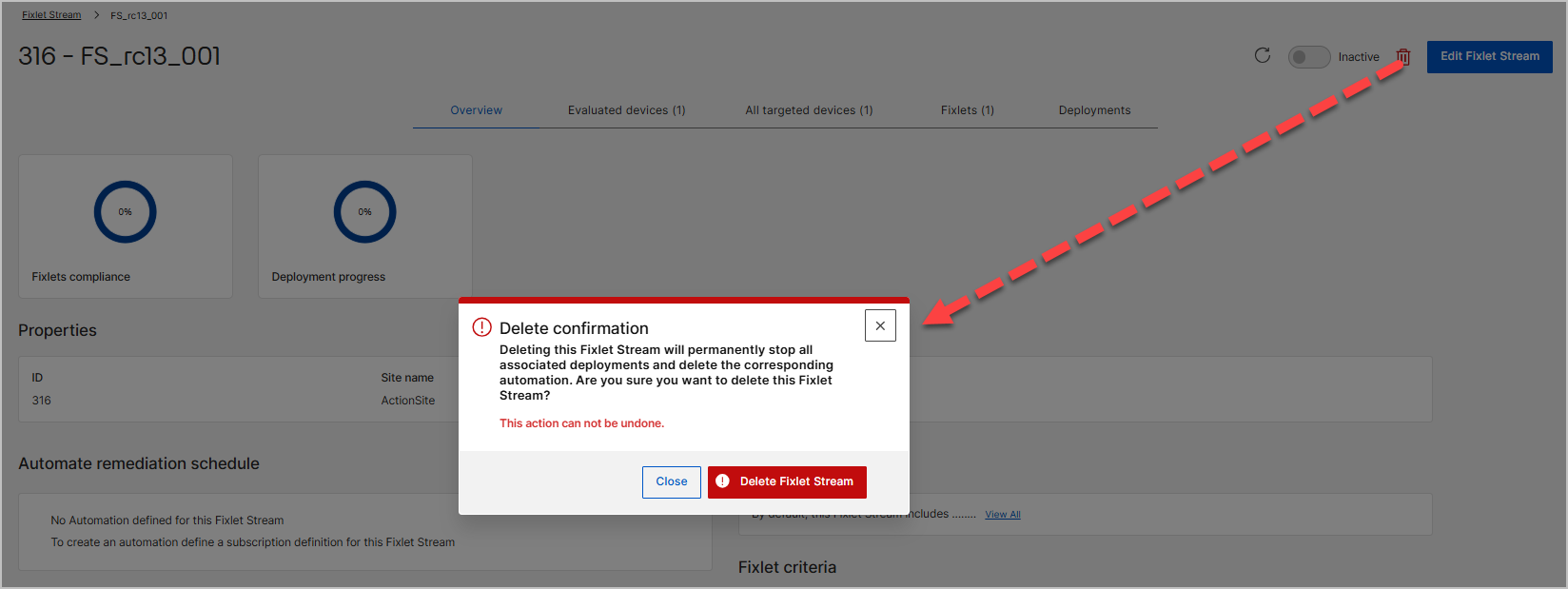
- Click the delete icon next to the status toggle.
-
In the Delete confirmation dialog, review the message,
and then click Delete Fixlet Stream to confirm. To keep
the stream, click Close.
The stream is removed from the Fixlet Streams landing page. Any deployments of the stream that are still running stop, and its automation is deleted.