Custom Remediation
Remediate devices on demand using your own Bash, PowerShell, or Action Scripts. Ideal for applying quick fixes, registry changes, or patching apps not covered by default content.
Overview
The Custom Remediation app in BigFix UI gives IT and security teams the flexibility and control to quickly remediate security vulnerabilities and configuration issues, even when standard Fixlets or out-of-the-box content aren't available. You can deploy your own scripts, deploy custom software updates, and apply configuration changes across your endpoints with speed and precision - useful for uncovered vulnerabilities, third-party application risks, and non-standard system configurations.
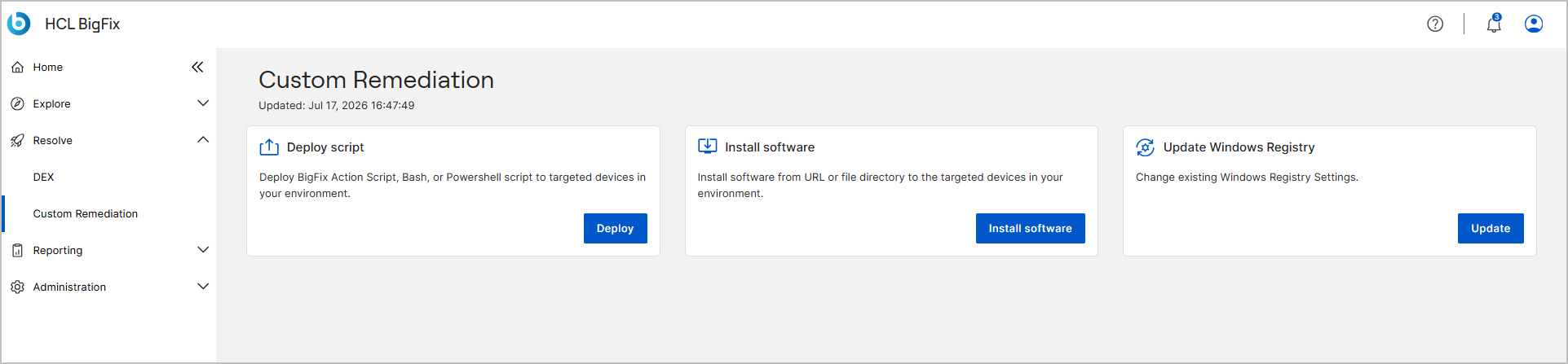
The Custom Remediation home page shows an Updated timestamp under the page title that indicates when the page data was last refreshed.
Before you begin
Access to this application is controlled by the role that your administrator assigns to you. If your role does not grant the application, it does not appear in the side navigation, and the actions described in this topic are unavailable or dimmed.
- Your role must grant access to the Custom Remediation application, which is an optional application. See Managing Roles.
- Your operator permissions determine which actions you can complete, such as creating actions and running script commands on the target devices. For a description of each permission, see Permissions reference.
Key features
| Deploy Script | If predefined remediation workflows don’t cover
your needs, and you know exactly what commands or scripts are
required to fix an issue, you can use this feature to create and
deploy your own custom script. You can deploy BigFix Action
Script, Bash, or PowerShell script directly to the target
devices and resolve issues without waiting for built-in
Fixlets. Note: Supported script types
include Bash, PowerShell, and BigFix Action Script within
the BigFix UI. |
| Install Software | Deploy updates or patches for software (that are not included in standard BigFix content) from URL or file directory to the target devices. Support any software Remediate vulnerabilities in any application, even if it is not supported out of the box. |
| Update Windows Registry | Make quick changes to system settings, similar to the Windows Registry Wizard. Apply configuration changes easily: Quickly edit registry values, apply configuration updates, or push environment changes across many devices without waiting for pre-built content. |
How to access Custom Remediation
To access the Custom Remediation app, expand Resolve from the side navigation, and then select Custom Remediation.