
Configuring computer properties
Add a custom property, change its evaluation period and relevance clause, or remove it.
Before you begin
You need custom content rights and write access to the site that stores the property.
About this task
A property defines the data that the BigFix agent collects, how often it evaluates the data, and the relevance clause that returns the value. From the Properties tab you can create custom global properties and edit custom global and default properties.
Procedure
-
Expand Explore in the side navigation, select
Analyses, and then select the
Properties tab.
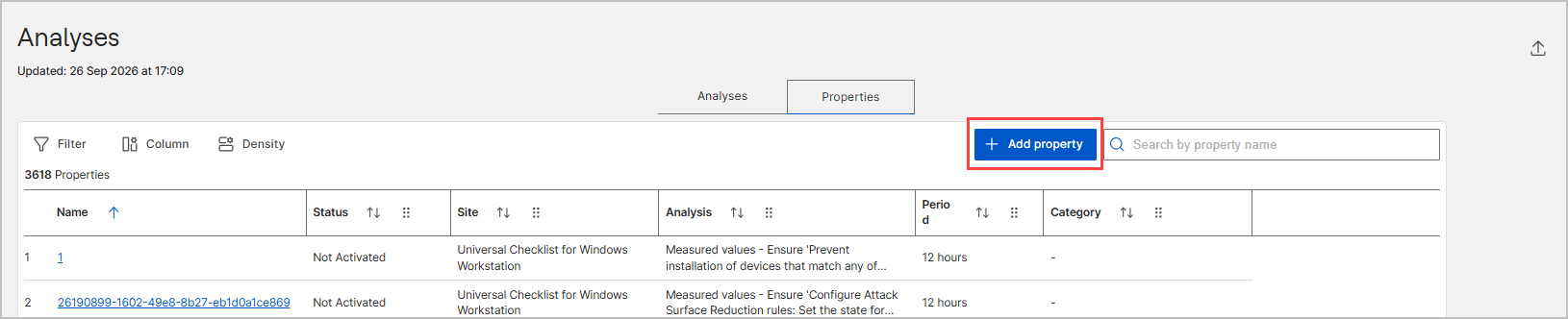
The Properties table lists every property with its status, site, parent analysis, evaluation period, and category.
-
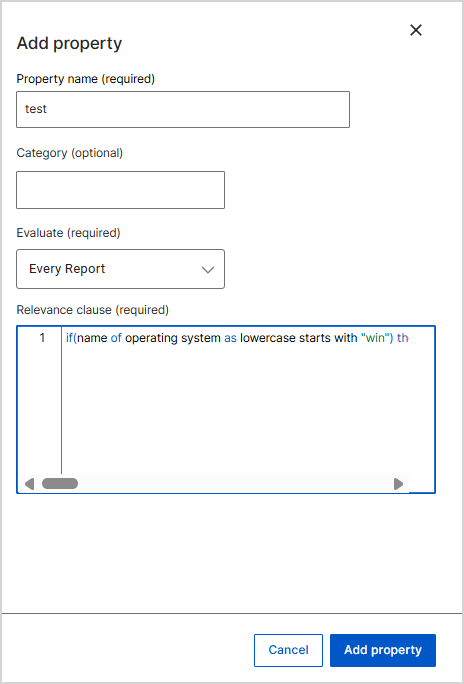
To create a custom global property, select Add
property.
-
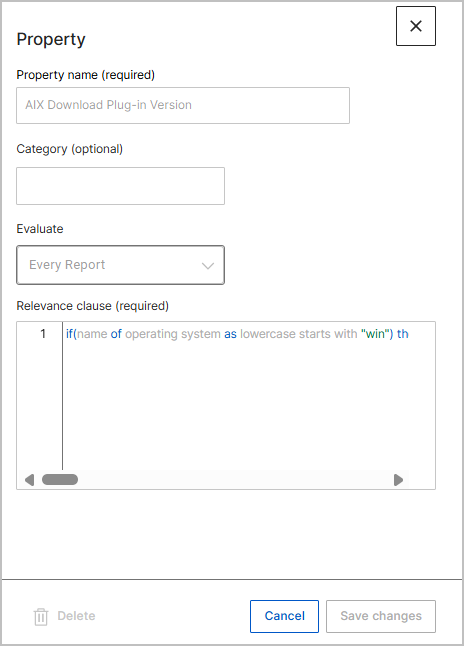
To change a custom global property or a default property, select its name in
the Properties table.
The Property panel opens on the right and shows the Property name, Category, Evaluate, and Relevance clause fields. If you select an analysis property or a reserved property, the panel shows the values as read-only.
-
Update the fields, and then select Save changes.
Note: The Save changes button stays dimmed until you change a value. Select Cancel to close the panel without saving.
- Optional: To remove the property, select Delete in the panel.
-
To change the properties of an analysis, open the analysis details page and
select Edit analysis.
The Edit analysis wizard opens with the same Details, Scope, and Properties steps that you use to create an analysis. Select Next to reach the Properties step, add or remove properties, and then select Update Analyses. To remove the analysis and its properties, select the delete icon on the analysis detail page, and then confirm the deletion. For more information, see Editing and deleting an analysis.
Results
The Properties table shows the updated evaluation period and relevance clause. Devices report the new values after the next agent evaluation.
What to do next
To share the collected values, see Exporting and sharing analysis results.