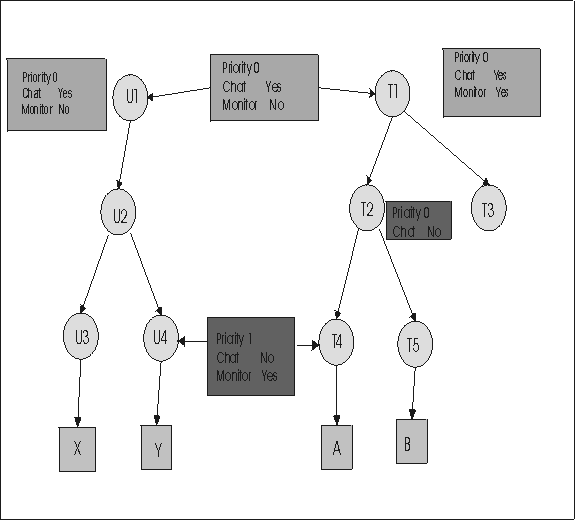
Example 3: Only relationship permissions are inherited
Edit the target group T2 and change the standard permission value for Chat to No.
Edit target group T2
- Click .
- Type in T2 in the input field.
- Click Submit.
- Select T2 and click Edit group.
- Click Edit Settings.
- Select No for everything, including Chat.
- Select Save as new template named and type in NoChat for the template name.
- Click Submit.
In Only relationship permissions inherited there are parent and grandparent groups, and there are multiple permission links defined in the group hierarchy. The following permissions are applied for each example session.
TVT instruction:example3.eps The example3.cdr file needs to be converted to an example3.gif and an example3.eps once it has been translated.