Refresh the Self-Signed Certificate and Update Deployed WDAC Policies Signers on Endpoint v2.x
This deprecated task automates the end-to-end renewal, signing, and redeployment of Windows Defender Application Control (WDAC) policies on the endpoint. The task checks whether the current self-signed WDAC signing certificate expires within 30 days and, if so, generates a new 4096-bit RSA replacement. It then scans local XML policies, auto-increments their version numbers, updates signer rules to trust the new certificate, converts them to binary CIP format, and redeploys to the EFI partition — all in a single automated workflow.
About this task
Important:
The task follows the below listed workflow:This task is deprecated and will be
removed from BigFix Application Control
v2.x in near future.
- Setup: Initializes logging and ensures that the required BAC directories exist.
- Certificate Rotation: Checks if the current WDAC signing certificate expires within 30 days. If yes, this task generates a new 4096-bit RSA self-signed certificate.
- XML Processing: Scans for XML policies, automatically increments their version numbers, and updates the signer rules to trust the current certificate.
- Conversion & Signing: Converts the XML to a binary *.cip file and cryptographically signs it using the signtool.exe.
- EFI Deployment: Temporarily mounts the system's hidden EFI partition and deploys the signed policy directly to the boot manager's Active CiPolicies directory.
- Refresh: Invokes the local refresh utility to apply the policy immediately without a reboot.
Refer to the table below to know more about the task's exit code.
| Exit Code | Meaning |
|---|---|
| 0 | Success |
| 10 | Directory setup failure |
| 20 | Certificate creation or export failure |
| 30 | XML processing or version bumping failure |
| 40 | Binary conversion failure |
| 50 | Signtool signing failure |
| 60 | EFI mount or deployment failure |
| 70 | Policy refresh tool failure |
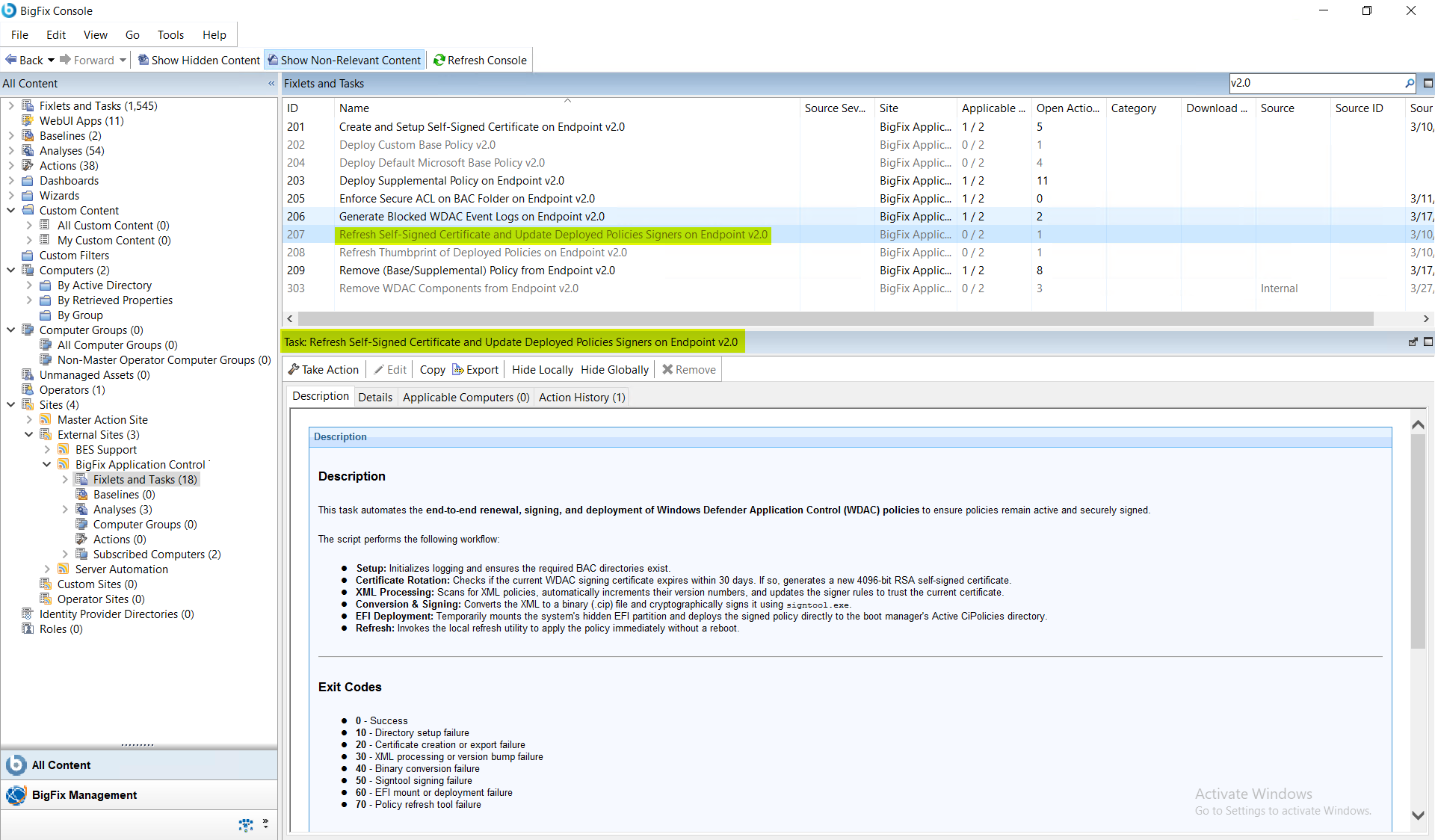
Procedure
- In the BigFix Console, navigate to .
- From the Fixlets and Tasks pane, select Task: Refresh Self-Signed Certificate and Update Deployed Policies Signers on Endpoint v2.0.
-
From the Task: Refresh Self-Signed Certificate and Update Deployed
Policies Signers on Endpoint v2.0 pane, under
Configuration Options, enter the following
information:
Figure 2. BigFix Console — Refresh Self-Signed Certificate v2.0: Configuration Options Panel Showing Certificate Validity Years Input 
Table 2. Refresh Self-Signed Certificate and Update Deployed Policies Signers v2.0: Configuration Options Parameter Descriptions Field Name Description Certificate Validity (Years) Number of years for which the newly generated certificate will be valid. - From the Task: Refresh Self-Signed Certificate and Update Deployed Policies Signers on Endpoint v2.0 pane, click the Applicable Computers(n) tab and view the endpoints on which you want to run the task.
- Select the Take Actions tab and select the endpoints on which you want to apply this installer task.
-
Click OK.
Note:Once this task is triggered, it remains as an open action and runs on the system whenever the system becomes relevant. Only an administrator can stop this task.
Results
- WDAC signing certificate is rotated (if within 30 days of expiration).
- Local XML policies are updated with incremented version numbers and new signer rules.
- Cryptographically signed binary (*.cip) policies are successfully deployed to the EFI partition.
- System application control policies are immediately refreshed and enforced.
- A system reboot is required for the changes to take effect.