Enforce Secure ACL Permissions on the BAC Folder on Endpoint v2.x
This deprecated task hardens the BigFix Application Control (BAC) directory at \Program Files (x86)\BigFix Enterprise\BES Client\BAC by enforcing strict Windows Access Control List (ACL) settings: it disables ACL inheritance, removes all existing inherited permissions, grants exclusive full control to NT AUTHORITY\SYSTEM, and recursively sets SYSTEM as the owner of all files and subfolders — protecting WDAC policy artifacts, signing certificates, and execution logs from unauthorized access.
About this task
Important:
The task performs the following actions:This task is deprecated and will be
removed from BigFix Application Control
v2.x in near future.
- Validates the existence of the BAC directory at the \Program Files (x86)\BigFix Enterprise\BES Client\BAC location. If the directory is missing, the task exits with a failure code.
- Ensures the logging directory exists and writes execution logs to the BAC\Logs\Secure_BAC_Permissions.log location.
- Updates Access Control Lists (ACLs):
- Disables inheritance on the BAC directory.
- Removes any existing inherited permissions.
- Grants full control explicitly to NT AUTHORITY\SYSTEM.
- Applies the updated ACL to the BAC directory.
- Sets ownership of the BAC directory and all child objects recursively to NT AUTHORITY\SYSTEM.
- Logs all actions (success/failure) with timestamps for audit and troubleshooting.
Refer to the table below to know more about the task's exit code.
| Exit Code | Meaning |
|---|---|
| 0 | Success |
| 10 | BAC directory not found |
| 20 | Failed to apply ACL permissions |
| 30 | Failed to set ownership |
Procedure
- In the BigFix Console, navigate to .
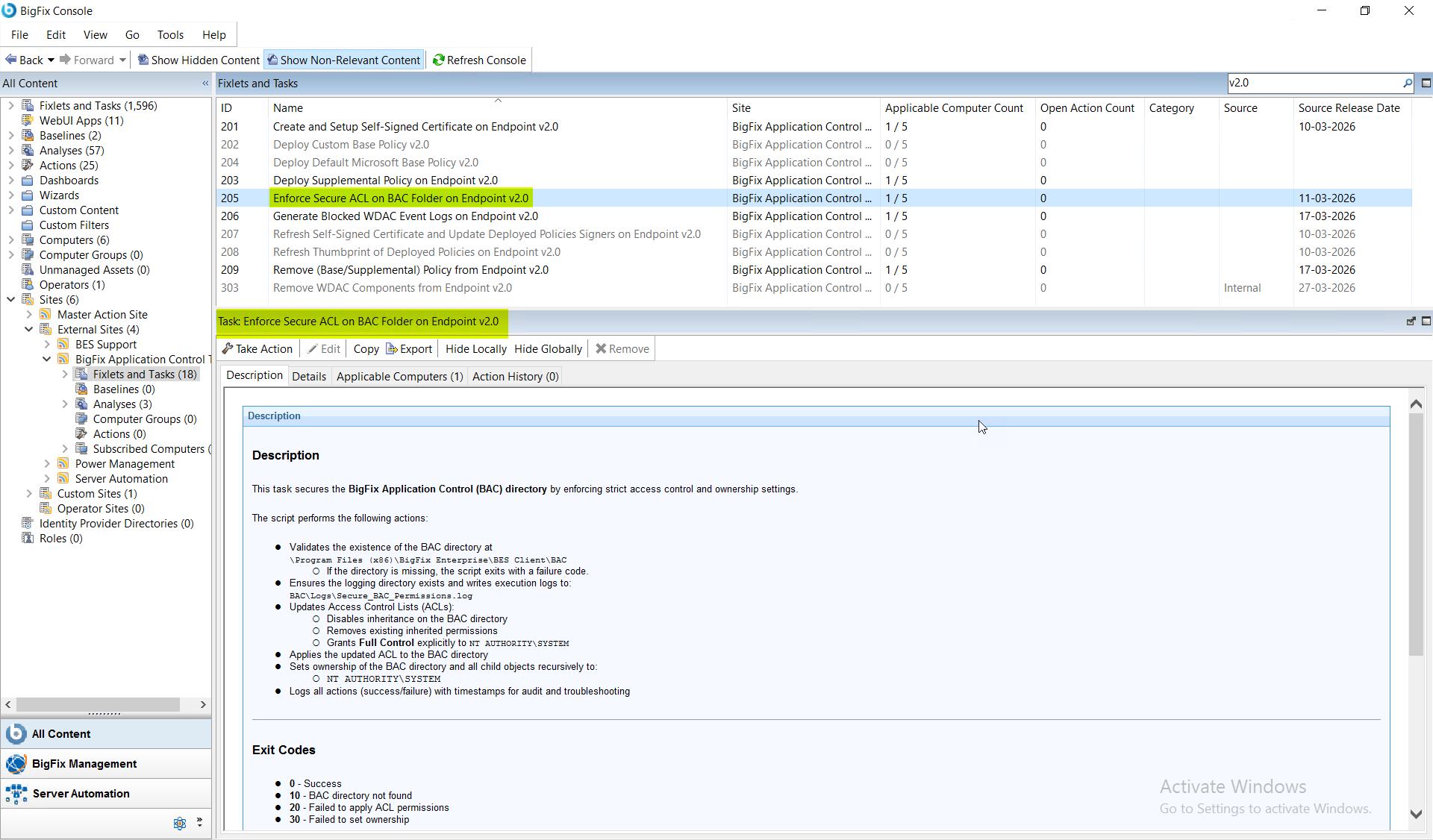
- From the Fixlets and Tasks pane, select Task: Enforce Secure ACL on BAC Folder on Endpoint v2.0.
- From the Task: Enforce Secure ACL on BAC Folder on Endpoint v2.0 pane, click the Applicable Computers(n) tab and view the endpoints on which you want to run the task.
- Select the Take Actions tab and select the endpoints on which you want to apply this installer task.
-
Click OK.
Note:Once this task is triggered, it remains as an open action and runs on the system whenever the system becomes relevant. Only an administrator can stop this task.
Results
- The BAC directory is fully secured.
- Only the SYSTEM account has full control.
- Ownership is standardized across all files and sub folders.
- Unauthorized or inherited permissions are removed.