Create and Set Up a Self-Signed Code-Signing Certificate on Endpoint v2.x
This deprecated task generates and configures a self-signed RSA 4096-bit SHA256 code-signing certificate on the endpoint for use with Windows Defender Application Control (WDAC). The task creates required BAC directories, stores the certificate in the Cert:\LocalMachine\My store, and exports the public certificate to BAC\Certs\WDAC_SigningCert.cer for use in WDAC policy signing and deployment workflows.
About this task
Important:
Use this task to generate and configure a self-signed code-signing
certificate on the endpoint for use with Windows Defender Application Control
(WDAC).This
task is deprecated and will be removed from BigFix Application Control v2.x in a future release. Use Provision the TPM-Enforced
WDAC Policy Signing Certificate on the WDAC Management Node
instead.
The task performs the following:
- Creates the following required BAC directories if they do not exist:
- BAC\Certs
- BAC\Logs
- Generates a self-signed code-signing certificate with:
- RSA 4096-bit key
- SHA256 hashing
- Digital Signature usage
- Validity based on user input
- Stores the certificate at the Cert:\LocalMachine\My location.
- Exports the public certificate to the BAC\Certs\WDAC_SigningCert.cer folder.
- Logs errors (if any) to the BAC\Logs\Create_WDAC_SigningCert.log location.
Refer to the table below to know more about the task's exit code.
| Exit Code | Meaning |
|---|---|
| 0 | Success |
| 10 | BAC directory creation failure |
| 11 | Certificate directory creation failure |
| 12 | Log directory creation failure |
| 20 | Certificate creation failure |
| 30 | Certificate export failure |
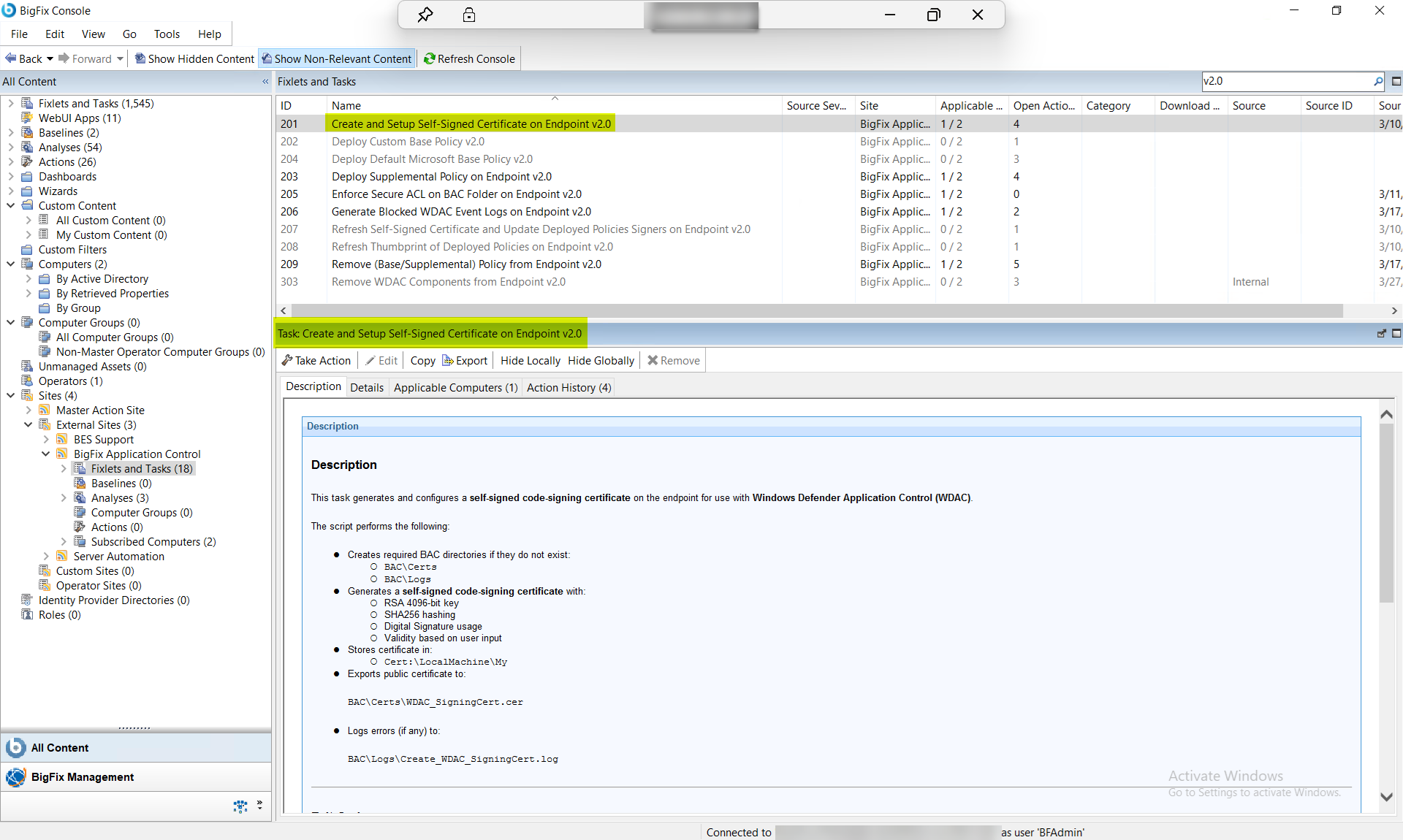
Procedure
- In the BigFix Console, navigate to .
- From the Fixlets and Tasks pane, select Task: Setup and Create Self-Signed Certificate on Endpoint v2.0.
-
From the Task: Setup and Create Self-Signed Certificate on Endpoint
v2.0 pane, under Configuration Options,
enter the following information:
Figure 2. BigFix Console — Setup and Create Self-Signed Certificate on Endpoint v2.0: Configuration Options Panel 
Table 2. Setup and Create Self-Signed Certificate on Endpoint v2.0: Configuration Options Parameter Descriptions Field Name Description Certificate Validity (Years) Number of years for which the newly generated certificate will be valid. - From the Task: Setup and Create Self-Signed Certificate on Endpoint v2.0 pane, click the Applicable Computers(n) tab and view the endpoints on which you want to run the task.
- Select the Take Actions tab and select the endpoints on which you want to apply this installer task.
- Click OK.
Results
- A self-signed WDAC certificate is created on the endpoint.
- The certificate is available in the LocalMachine store.
- The public certificate is exported to the BAC folder.
- A certificate is ready for WDAC policy signing and deployment.