
Set New Rule on Endpoints
This topic describes the mode which enables administrators to create and deploy new rules on target endpoints. It allows for the definition of new application rules based on file patterns or specific file hashes, thereby enforcing security policies and preventing unauthorized process execution.
About this task
This mode in
the Set Policy Modifications task allows an administrator to
create and deploy Application Control rules
on target endpoints. One can define allow or block application rules based on file
patterns or specific file hash. This mode helps in enforcing security policies,
prevents execution of unauthorized processes, and hardens endpoints against
malware.
Note: All rule or policy related data is encrypted
in BigFix Application Control. Application Control
uses JSON files to communicating between BigFix®
console and its endpoints. All data in the JSON files are encrypted and cannot
be circumvented.
You need to use the mode Set New Rule for setting new rules on endpoints.
Perform the following steps to set new rules on endpoints as needed:
Procedure
-
From the Task: Set Policy Modifications pane, enter the
following information on the Description tab:
Figure 1. Set New Rules 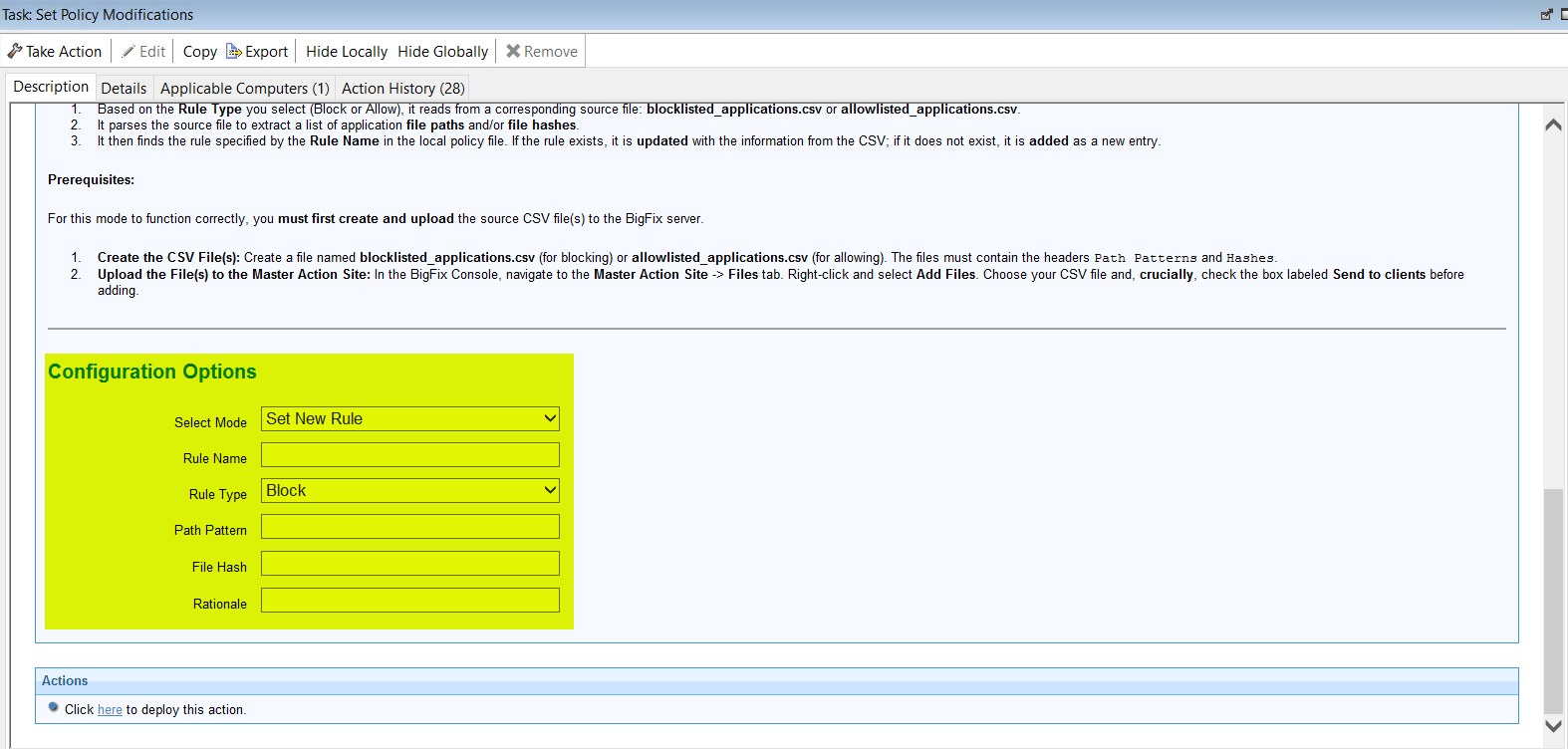
Table 1. Task: Set Policy Modifications: Set New Rules Mode Configuration Options Field Name Description Select Mode Select the mode: Set New Rule. Rule Name Name of the rule. Rule Type Type of the rule. Can be either Block or Allow. Path Pattern Path of the application or process to be allowed or blocked. File Hash Hash value of the application file. Rationale Description or reasoning of the rule. - Select the Take Actions tab and select the endpoints on which you want to apply the new rules.
- Click OK.