
Apply CSV Ruleset to an Endpoint
This topic describes the mode which outlines how to apply a CSV ruleset to an endpoint using the BigFix console. It enables administrators to dynamically manage application block and allow lists by reading from centrally managed CSV files, ensuring that the local JSON policy file on the endpoint is updated accordingly.
Before you begin
-
- Create CSV files
- First, create the blocklisted_applications.csv and allowlisted_applications.csv files. Both files must contain Path Patterns and Hashes column headers.
-
- Upload CSV files to Master Action Site
-
- In BigFix console, navigate to Master Action Site.
- Browse to the Files tab.
- Right-click and select Add Files.
- Choose the CSV files you created.
- Select the Send to Clients check-box.
- Click Add Files.
- Based on the selected rule type (Block or Allow), it reads the corresponding source file: blocklisted_applications.csv or allowlisted_applications.csv.
- From the source file the list of application file paths and/or file hashes are extracted.
- The task then searches for the rule specified by the Rule
Name in the effective_policy.json
file.
- If the rule exists, the JSON file is updated with the latest information.
- If the rule does not exist, it's added as a new entry.
This way bulk dynamic management of application block/allow list is achieved without altering the task action script.
About this task
As an administrator, you can create or update Application Control rules on endpoints by dynamically reading from centrally managed CSV files. BigFix Application Control updates the local JSON policy file on the endpoint with application paths and hashes, allowing administrators to either allow or block specific applications as needed.
You need to use the mode Apply CSV Ruleset for dynamically creating or modifying rules on endpoints.
Perform the following steps to apply CSV rulesets to an endpoint:
Procedure
-
From the Task: Set Policy Modifications pane, enter the
following information on the Description tab:
Figure 1. Apply CSV Ruleset 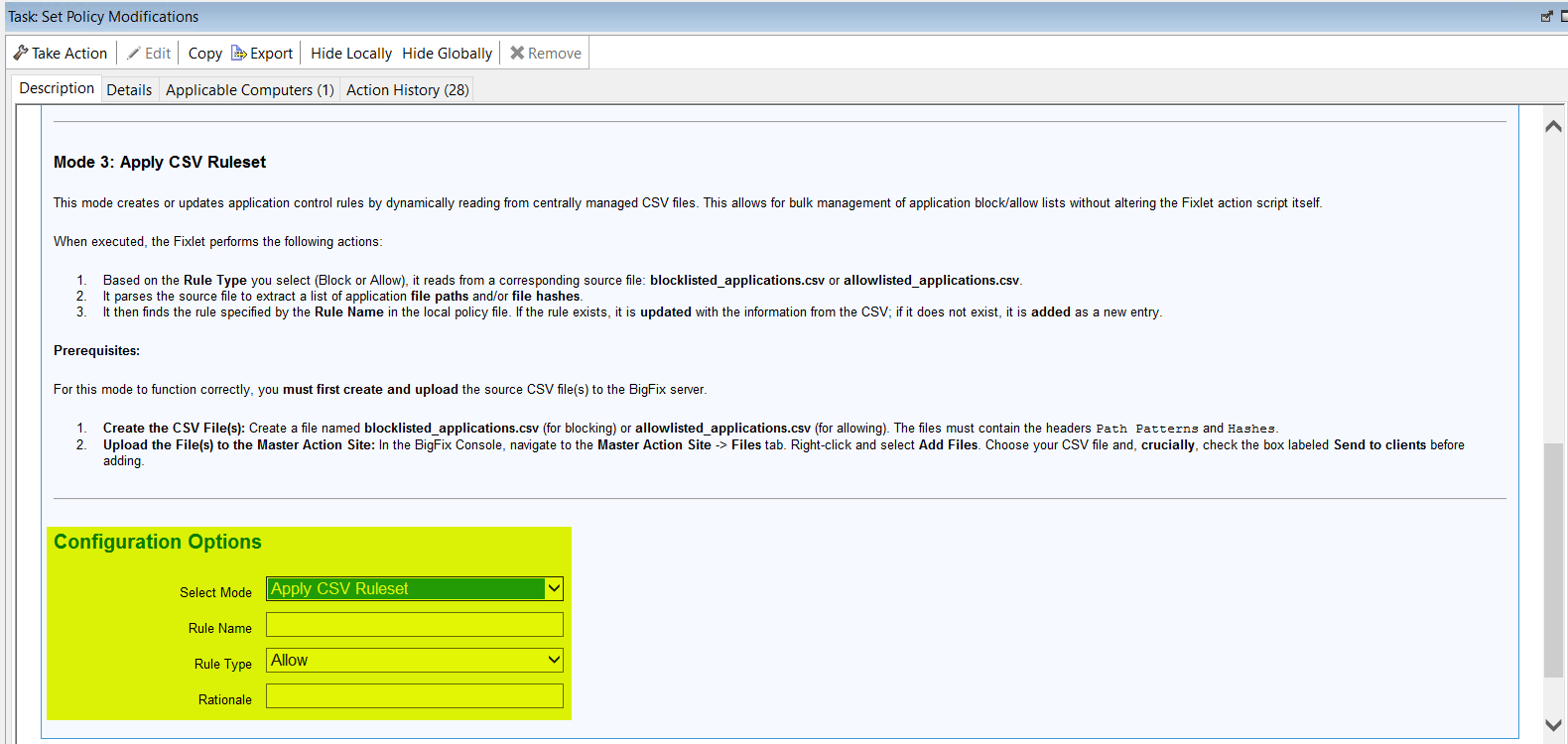
Table 1. Task: Set Policy Modifications Apply CSV Ruleset Mode Configuration Options Field Name Description Select Mode Select the mode: Apply CSV Ruleset. Rule Name Name of the rule. Rule Type Type of the rule. Can be either Block or Allow. Rationale Description or reasoning of the rule. - From the Take Actions tab and select the endpoints on which you want to apply the CSV rulesets.
- Click OK.