
Remove Existing Rule from Endpoints
This topic describes the mode which allows administrators to remove or modify Application Control rules from an endpoint's policy file using the Task: Set Policy Modifications. Users can either delete a rule entirely or adjust specific file paths or hashes, ensuring immediate application of changes by restarting the BESBAC service.
About this task
As an administrator, you can use this mode to modify or delete an existing application control rule from an endpoint’s policy file. You can either completely delete a rule or remove specific file paths or hashes from a rule.
For a full rule deletion, update only the Rule Name and Rule Type fields but leave the other fields empty. For a partial rule modification, update all the fields. After the JSON policy file is modified, BESBAC service restarts to ensure that the changes are applied immediately.
You need to use the mode Remove Existing Rule for deleting or modifying rules on endpoints.
Perform the following steps to remove and/or modify the existing rules from endpoints as needed:
Procedure
-
From the Task: Set Policy Modifications pane, enter the
following information on the Description tab:
Figure 1. Remove Existing Rule 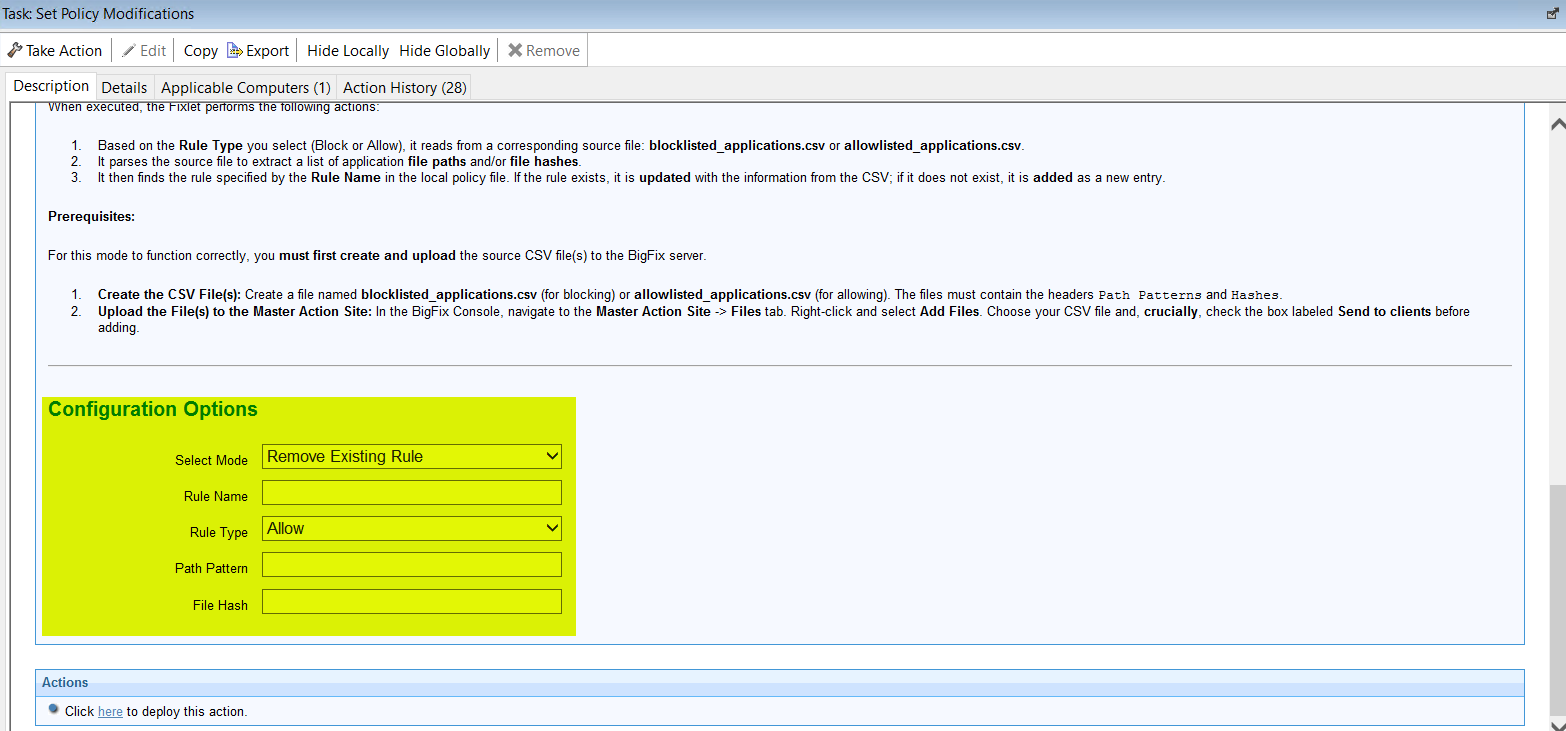
Table 1. Task: Set Policy Modifications Remove Existing Rule Mode Configuration Options Field Name Description Select Mode Select the mode: Remove Existing Rule. Rule Name Name of the rule. Rule Type Type of rule. Can be either Block or Allow. Path Pattern Path of the application or process to be allowed or blocked. File Hash Hash value of the application file. Note: For full rule deletion, update only the Rule Name and Rule Type fields. But for a partial rule modification, you will need to update all the fields. - Select the Take Actions tab and select the endpoints from which you want to remove the rules.
- Click OK.