
Dashboards in BigFix Inventory
Dashboards in BigFix Inventory provide a comprehensive overview of your IT environment. They allow you to monitor and analyze data related to software usage, hardware inventory, and license compliance. By using these dashboards, you can gain insights into your organization's assets and make informed decisions to optimize resource utilization and ensure compliance with licensing agreements.
Types of dashboards
User experience of the dashboard
-
 Refresh button: To optimize the application performance, cache
mechanism is introduced for dashboards, such as Inventory, Reports and Spend
(when no filter is applied in the Spend dashboard). The values displayed in
the widgets are recalculated periodically by the BigFix Inventory server,
and it may be also be recalculated on demand, for a given user when the user
clicks Refresh data button on a peculiar dashboard. The timestamp
displayed on the dashboards is the time of the last calculation of the
displayed values, so it may be different for each user and each
dashboard
Refresh button: To optimize the application performance, cache
mechanism is introduced for dashboards, such as Inventory, Reports and Spend
(when no filter is applied in the Spend dashboard). The values displayed in
the widgets are recalculated periodically by the BigFix Inventory server,
and it may be also be recalculated on demand, for a given user when the user
clicks Refresh data button on a peculiar dashboard. The timestamp
displayed on the dashboards is the time of the last calculation of the
displayed values, so it may be different for each user and each
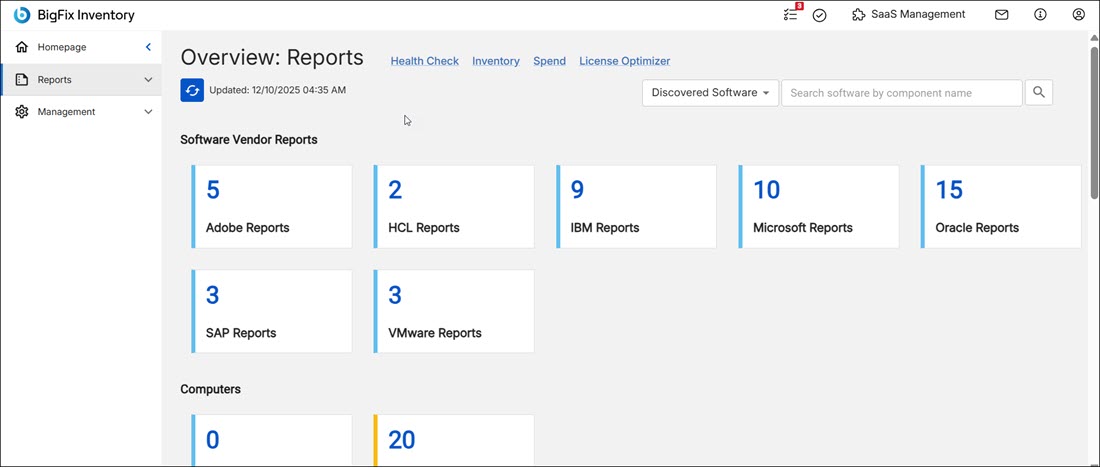
dashboard - Date and timestamp: The date and timestamp when the data was last updated.
- The tiles representing various metrics and data visualizations that help you to better understand the software asset management situation, improve compliance, reduce costs, and optimize license usage.
- To Do list: Provides information about items that might require your action including failed imports of data, availability of a new version of BigFix Inventory or the need to configure a connection to VM managers.
- Last import status: The last data import date and timestamp is shown in local time
- Provide feedback to the Development Team: To provide feedback about the dashboard, create a new idea under HCL BigFix Ideas Portal. See also, Give us feedback.
- Help: Includes references to the about, supplementary data collection, technical documentation, and link to the BigFix forum.
- Profile: Your profile details, sign out option and a 'Set as homepage' option that you can use to set your preferred dashboard as the default dashboard.
 The left panel
includes the navigation for the dashboard, reports, SaaS Management, and Administration.
In version less than 11.0.8, SaaS Management is available in the top-right of panel.
The left panel
includes the navigation for the dashboard, reports, SaaS Management, and Administration.
In version less than 11.0.8, SaaS Management is available in the top-right of panel.
 SaaS Management:
Provides an option to explore the HCL BigFix SaaS Management Platform. The HCL BigFix
SaaS Management Platform allows you to discover, manage, and optimize license spending
on the SaaS, or Software as a Service, products used in your organization.
SaaS Management:
Provides an option to explore the HCL BigFix SaaS Management Platform. The HCL BigFix
SaaS Management Platform allows you to discover, manage, and optimize license spending
on the SaaS, or Software as a Service, products used in your organization.