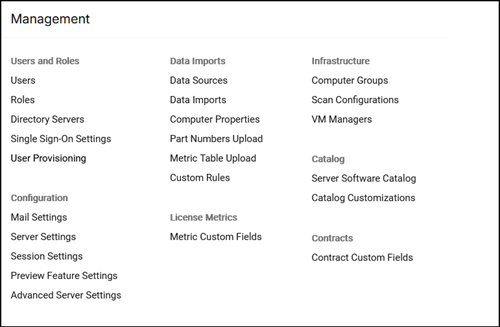
Application menu structure
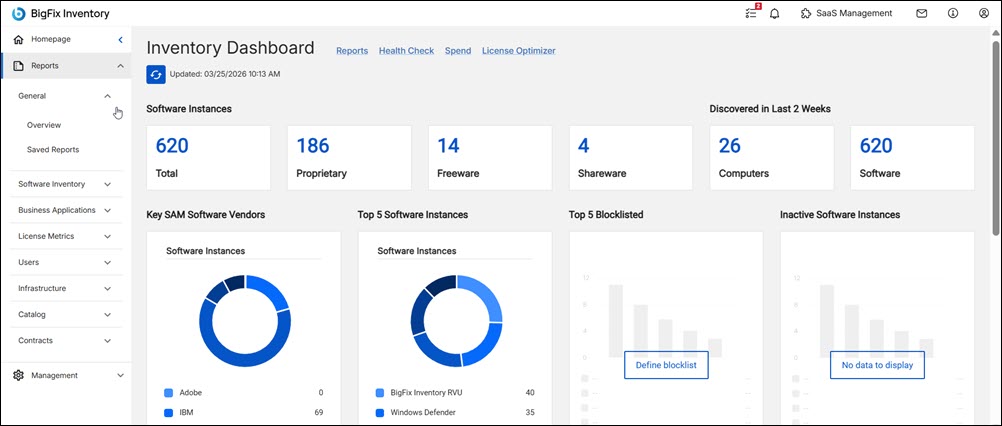
Since BigFix Inventory version 11.0.6, the main application menu (Reports and Management sections) was moved to the left navigation section, providing an option to collapse it and with an additional link to the homepage, while preserving the menu structure.
 Changes in version 11.0.8
The left-hand navigation menu has been redesigned. The previous two-section layout; Reports and Management has been replaced with a new area-based structure containing six distinct top-level sections, each with a dedicated icon. The Management section has been renamed to Administration. The SaaS Management link has been moved from the top header bar into the vertical menu.
 From version
11.0.9, some reports are renamed as
follows:
From version
11.0.9, some reports are renamed as
follows:- Audit Reports
- Software
- Hardware
- Procurement
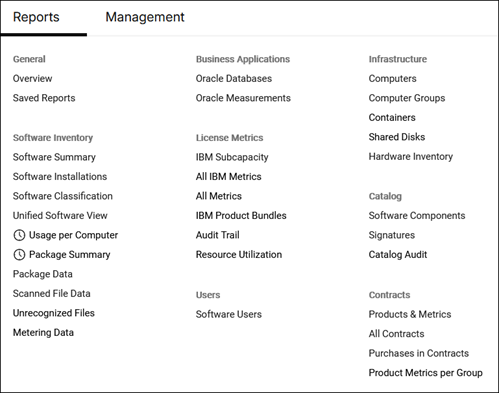
Reports menu structure in the previous version
Management menu structure in the previous version