Customizing and rerunning tasks in the plan
Gain greater flexibility and control over your submitted workload by manually rerunning tasks directly from the plan. After a task completes with a final status, you can customize and rerun the task by using either the existing task definition or another definition.
You can use this functionality if a task lacks a configured run cycle or if you need to modify its attributes after submission. This new feature empowers you to respond to changing business needs or recover from issues without creating new tasks from scratch. You can optimize your workload management and save time by using the following rerun methods:
| Quick recovery and reuse: Rerun the task by using a different definition to change the original task definition and quickly initiate a modified workload or rerun the task with the same definition to quickly initiate a previously run workload. |
 |
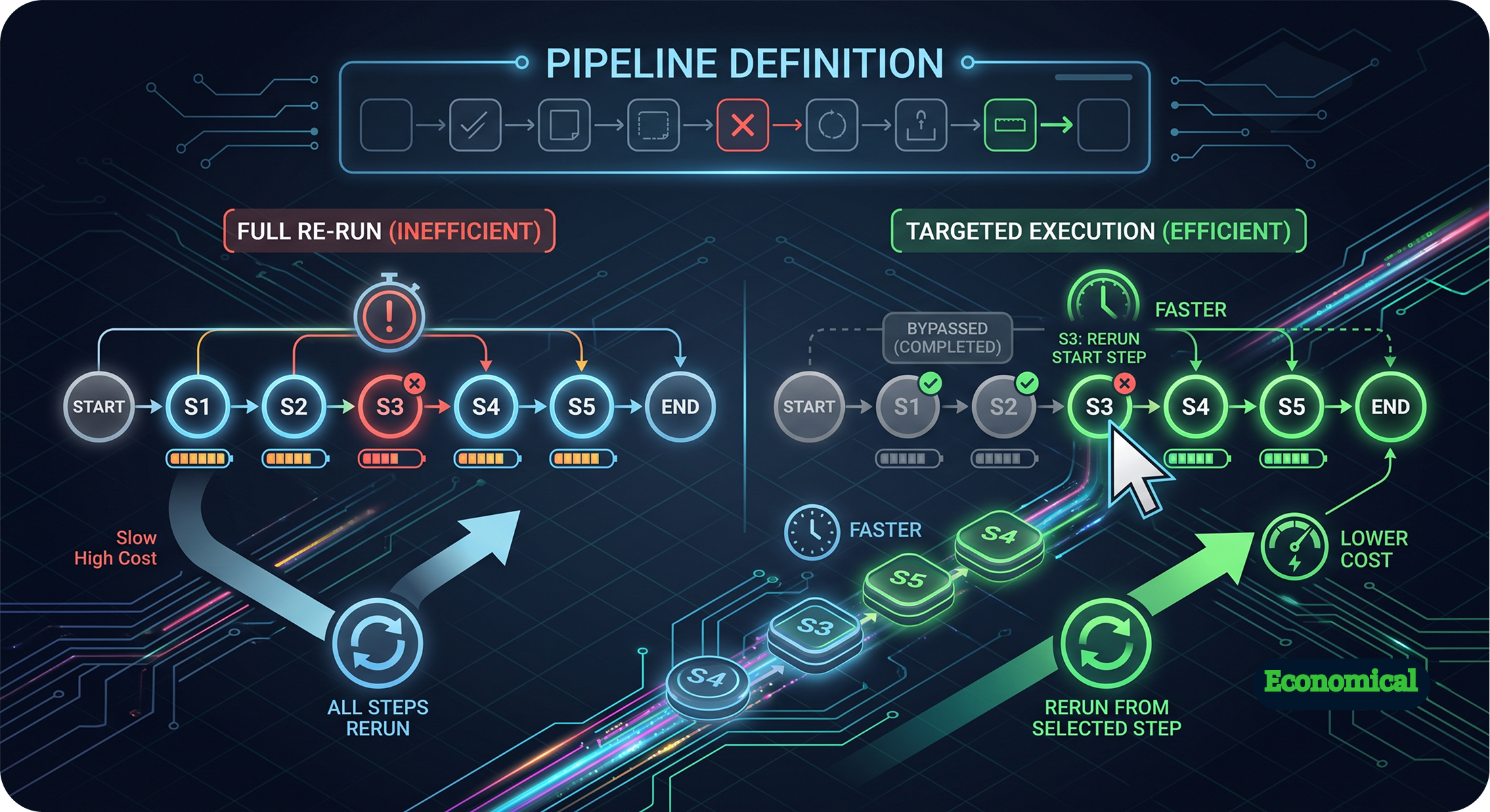 |
Targeted execution: Rerun the task from a specific step in the same definition. This targeted approach saves time and processing power by allowing you to bypass steps that already completed successfully. |
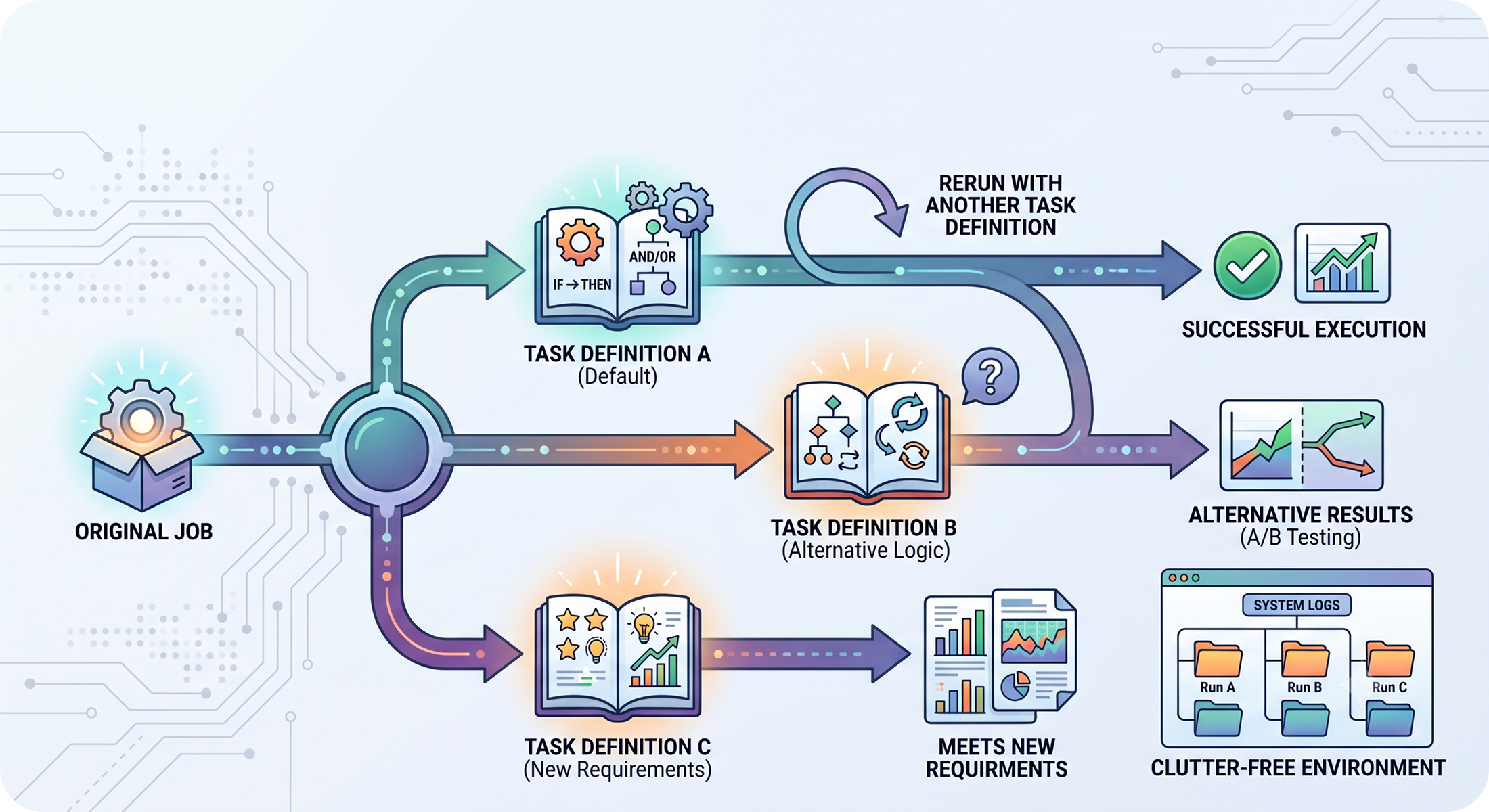
| Adaptable logic: Rerun the task with another task definition to test alternative logic or adapt to new requirements without cluttering your environment with new tasks. |
 |
For more information, see Rerunning tasks in the plan.