
Clear Alerts
- Users can delete clear alerts using the clear alerts action button.
- Select the rule(s) to be deleted by clicking on the corresponding checkbox.
- Click on the delete action button (bulk/single selection).
Figure 1. Clear Alerts 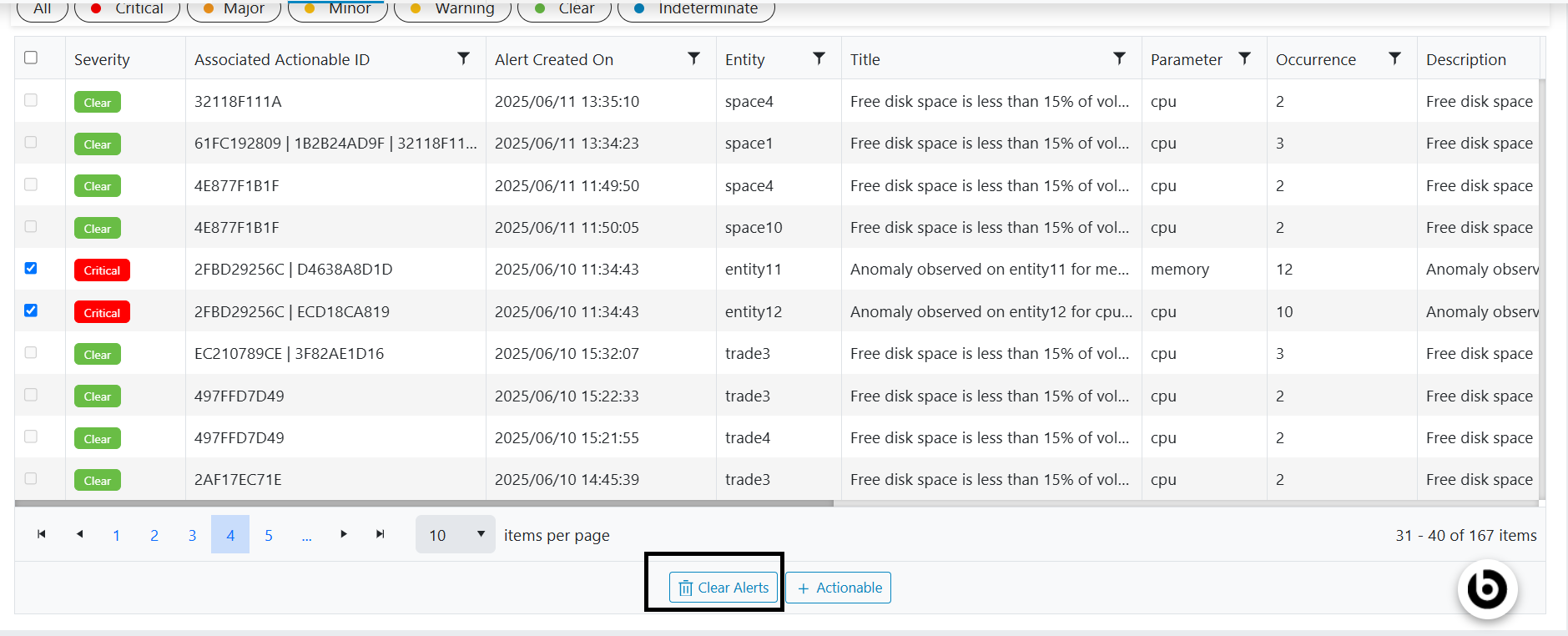
- A pop-up screen will appear on the screen.
- Click on Okay and the alerts will be deleted.