Jump to main content
Server Configuration
- The IP Address / Hostname is auto populated.
- Select the Account Type as Domain Administrator.
- Type in the organization domain in Domain field.
- In the Username and Password fields, type the login credentials.
- Click Check User Validity to ensure the following:
- User should be part of domain defined in field Domain Name
- User should have administrative privileges to install iAutomate components
- Click Browse to specify the appropriate Installation Path to install the server
components.
- On successful connection to the server, a Validation Successful message appears beside the
Password field.Figure 1. Server Configuration
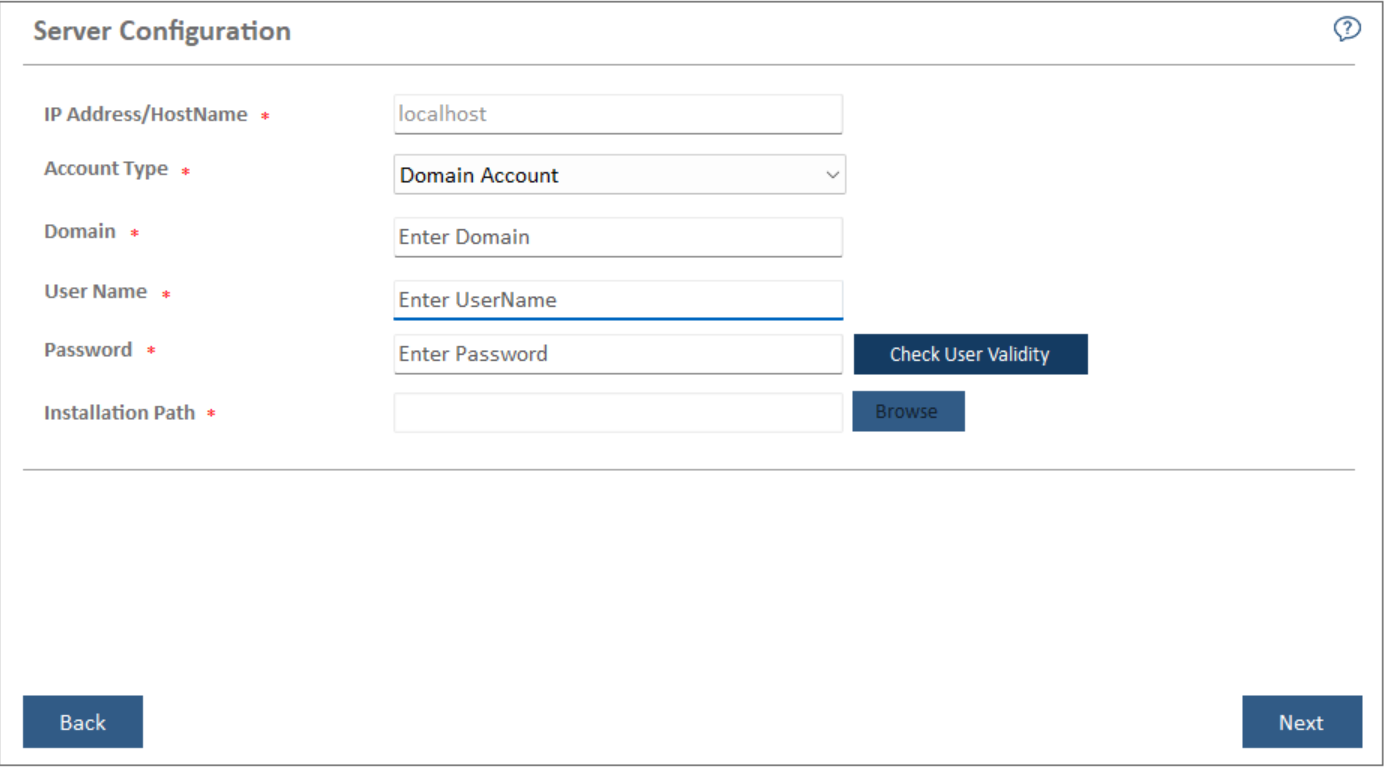
- Click Next to get to the Pre-requisite Checker view.
