Ticket Data is not appearing on the screen even if
‘CollectIncidents’ job is enabled, and
status of the job is Successful.
Modules Impacted
Data collector, Recommendation, iParse, Generic, RBA,
Release
Probable Root Cause
Figure 1. icket Data not appearing on screen
Execution Scope is not defined.
Resolution Steps:
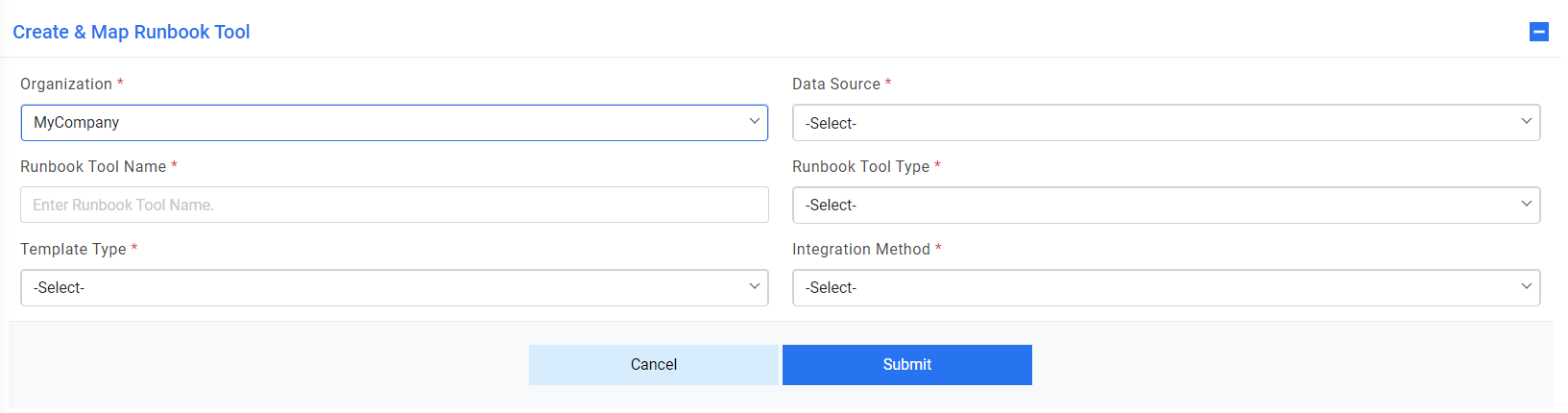
To map execution scope, it is a pre-requisite that organization should be
mapped with a runbook tool. To check this, go to Configuration Manage Runbook
Tool and map the runbook tool, if not already mapped.Figure 2. Ticket Data not appearing on screen (cont.)
Once the Runbook Tool is mapped with the organization and its data source, go to
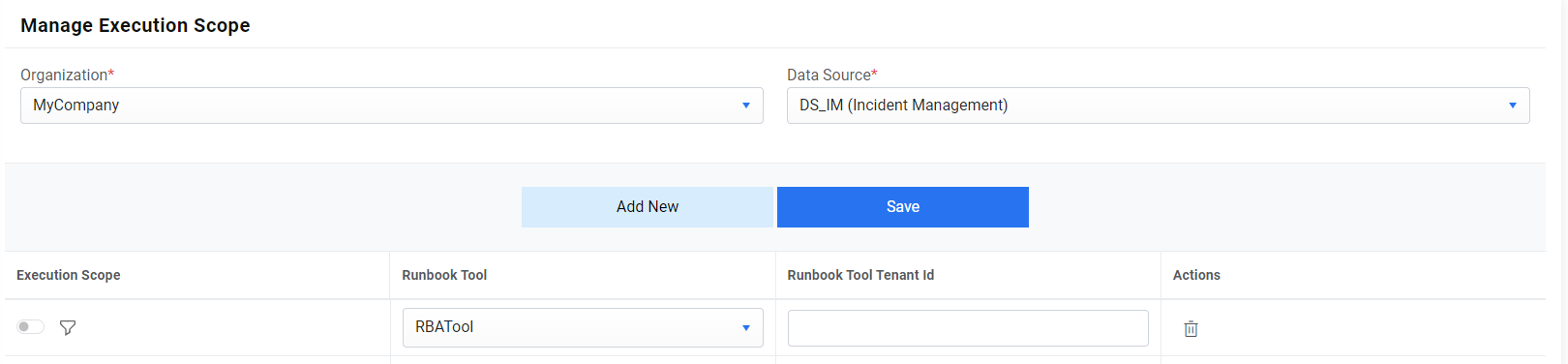
Action Runbooks Manage Execution Scope.
See if any execution scope is mapped with the pair of organization and data
source corresponding to a mapped runbook tool. If not, then map it.
Select the runbook tool mapped with the organization and provide Runbook Tool
Tenant ID (Optional) and click Save.Figure 3. Ticket Data not appearing on screen (cont.)

.png)