Model Not Found’/‘Model is empty

Table 1. iRecommend: Scenario 5
Issue Description Error message: “Model Not Found’ or ‘Model is empty’ are logged.
Modules Impacted iRecommend
Probable Root Cause Runbooks are not mapped

Resolution Steps:

  1. If the model is not found, the following scenarios need to be checked:
  2. Open Build Model tab and check if model building is triggered. If not, trigger Build Model else check the other scenarios.
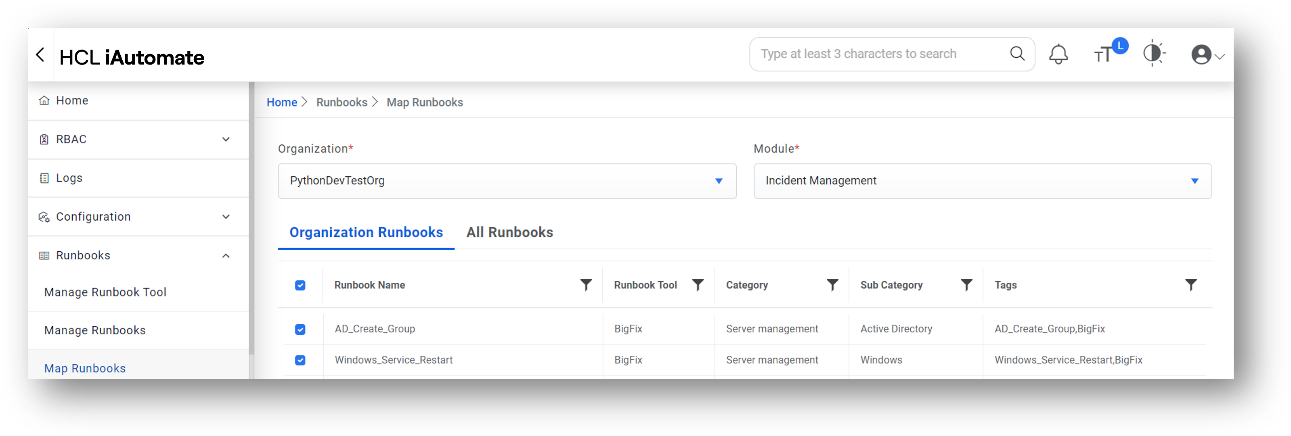
  3. In Map Runbook tab, check if any runbooks mapped against respective organization and module. If not, map the runbooks and rebuild the model.
    Figure 1. Error message ‘Model Not Found’
  4. User can also save the model on disk with settings fetched from “iRecommend.cfg” by setting “PROPERTY_LOCATION=FILE”. If model is created, then there is a settings mismatch w.r.t organization; so cross check the properties.