
Build Android App APK file
- Go to the Build menu in Android Studio.
Figure 1. Build APK Process 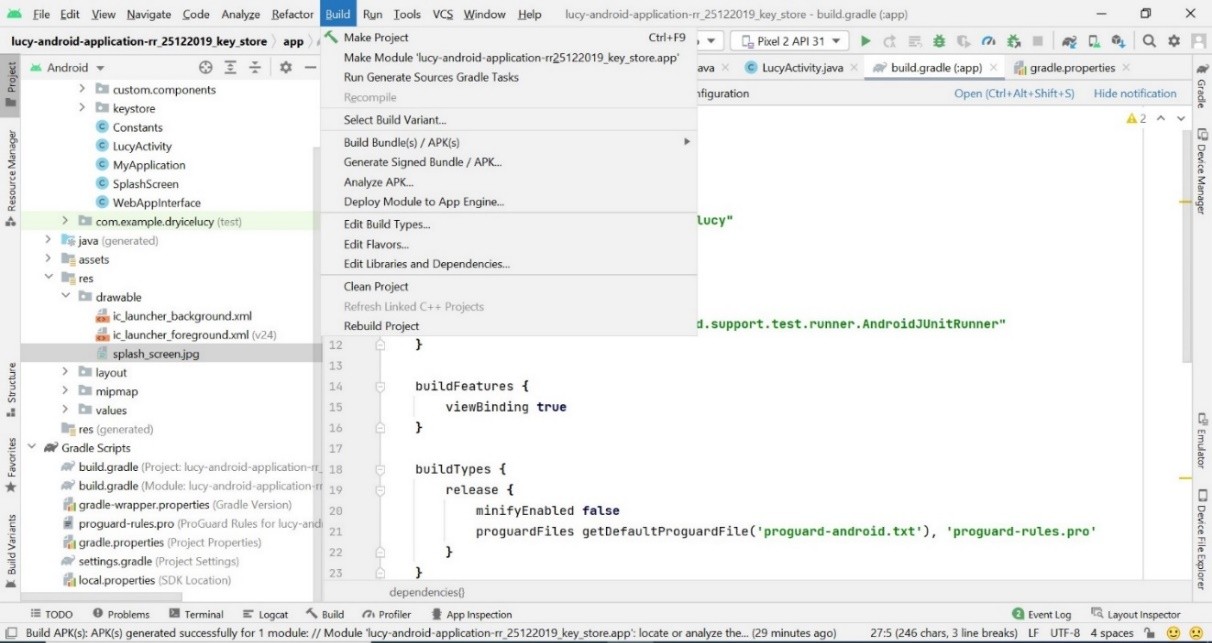
- In the Build menu, hover-over to the Build Bundle(s)/APK(s).
Figure 2. Build APK Process 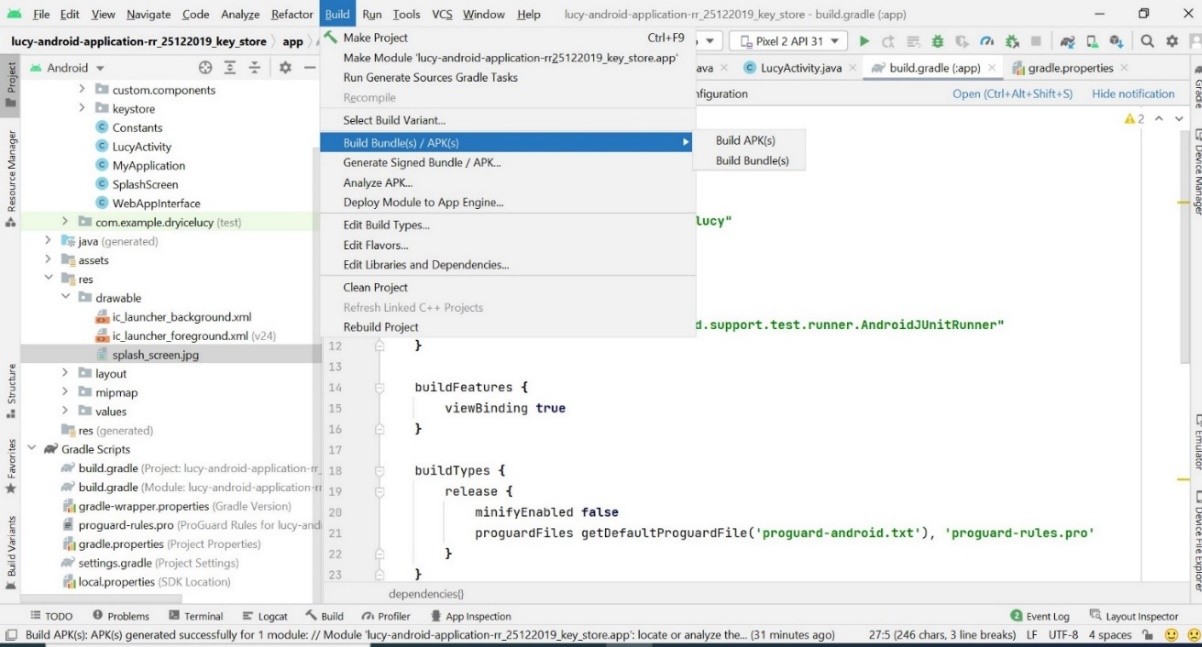
- Then, Select Build APK(s).
Figure 3. Build APK Process 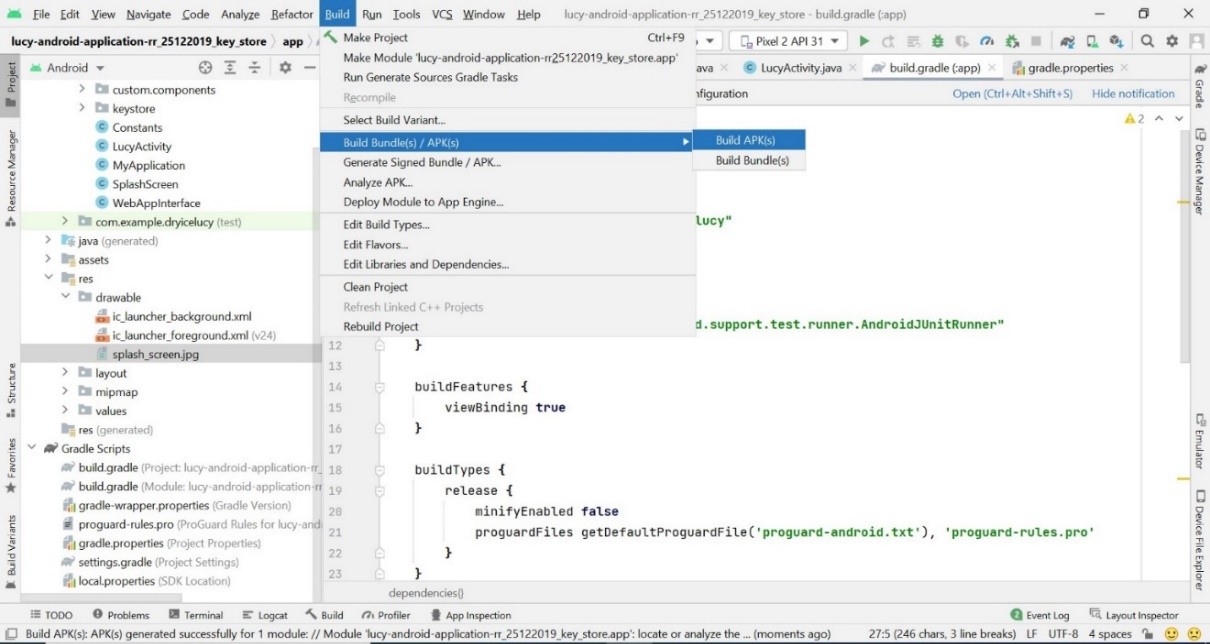
- The build is successfully generated and the following screen appears on the screen.
Figure 4. Build APK Process 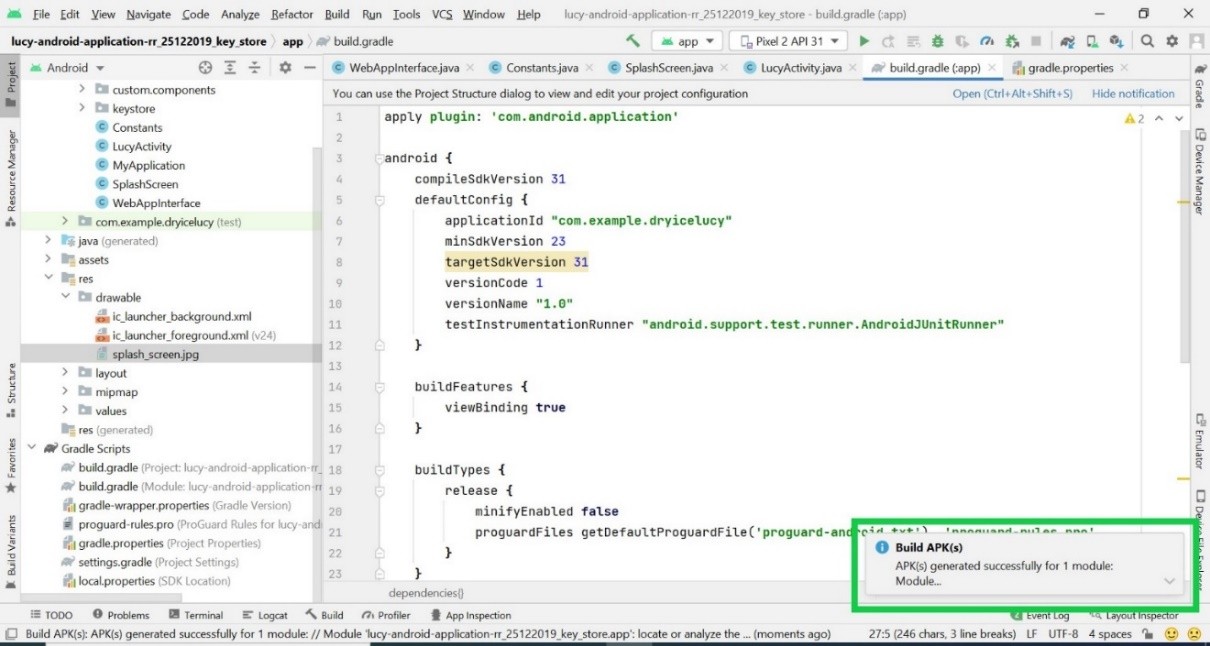
- Once the build is successfully generated successfully, you can find .apk file named as app-debug.apk at the following location:
- \BigFix
AEX-android-application-rr_25122019_key_store\app\build\intermediates\apk\debug
Figure 5. Build APK Process 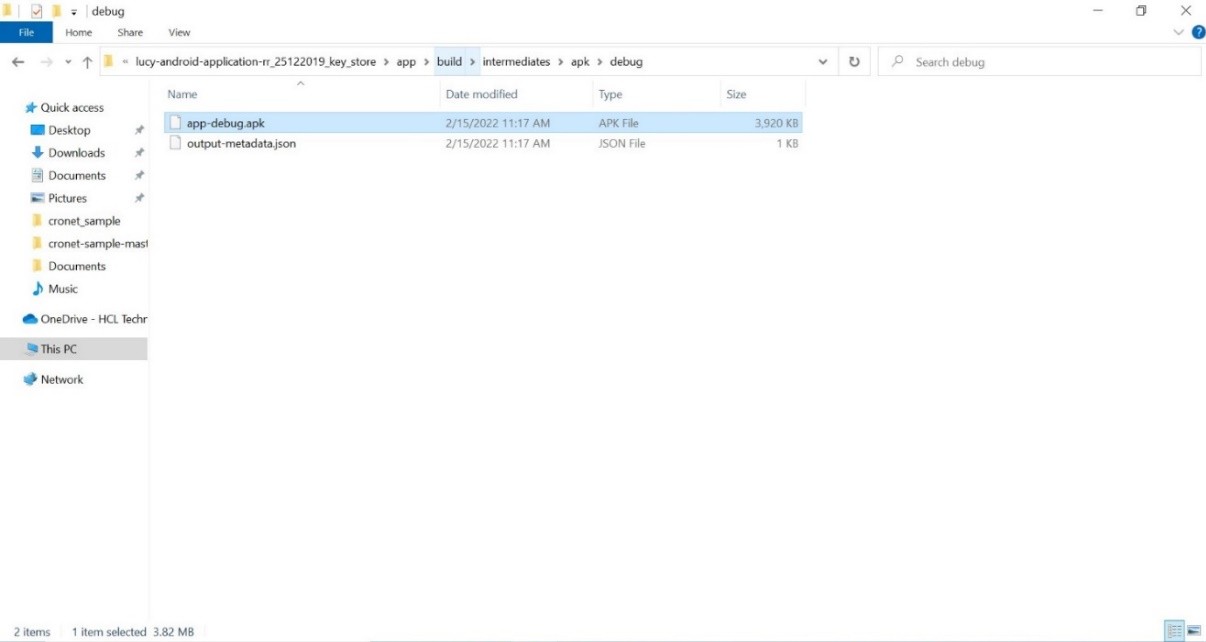
- Rename .apk file to android-app.apk. and upload it to the following location with the help of ticket requester: /assets/js/mobile app/