Jump to main content
HCL Logo Product Documentation
Customer Support Community
Customer Support HCLSoftware U Community Forums Customer Idea Portal
BigFix_AEX_v12.1
  1. Home icon
  2. Welcome
  3. BigFix AEX
  4. User Documents
  5. Admin Guide
  6. Introduction
  7. Getting Started with BigFix AEX Cognitive Console
  8. UI Management
  9. Chat UI V3
  10. Accessing the Chat UI V3 feature
Product logo

  • BigFix AEX
    • Agentic AI Studio
    • Connectors
    • User Documents
      • User Guide
      • Admin Guide
        • Introduction
          • BigFix AEX Cognitive Console Overview
          • Getting Started with BigFix AEX Cognitive Console
            • User Management
            • Channel Configuration
            • SOP Management
            • Spell Checker Management
            • UI Management
              • Using Upload File
              • Using Upload Zip
              • Using Migration
              • Using Open Text Editor
              • Chat UI V3
                • Accessing the Chat UI V3 feature
                • Enabling Preview Chat Window
                • Switch to Full Width
                • Chat UI V3 Preview Window
                • Configuring Chat Background Image
                • Custom Animation
                • Configuring BigFix AEX and User Profiles
                • Configuring Features
                • Configuring Libraries
                • Customizing Chat UI Colors
                • Saving the Configurations
            • Reporting Dashboard
            • Cherwell Configuration Console
          • Read Only Console
          • Usecase Design Console (UCD Console)
          • Conversation Designer Console
          • Drag and Drop Workflow Builder
          • Knowledge Management & Ranking Console
          • Proactive Notifications (Scheduler Module)
          • One Click Connectors
          • SOP Console Translator
          • Navigation Assistant
          • Configurable Chat History
          • Delivery Options
          • Global Announcement
          • Support Page
          • Maintenance
          • Voice Chat
          • Cognitive Analytics
          • Backup & Restore
          • Microsoft Teams Adaptive Card Support
          • Data Erasure Request
          • Agent Assist - Overview
          • AEX Studio
          • Agentic AI
          • Bot Management Console
          • TaskMaster Functionality
          • Signing Out of the Cognitive Console
          • Support
      • Developer Guide
      • Self Heal Guide
      • PWA onAEX
      • Bot Connect API Guide
      • Low Code Developer Guide
      • Troubleshooting Guide
      • Cognitive Analytics Guide
      • Agent Assist User Guide
      • Right to Forget Compliance Guide
      • Super Users Global Admin Console Guide
      • Providers Global Admin Console Guide
      • Use Case Design Console Guide
 Feedback

Accessing the Chat UI V3 feature

  1. Enter the URL https://tenanturl.bigfixaex.com/admin/ui_management_console
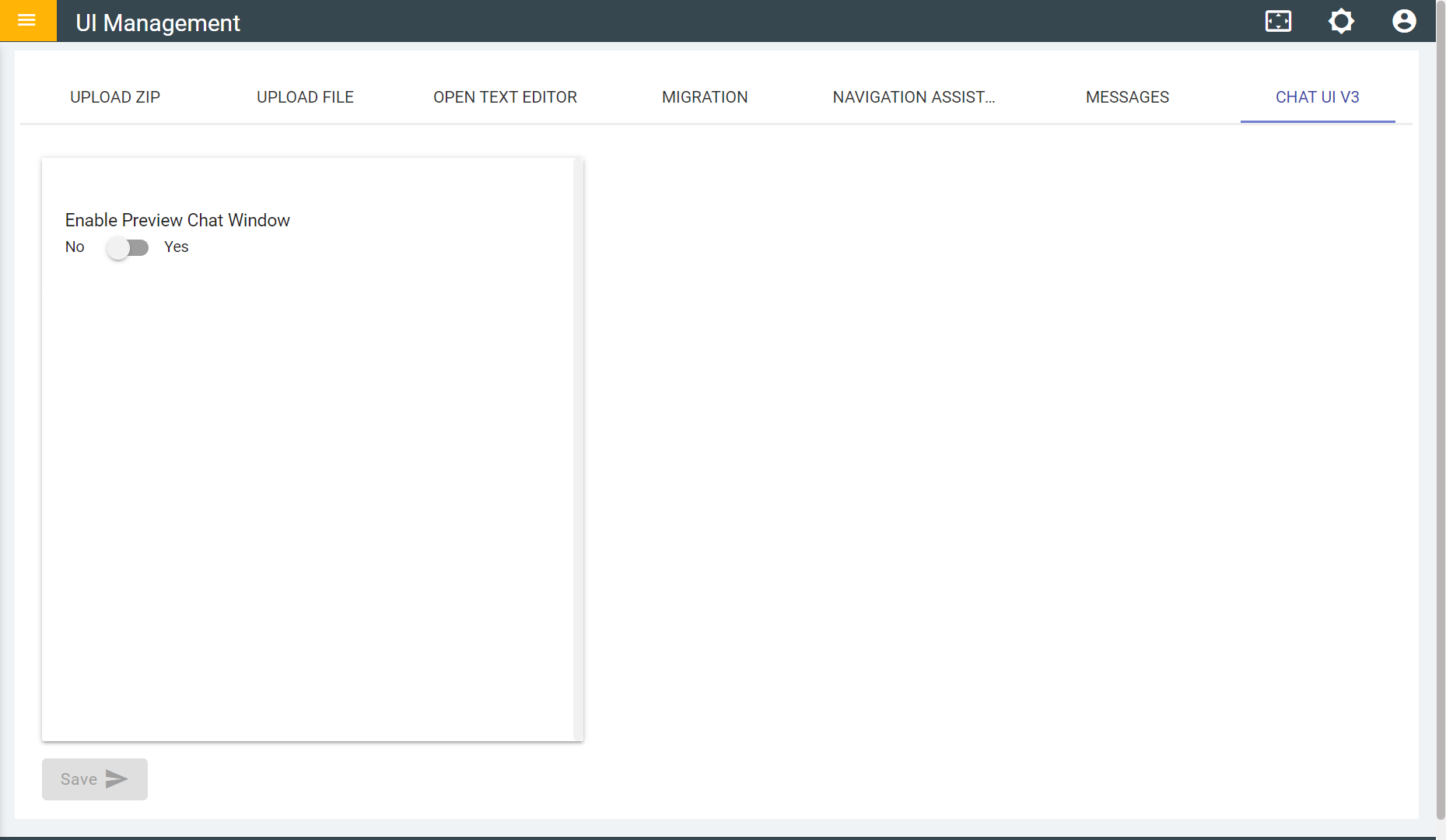
  2. On the UI Management console, click on the ‘CHAT UI V3’ tab and the user is directed to the Chat UI V3 page like in the image below.
Figure 1. Chat UI V3 Page

  • Share: Email
  • Twitter
  • Disclaimer
  • Privacy
  • Terms of use
  • Cookie Preferences