Deploying CDP RTS MS
This section provides detailed instructions on how to deploy HCL CDP RTS MS using the Devtron in the AWS.
Before you begin
Make sure to create rts-ms secret with required data in the AWS secret manager before deploying CDP RTS MS.

To create the rts-ms secret in the AWS secret manager, follow the steps below:
- Create a rts-ms secret sample key and value in the rts-ms secret, and update
ConfigMaps data with actual values.
{
  "serverPort": "8080",
  "VrmDbUrl": "jdbc:mariadb://<DB_HOST>:3307/vrm?autoReconnect=true",
  "VrmDbUsername": "<DB_USER>",
  "VrmDbPassword": "<DB_PASSWORD>",
  "MongoDbUri": "mongodb://<MONGO_USER>:<MONGO_PASSWORD>@<MONGO_HOST>:51090/?directConnection=true",
  "MongoDbDatabase": "segmentation",
  "TsdbHost": "<TSDB_HOST>"
}
Procedure
-
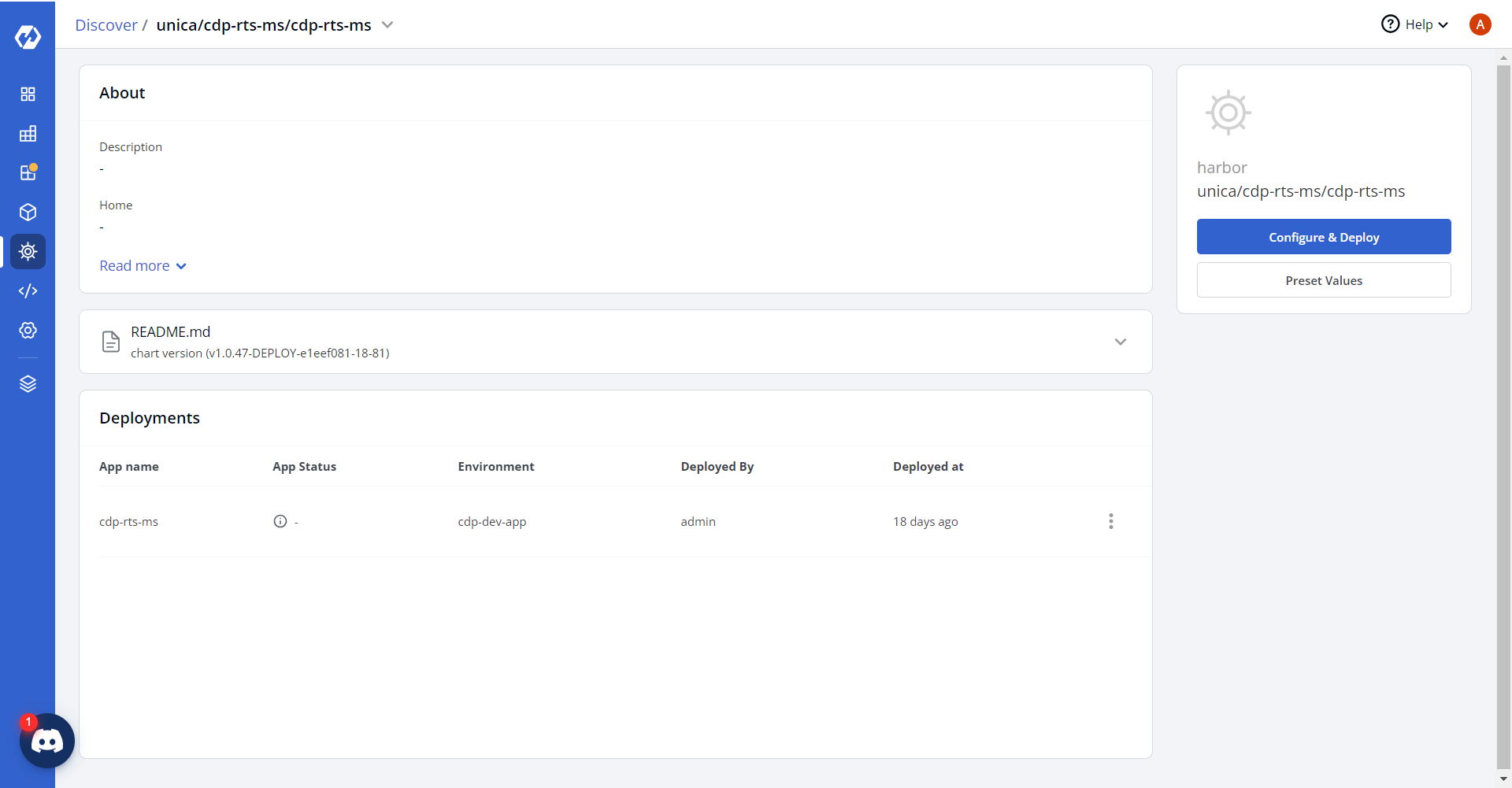
Navigate to the Devtron Chart Store, and select the cdp-rts-ms chart to
deploy.

-
Now, configure and deploy the CDP RTS MS charts.
-
In the YAML section, update the ConfigMap using below details, and deploy
the charts.
countCollectionSuffix: count
countQueryIdKey: queryId
countUpdateThreshold: "10"
countUpdateWaitTimeout: "5000"

suggestionCollectionSuffix: suggestion
suggestionQueryIdKey: queryId
suggestionUpdateThreshold: "1440"
suggestionUpdateWaitTimeout: "330"

statsCollectionSuffix: count
statsQueryIdKey: queryId
statsUpdateThreshold: "60"
statsUpdateWaitTimeout: "10"

maxPoolSize: "100"
minIdle: "10"
idleTimeout: "10000"

fromEmailId: user@domain.com
toEmailId: user@domain.com

VrmDbDriver: org.mariadb.jdbc.Driver
physicalStrategy: org.hibernate.boot.model.naming.PhysicalNamingStrategyStandardImpl
dialect: org.hibernate.dialect.MySQLDialect

dbRefreshInterval: "1"
serverPort: "8080"
TsdbPort: "80"

jobStore: jdbc
quartzSchema: always
quartzDataSource: ""
quartzTablePrefix: QRTZ_
instanceName: scheduler-2
instanceId: AUTO
isClustered: ""
clusterCheckinInterval: "20000"

AWS_REGION: ap-south-1
AWS_BUCKET_NAME: <masked-bucket>
BucketType: s3

LOG_LEVEL_APP: info
LOG_LEVEL_ROOT: info

threadPoolSize: "10"
batchSize: "1000"
maxBatchRecords: "10000"

athenaQueryOutputBucket: <masked-bucket>/athenaResults
glueJobName: FetchCustomerID_ETL_SegAudience
glueJobFunnelName: FunnelSegementExport_ETL_Dynamic
trendsGluejob: EventTrendsJob

baseUrl_coreApi: https://coreapi.<domain>.cloud

athenaBuckets: "<masked tenant-bucket mapping>"
athenaDatabase: "<masked tenant-db mapping>"

trinoUrl: jdbc:trino://<masked-trino-host>:443/minio?SSL=true&SSLVerification=NONE
trinoUsername: admin
trinoDriveName: io.trino.jdbc.TrinoDriver

airflowUrl: https://airflow-webserver.<masked>.cloud/api/v1/dags/
airflowUsername: airflow-user
airflowPassword: "<masked_password>"

ACCESS_KEY: "<masked_access_key>"
ACCESS_SECRET: "<masked_secret_key>"

MINIO_ENDPOINT_URL: https://minio-operator.<masked>.cloud

airflowSegmentExportDAGName: export_customers_with_events_csv_dag

queryEngine: athena
nightlyRefreshJobName: TriggerNightlyRefreshDAG

dashbackend_auth: "<masked_auth_token>"
dashbackend_baseurl: https://coreapi.<domain>.cloud

exportType: Table

masterIdGlueJobName: FetchMasterID_ETL_SegAudience
masterIdEnabled: "false"
masterIdTenants: 6525:false,6543:true,6602:false,6555:false,6556:true,6552:false
airflowMasterIdDagName: export_masterid_csv_dag
metadataCacheRefreshRateMs: "3600000"
cdmEnabledTenatrefreshrateMs: "3600000"
cdmExportGlueJobName: CDMExportGlueJob
-
On successful deployment, validate the deployment as shown below.
