Deploying CDP Dash Backend
This section provides detailed instructions on how to deploy HCL CDP Dash Backend using the Devtron in the AWS.
Before you begin
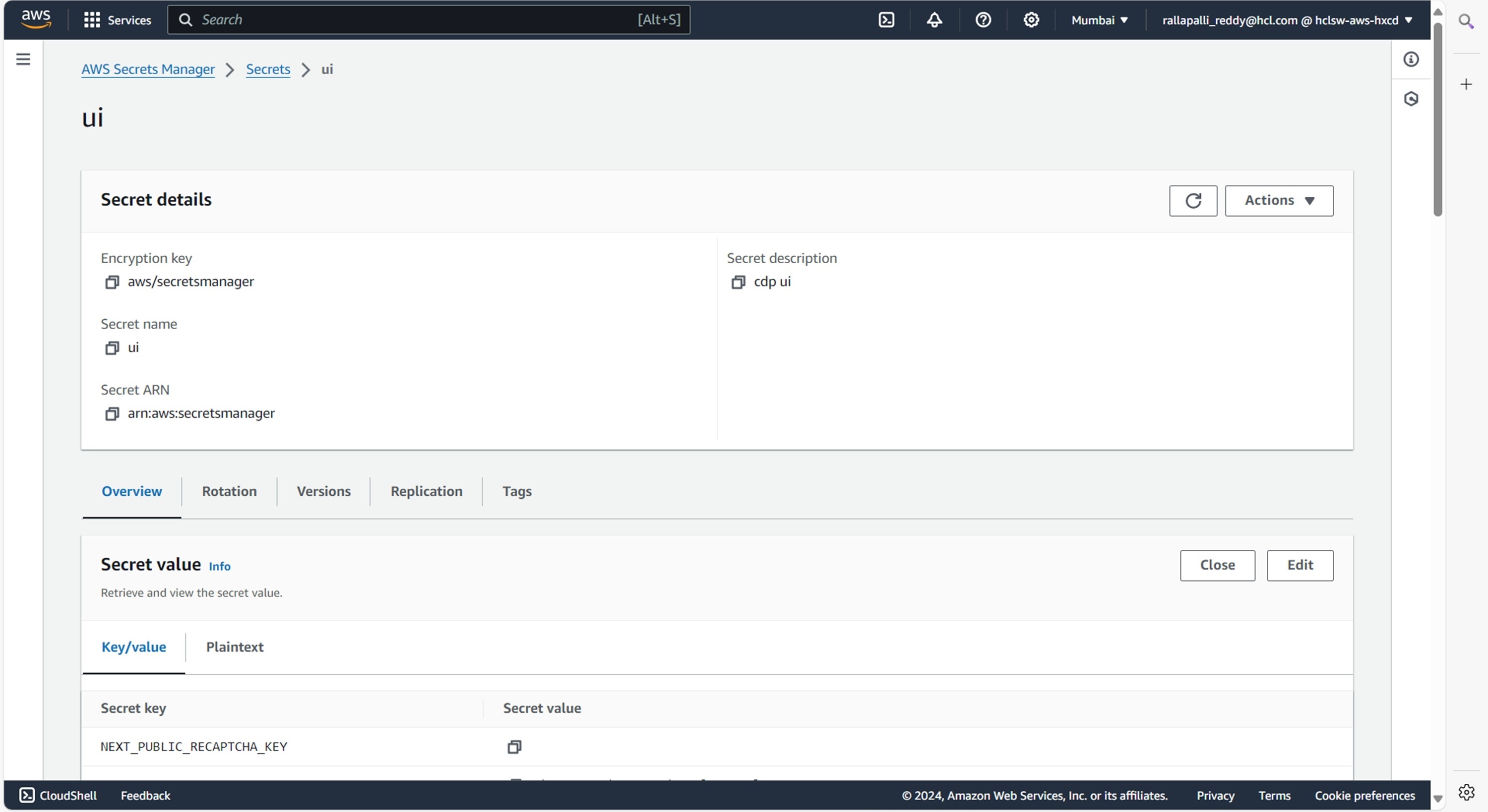
Make sure to create UI secret with required data in the AWS Secrets Manager before deploying CDP Dash Backend.
{
  "NEXT_PUBLIC_RECAPTCHA_KEY": "",
  "NEXT_PUBLIC_CLIENT_ID": "",
  "NEXT_PUBLIC_CLIENT_SECRET": "",
  "NEXT_PUBLIC_GOOGLE_CLIENT_ID": "",
  "NEXT_PUBLIC_GOOGLE_CLIENT_SECRET": "",
  "NEXT_PUBLIC_FROALA_SECRET": "",
  "REACT_APP_CLIENT_ID": "",
  "host": "",
  "user": "",
  "password": "",
  "sesEmail": "",
  "sesPassword": "",
  "REACT_APP_S3_ACCESS_KEY_ID": "",
  "REACT_APP_S3_SECRET_KEY": "",
  "AKAMAI_KEY": "",
  "AKAMAI_KEY_NAME": "",
  "AKAMAI_HOST": "",
  "AKAMAI_PATH": "",
  "AKAMAI_PURGE_AUTH_KEY": "",
  "usEndpoint": "",
  "muEndpoint": "",
  "muAuthKey": "",
  "auAuthKey": "",
  "auEndpoint": "",
  "usAuthKey": "",
  "API_KEY_1": "",
  "API_SECRET_1": "",
  "API_KEY_2": "",
  "API_SECRET_2": "",
  "API_KEY_3": "",
  "API_SECRET_3": "",
  "API_KEY_4": "",
  "API_SECRET_4": "",
  "API_KEY_5": "",
  "API_SECRET_5": "",
  "API_KEY_6": "",
  "API_SECRET_6": "",
  "smtpUser": "",
  "smtpPassword": "",
  "smtpHost": "",
  "smtpPort": "",
  "smtpFrom": "",
  "AUTH_TOKEN": ""
}
Procedure
-
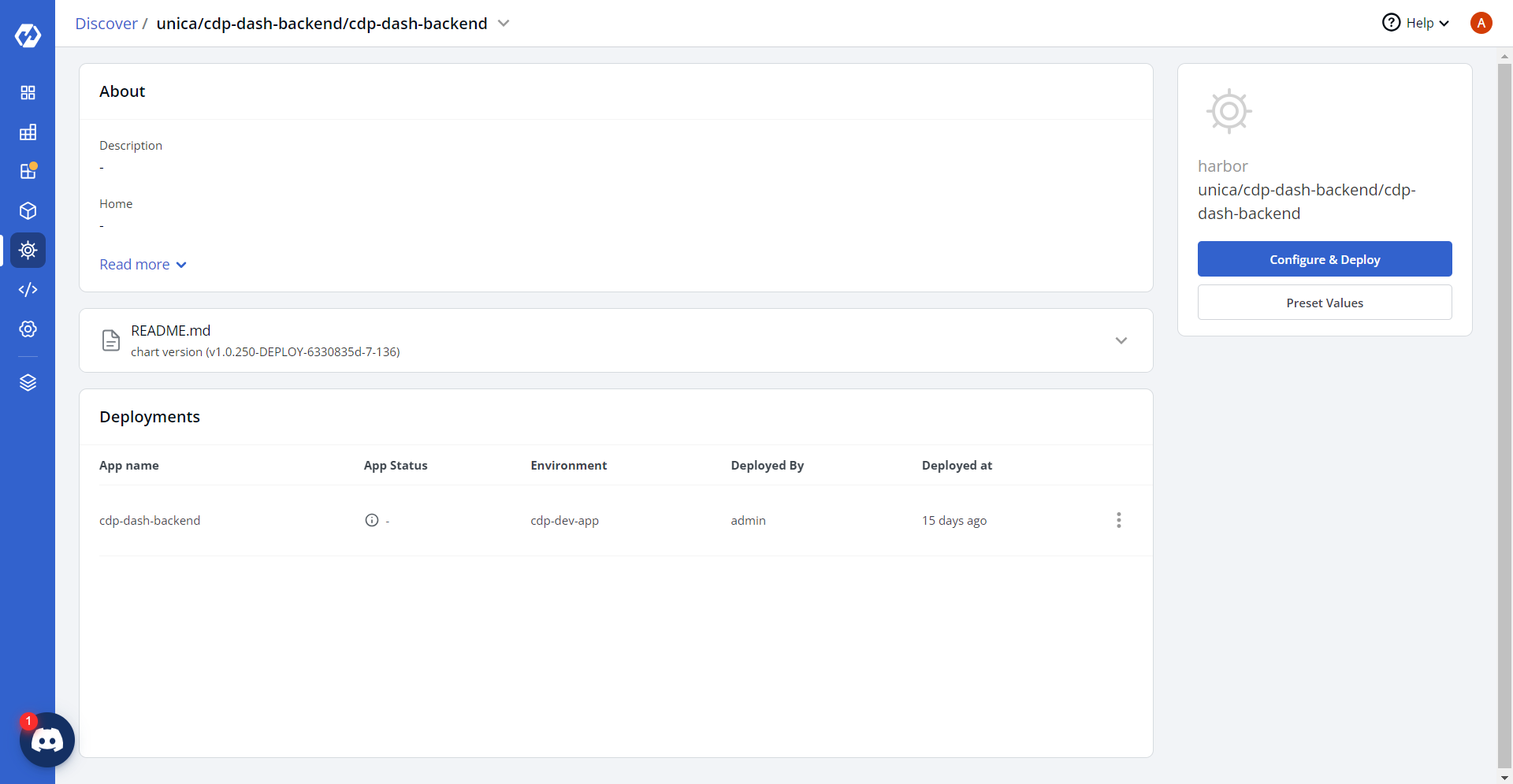
Navigate to the Devtron Chart Store, and select the cdp-dash-backend
chart to deploy.
.png)
-
Now, configure and deploy the CDP Dash Backend charts.
-
In the YAML section, update the ConfigMap using below details and deploy
the charts.
PORT: "4398"
CORS: '["https://cdp.<domain>.cloud","https://cdp.<domain>.cloud/app","https://dash-iframe.<domain>.cloud","http://cdp.<domain>.cloud:8001","http://cdp.<domain>.cloud:8001/app"]'
CORE_API: https://coreapi.<domain>.cloud/-/v1/verifyUserAuthentication
DRUID_HOST: http://<internal-ip>:8888/druid/v2/sql
REGION: ap-south-1
LOGGING_MODE: live
DEMO_CAMPAIGN_ID: "[]"
FROM_EMAIL_ID: user@domain.com
ALERT_TO_EMAIL_ID: user@domain.com
ANALYTICS_BUCKET: hclsw-hxcd-hss-prd-s3-cdp-analytics
USE_TRINO: "false"
DEFAULT_SRC: "'http://*.dev.<domain>.cloud:* https://*.dev.<domain>.cloud:* https://www.google-analytics.com http://*.<domain>.cloud:* https://*.<domain>.cloud:*'"
FONT_SRC: "'http://*.dev.<domain>.cloud:* https://*.dev.<domain>.cloud:* https://www.google-analytics.com http://*.<domain>.cloud:* https://*.<domain>.cloud:* fonts.gstatic.com'"
IMG_SRC: "'http://*.dev.<domain>.cloud:* https://*.dev.<domain>.cloud:* https://www.google-analytics.com http://*.<domain>.cloud:* https://*.<domain>.cloud:*'"
SCRIPT_SRC: "'http://*.dev.<domain>.cloud:* https://*.dev.<domain>.cloud:* https://www.google-analytics.com http://*.<domain>.cloud:* https://*.<domain>.cloud:* unsafe-inline unsafe-eval'"
STYLE_SRC: "'http://*.dev.<domain>.cloud:* https://*.dev.<domain>.cloud:* https://www.google-analytics.com http://*.<domain>.cloud:* https://*.<domain>.cloud:* unsafe-inline'"
CDP_MANAGER: https://cdp-manager.<domain>.cloud
useMinio: "false"
dashboardResourceDirectory: dashboard
RTS_MS: https://rts-ms.<domain>.cloud
FUNNEL_QUERTY_TANENT_IDS: 6525,6578
USEATHENA_DB: 6525,6526,6527,6528,6529,6530,6531,6532,6533,6534,6536,6537,6538,6539,6540,6541,6542,6544,6545,6546,6547,6548,6549,6550
ALLOWED_HOSTS: |-
  '''dashbackend.<domain>.cloud'''
engagementsResourceDirectory: engagements
FUNNEL_PATH_ATHENA_TRINO_TENANT_IDS: 6550,6578
isClickhouseEnabled: "false"
MASTER_ID_FEATURE_ENABLED: 6543,6555,6556
TRINO_SERVICE: ""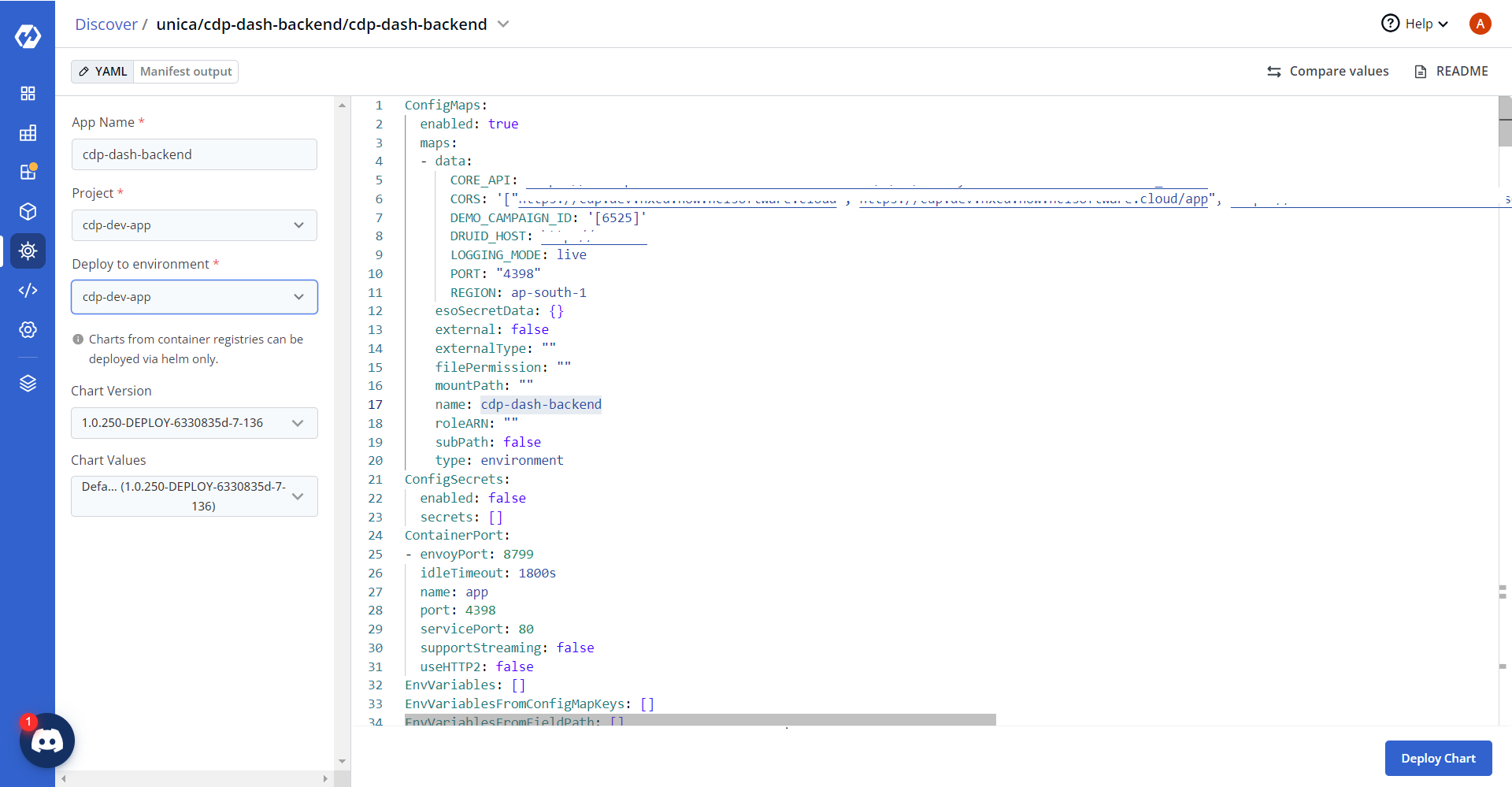
-
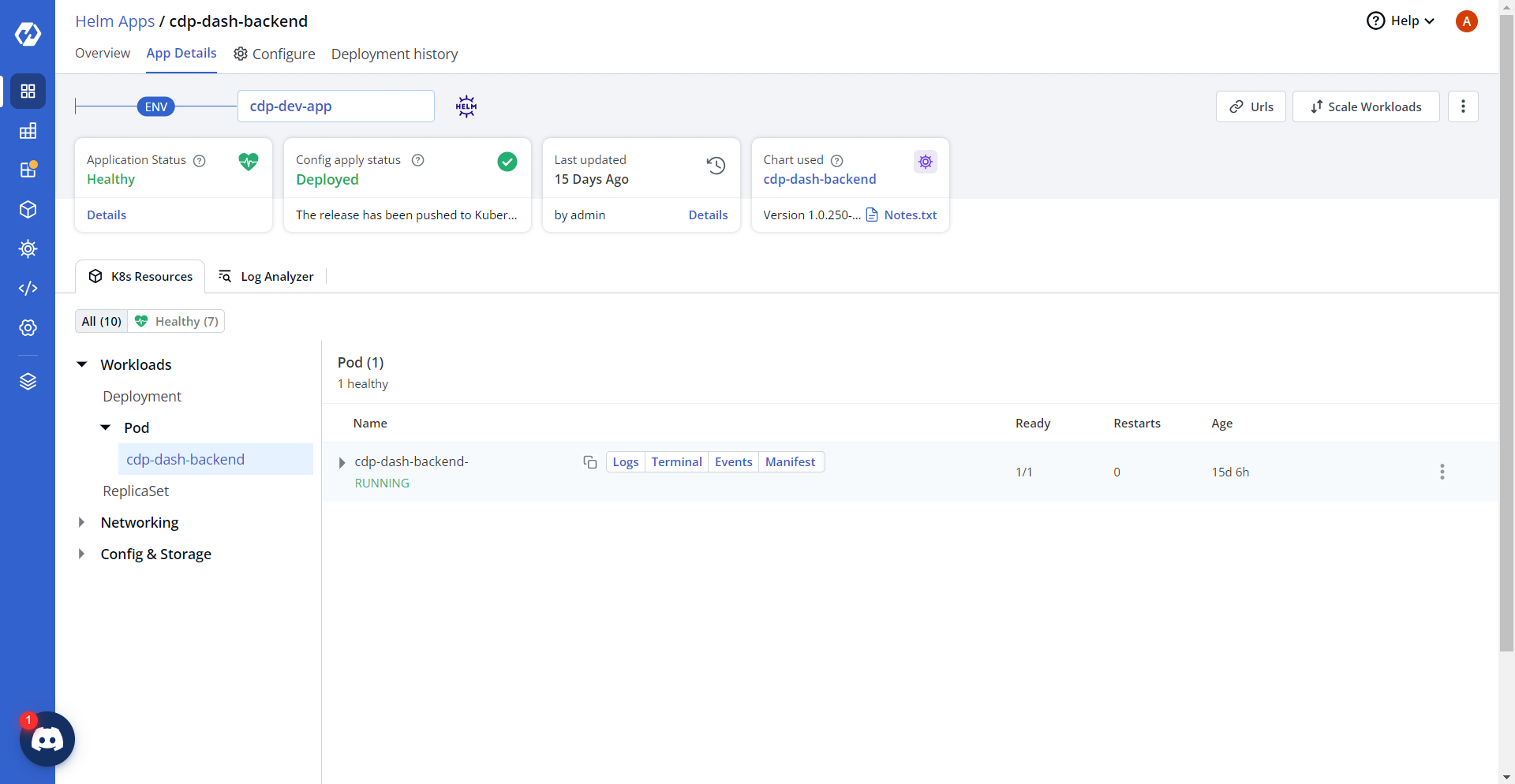
On successful deployment, validate the deployment as shown below.