Deploying CDP Redis Cluster
This section provides detailed instructions on how to deploy HCL CDP Redis Cluster using the Devtron in the AWS..
Procedure
-
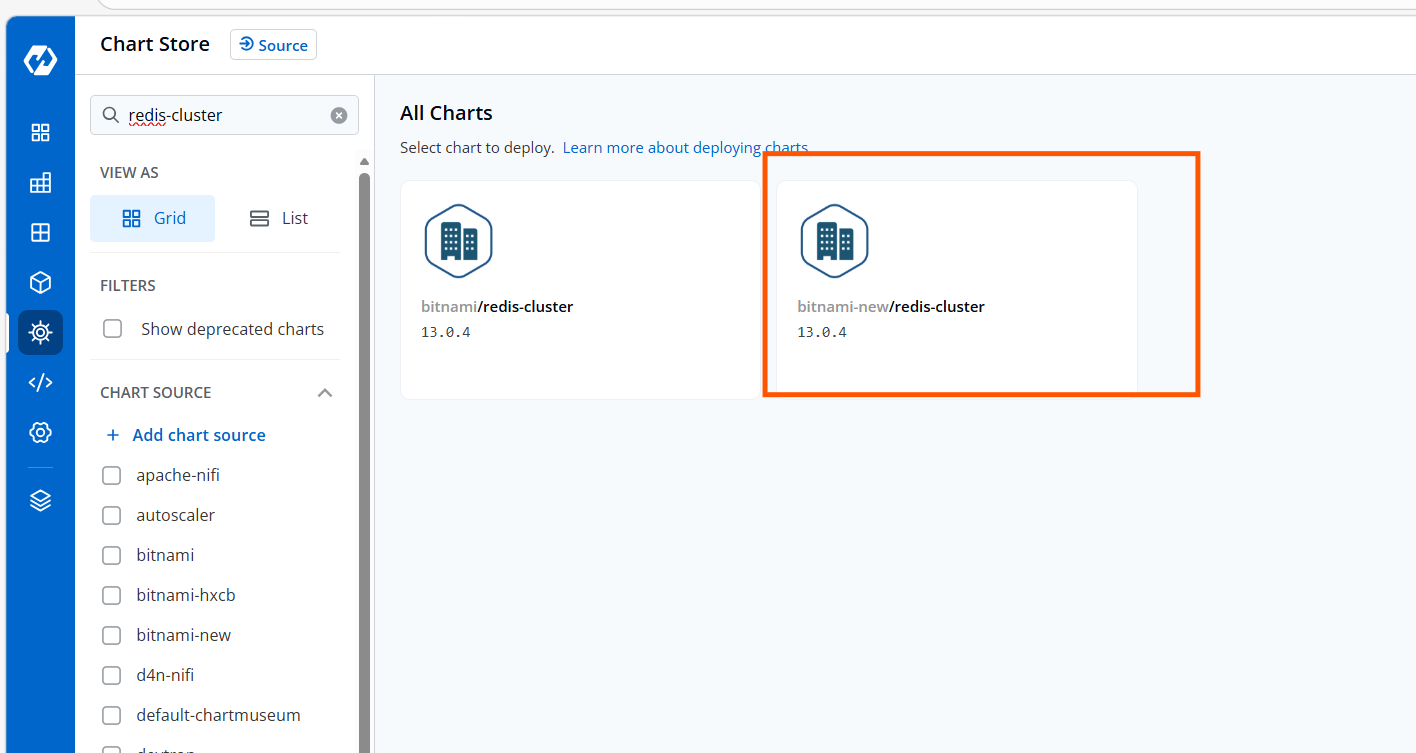
Navigate to the Devtron Chart Store, and select the redis-cluster chart to
deploy.
-
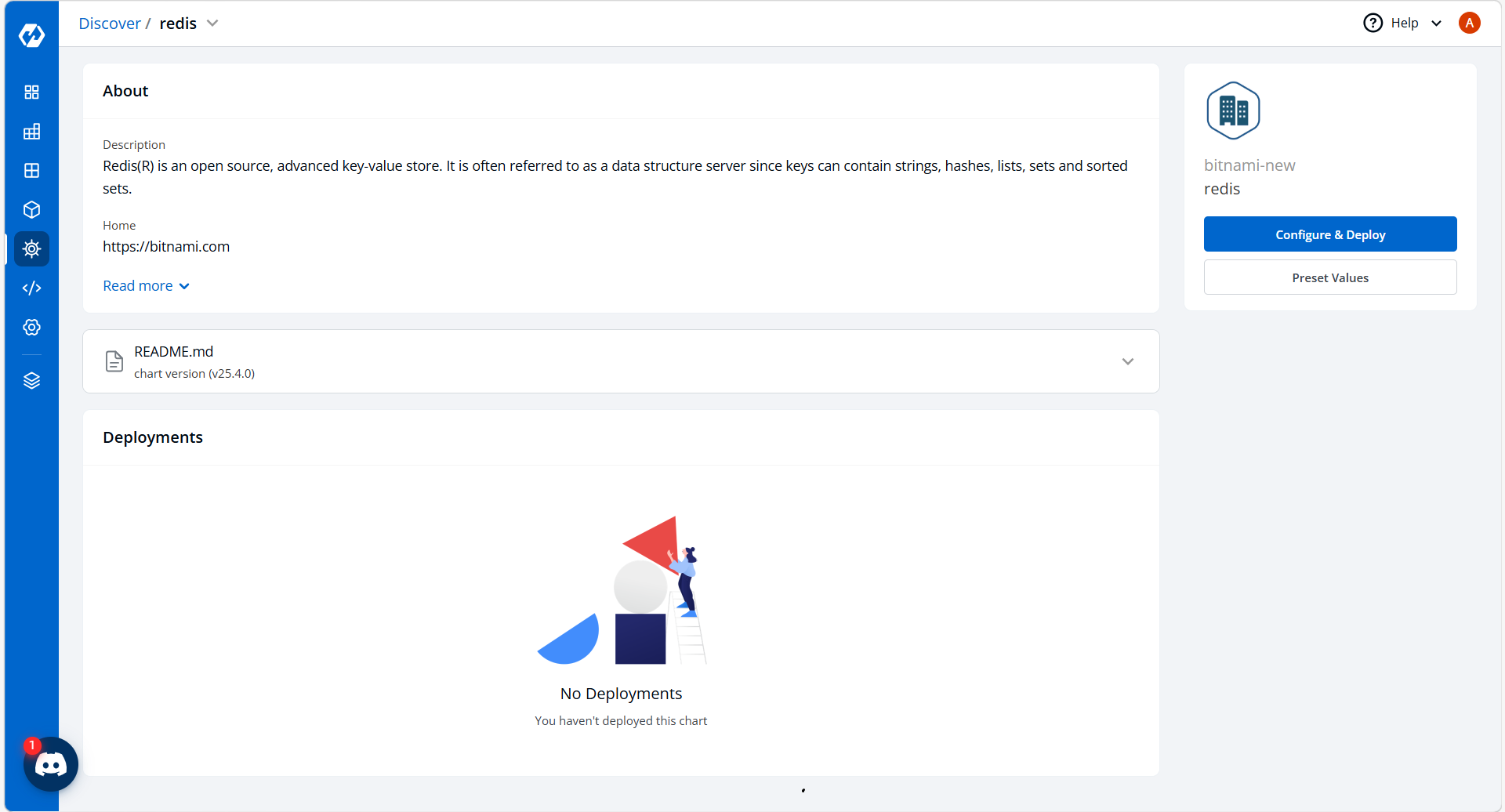
Now, configure and deploy the charts.
-
In the YAML section, update the configure section with correct details
and deploy the charts.
global:
  imageRegistry: ""
  imagePullSecrets: []
  defaultStorageClass: ""
  storageClass: ""

security:
  allowInsecureImages: false

redis:
  password: "YourRedisPasswordHere"

compatibility:
  openshift:
    adaptSecurityContext: auto

nameOverride: ""
fullnameOverride: ""
namespaceOverride: ""
clusterDomain: cluster.local
commonAnnotations: {}
commonLabels: {}

# --- Redis UI & Shared ALB Ingress ---
extraDeploy:
  - apiVersion: apps/v1
    kind: Deployment
    metadata:
      name: redis-commander
    spec:
      replicas: 1
      selector:
        matchLabels:
          app: redis-commander
      template:
        metadata:
          labels:
            app: redis-commander
        spec:
          containers:
            - name: redis-commander
              image: rediscommander/redis-commander:latest
              env:
                - name: REDIS_HOSTS
                  value: "cluster:dmp-sst-redis-redis-cluster:6379:0:YourRedisPasswordHere"
                - name: IS_CLUSTER
                  value: "true"
              ports:
                - containerPort: 8081

  - apiVersion: v1
    kind: Service
    metadata:
      name: redis-commander-svc
    spec:
      type: ClusterIP
      ports:
        - port: 80
          targetPort: 8081
      selector:
        app: redis-commander

  - apiVersion: networking.k8s.io/v1
    kind: Ingress
    metadata:
      name: redis-ui-ingress
      annotations:
        alb.ingress.kubernetes.io/group.name: ""
        alb.ingress.kubernetes.io/scheme: internet-facing
        alb.ingress.kubernetes.io/target-type: ip
        alb.ingress.kubernetes.io/certificate-arn: ""
        alb.ingress.kubernetes.io/listen-ports: '[{"HTTP": 80}, {"HTTPS": 443}]'
        alb.ingress.kubernetes.io/ssl-redirect: "443"
        alb.ingress.kubernetes.io/backend-protocol: HTTP
        alb.ingress.kubernetes.io/success-codes: 200-399
    spec:
      ingressClassName: alb
      rules:
        - host: redis.dev.<env-domain>.now.hclsoftware.cloud
          http:
            paths:
              - path: /
                pathType: Prefix
                backend:
                  service:
                    name: redis-commander-svc
                    port:
                      number: 80

image:
  registry: docker.io
  repository: bitnamilegacy/redis-cluster
  tag: 8.2.1-debian-12-r0
  pullPolicy: IfNotPresent

networkPolicy:
  enabled: false
  allowExternal: true

serviceAccount:
  create: false
  name: eks-s3-sa

podSecurityContext:
  enabled: true
  fsGroup: 1001

containerSecurityContext:
  enabled: true
  runAsUser: 1001
  runAsNonRoot: true
  readOnlyRootFilesystem: true

usePassword: true
password: "YourRedisPasswordHere"

service:
  type: ClusterIP
  ports:
    redis: 6379

persistence:
  enabled: true
  size: 8Gi

cluster:
  init: true
  nodes: 6 # Total number of nodes
  replicas: 1 # 3 Masters + 3 Replicas

externalAccess:
  enabled: false

redis:
  useAOFPersistence: "yes"

resourcesPreset: "medium"
podAntiAffinityPreset: soft

metrics:
  enabled: false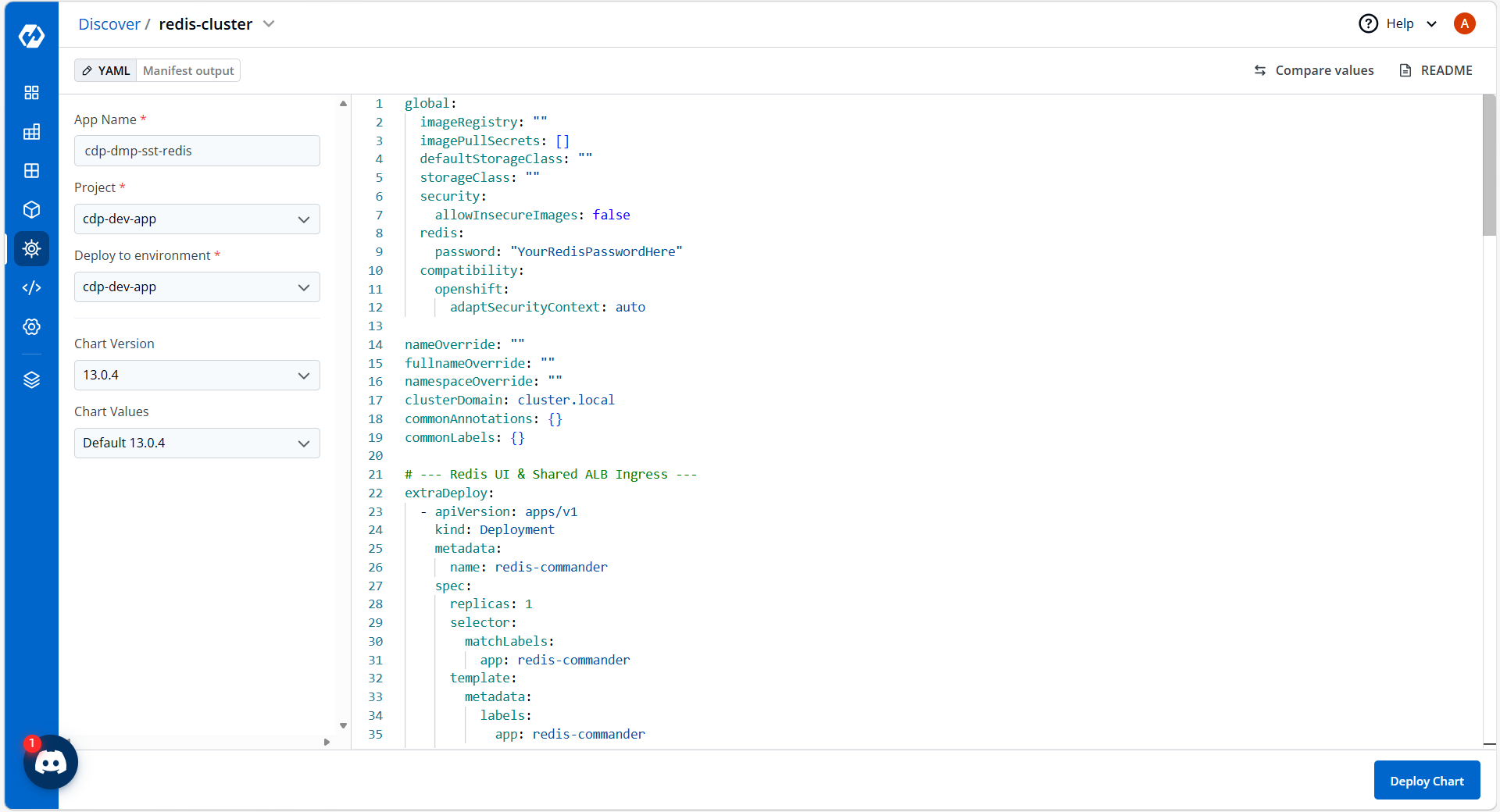
-
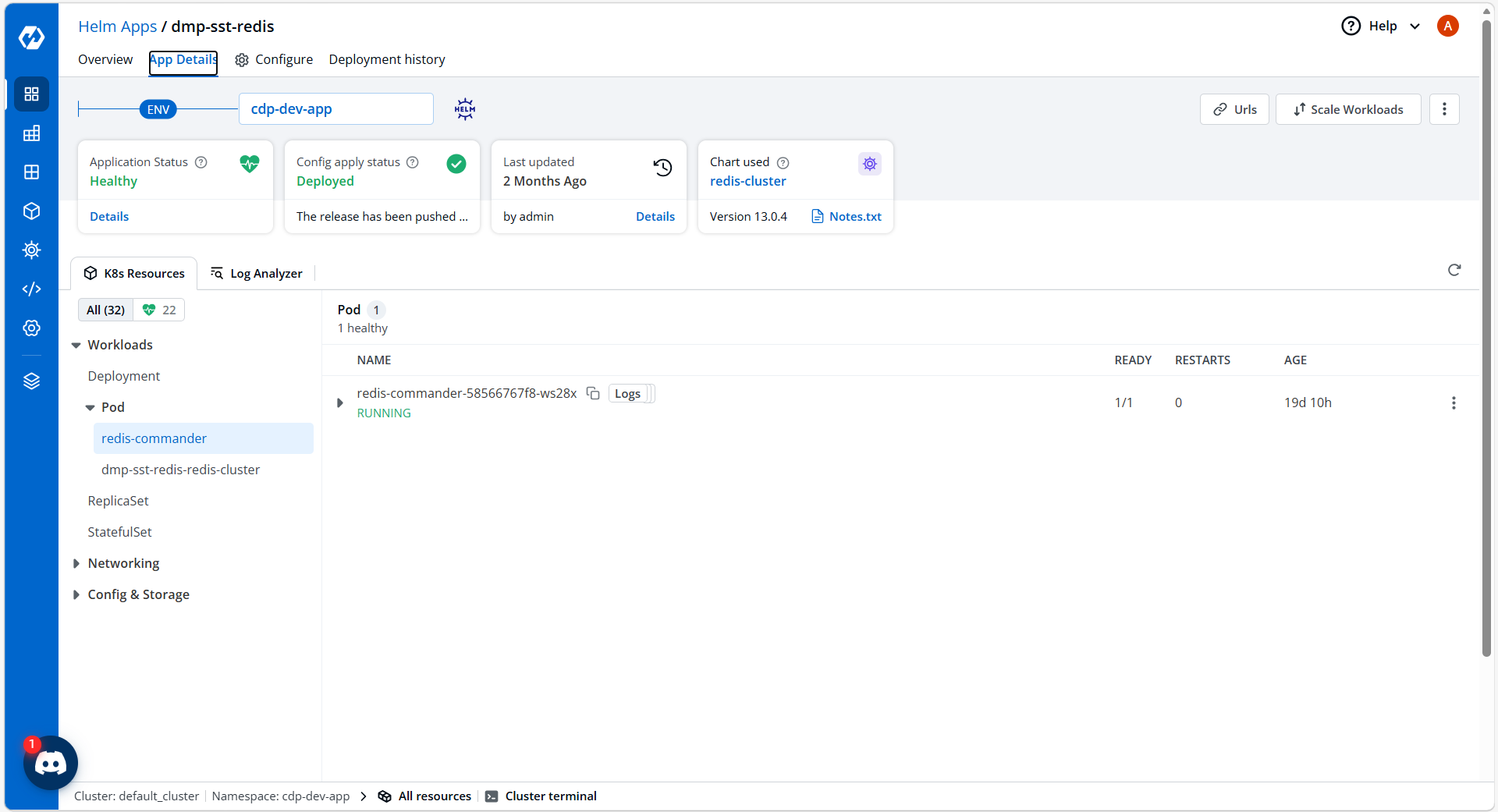
On successful deployment, validate the deployment as shown below.