Deploying DMP Producer
This section provides detailed instructions on how to deploy HCL CDP DMP Producer using Devtron on AWS.
Before you begin
Make sure the following prerequisites are in place:
- Create a secret named
cdp-producerin the AWS Secrets Manager.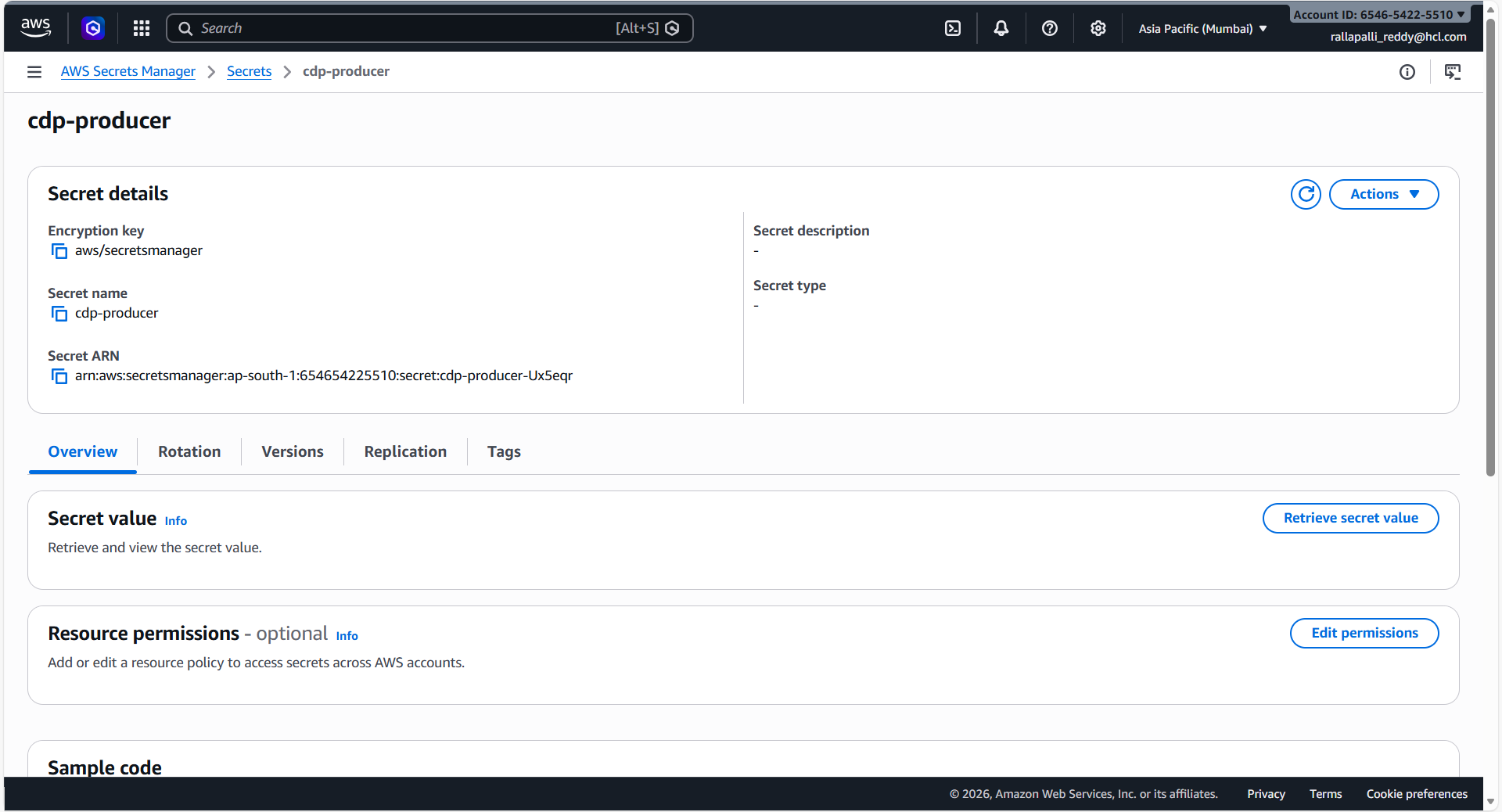
- Ensure the secret contains valid data for database connections, Kafka
configurations, and SMTP settings.
{ "DbPassword": "<DB_PASSWORD>", "DbUrl": "jdbc:mariadb://<DB_HOST>:3307/vrm?useSSL=false", "DbUsername": "<DB_USER>", "KafkaProducerConfig": "bootstrap.servers::<KAFKA_HOST_1>:9096,<KAFKA_HOST_2>:9096|security.protocol::SASL_SSL|sasl.jaas.config::org.apache.kafka.common.security.scram.ScramLoginModule required username='<KAFKA_USER>' password='<KAFKA_PASSWORD>';|sasl.mechanism::SCRAM-SHA-512|client.dns.lookup::use_all_dns_ips|acks::all", "SMTPhost": "<SMTP_HOST>", "SMTPpassword": "<SMTP_PASSWORD>", "SMTPport": "20225", "TsdbHost": "<TSDB_HOST>", "TsdbPort": "443", "kmsdbpassword": "<DB_PASSWORD>", "kmsdbsername": "<DB_USER>", "kmsdburl": "jdbc:mariadb://<DB_HOST>:3307/vrm?useSSL=false", "piidbpassword": "<DB_PASSWORD>", "piidbsername": "<DB_USER>", "piidburl": "jdbc:mariadb://<DB_HOST>:3307/vrm?useSSL=false", "AerospikeUser": "<AERO_USER>", "AerospikePassword": "<AERO_PASSWORD>" } - Confirm Devtron is set up and has access to the required OCI registry.
Procedure
-
Configure Registry Access:
- Navigate to Global Configurations > Container/OCI Registry.
- Select the required repository, such as hcl-ecr.
- In the List of repositories, check whether the
/dmp-produceris included and save the repository configuration.
-
Sync Helm Charts:
- Navigate to the Chart Store.
.png)
- Select Source and locate the hcl-ecr source.
- Click the Refresh icon to fetch the latest images and charts.
- Navigate to the Chart Store.
-
Select and Initialize Deployment:
- In the search bar, search for
dmp-producerand select the chart. - Select Configure & Deploy.
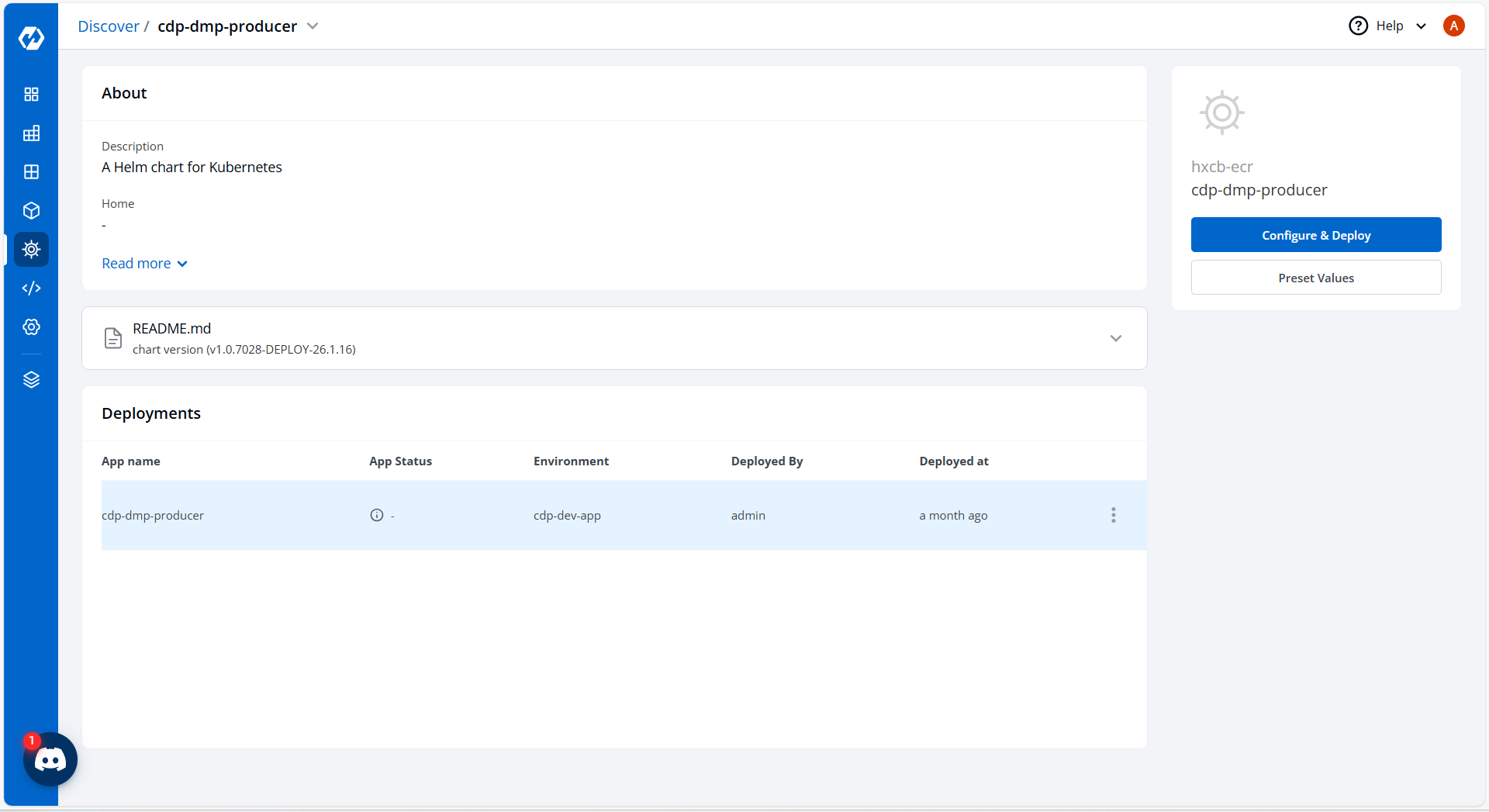
- Enter the App Name as
dmp-producerand select the appropriate Project and Environment (e.g.,cdp-dev-app).
- In the search bar, search for
-
Update Configuration:
In the YAML section, update the ConfigMap data with the required environment variables.
BucketType: minio
ConfigRefreshInterval: "10"
CronExpr: 0 */5 * * * ?
DMPProducerBatchSize: "1000"
DMPProducerEventType: "100"
DbDriver: org.mariadb.jdbc.Driver
EncryptionEnabled: "true"
EventBatchSize: "1000"
EventQueueLength: "100000"
EventThreadPoolMax: "96"
EventThreadPoolMin: "96"
EventThreadTTL: "5"
GraphEnabledCampaignIds: dummy
HostNameOverride: generic-hostname-override
IS_SMTP: "true"
KMS_HASHICORPVAULT_ENDPOINT: ""
KMS_HASHICORPVAULT_ENDPOINT_TOKEN: ""
KMS_IMPLEMENTATION: HashiCorpVault
KafkaExecutorServiceMaxThreads: "32"
KafkaExecutorServiceMinThreads: "32"
KafkaExecutorServiceQueuseSize: "1"
KafkaExecutorServiceThreadTTL: "5"
KafkaProducerEventType: "1111"
KafkaProducerGraphNbaTopicName: generic_nba_graph_topic
KafkaProducerHostName: generic-kafka-host
KafkaProducerHostname: generic-producer-hostname
KafkaProducerMeta: "true"
KafkaProducerNbaTopicName: generic_nba_topic
KafkaProducerPoolSize: "10"
KafkaProducerTaxonomyTopicName: generic_taxonomy_topic
LOG_LEVEL_APP: info
LOG_LEVEL_ROOT: info
MaxEventBatchLag: "16"
MaxS3DownloadRetries: "3"
MaxWaitForConnectionReestablish: "5"
MetricPrefix: generic-app-prefix
MinioAccessKey: ""
MinioEndPointUrl: ""
MinioSecret: ""
NbaFileBatchSleepInMs: "1000"
RawNBAConfigS3Location: "/path/to/s3/config"
RawNbaConfigDownloadDir: /data/config/download
RawNbaDownloadDir: /data/nba/download
SMTPhost: ""
SMTPpassword: YOUR_ENCRYPTED_PASSWORD
SMTPport: "20225"
SMTPusername: generic_smtp_user
SchedulerIntervalInMin: "2"
SegmentNameMacro: SegmentNameMacro
TSDBHostName: generic-tsdb-host
TSDBServerAddress: ""
TSDBServerPort: "443"
TaxonomyDownloadDir: /data/taxonomy/download
alertToEmailId: alert-recipient@example.com
allowedRegions: region-1
aps1_host: ""
aps1_namespace: generic-namespace
aps1_port: "13000"
defaultSegmentNotifyEmail: alerts@example.com
emailType: SMTP
expiry: "-1"
failureSubject: Ingestion Failed
fromEmailId: no-reply@example.com
funnelSegmentNameMacro: |
  "{ segmentname }": null
funnelWaitTime: "60000"
hashicorpvault.endpoint: ""
hashicorpvault.endpoint.token: ""
host: ""
kms.implementation: HashiCorpVault
namespace: generic-namespace
pii_expiry: "-1"
pii_host: ""
pii_namespace: pii-namespace
pii_port: "13000"
pii_region: region-1
port: "13000"
queue_names: TEST
Queue_provider: sqs
region: region-1
segmentIdMacro: segmentIdentifier
sqs_threads: "12"
sqs_url_prefix: ""
successSubject: Ingestion Completed
supported_regions: region-1
timeout: "3000"
uploadSuccessEmailIds: no-reply@example.com
userListFailedHTML: /path/to/UserListFailed.html
userListInternalErrorHTML: /path/to/UserListInternalError.html
userUploadErrorFunnelHTML: /path/to/Failed.html
userUploadFailureFunnelHTML: /path/to/Failed.html
userUploadSuccessFunnelHTML: /path/to/success.html
userUploadSuccessHTML: /path/to/UserUploadSuccess.html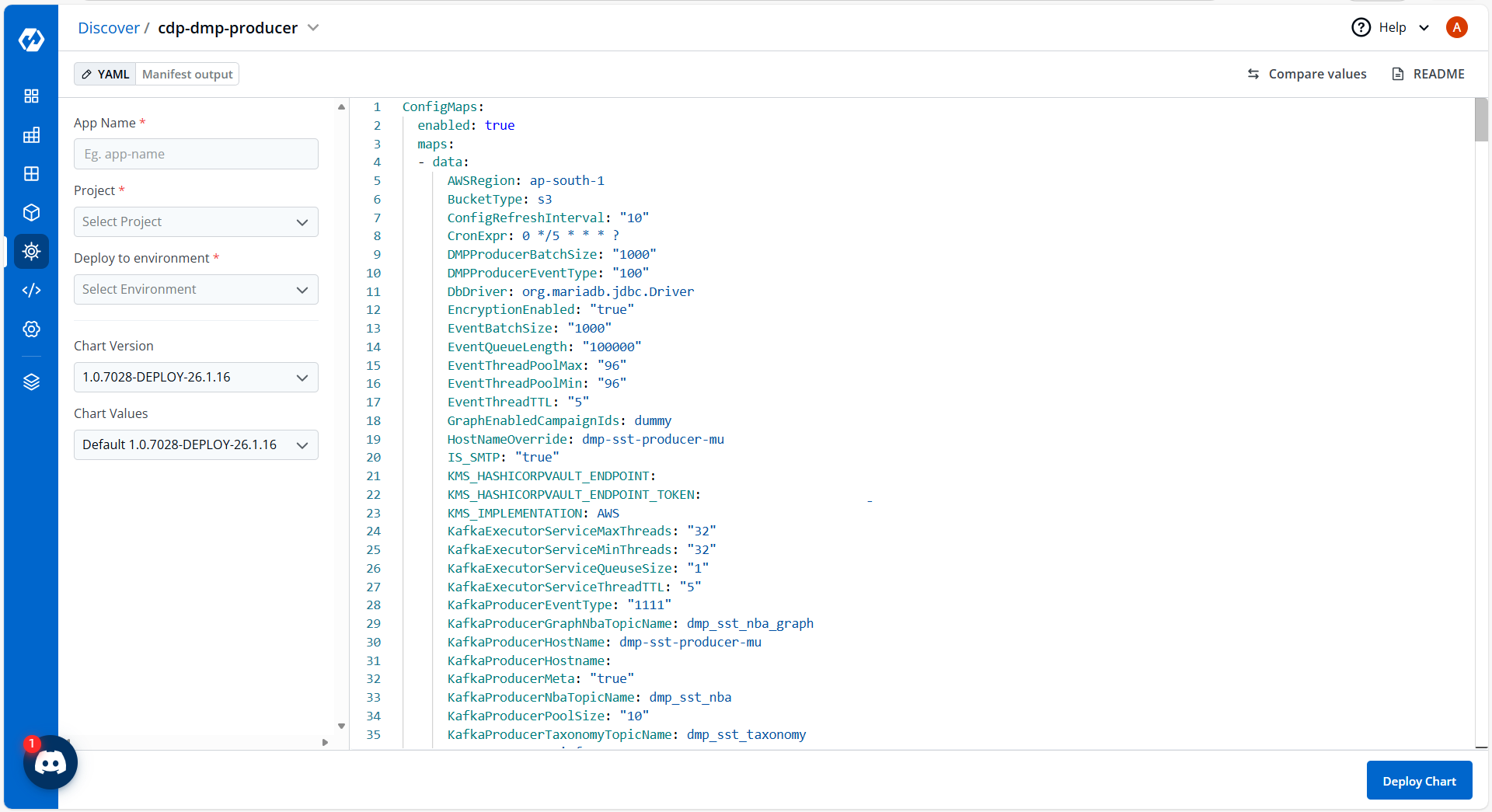
- Search the Chart Values for account ID and replace it with the target account ID.
-
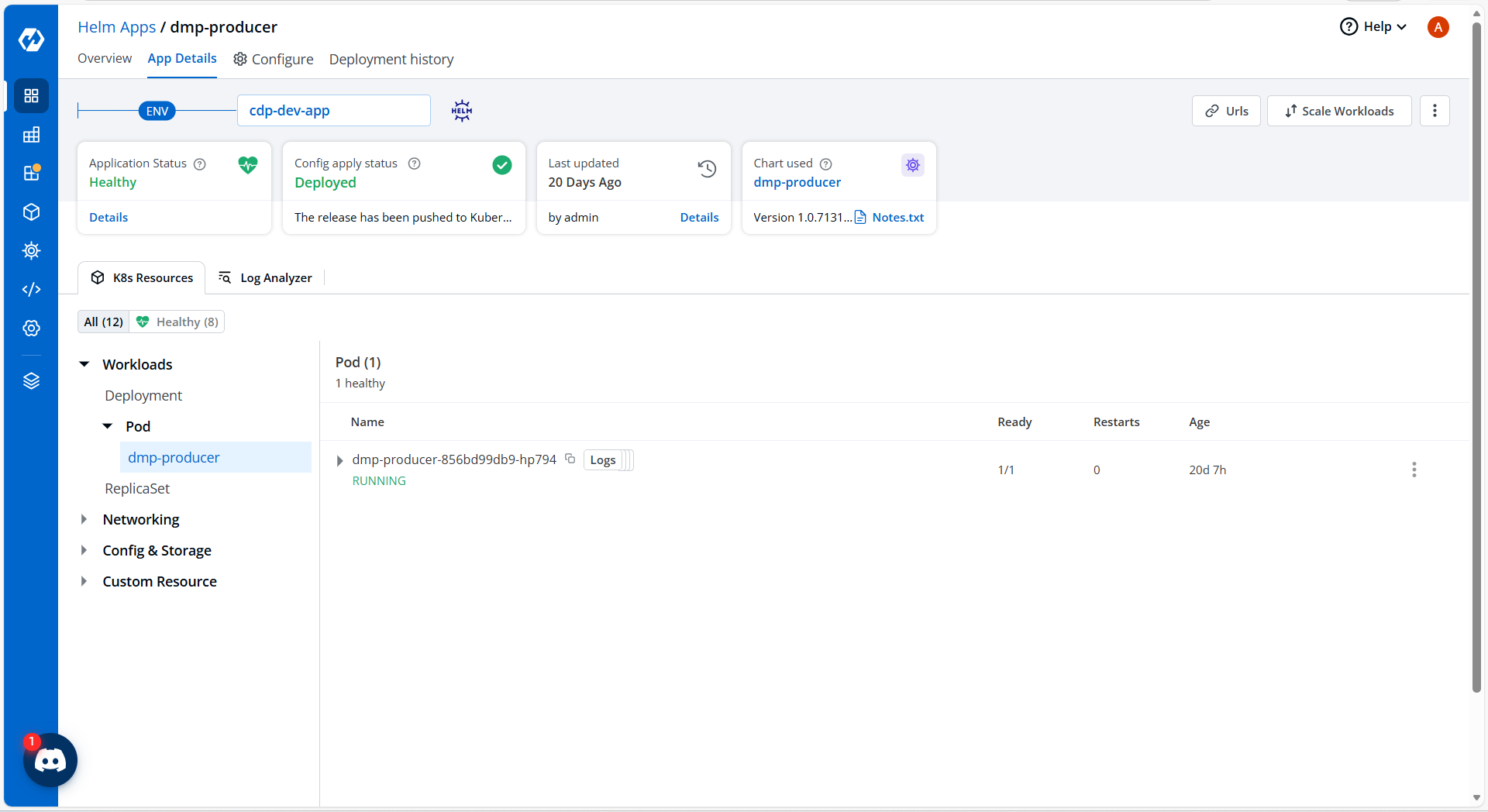
Click Deploy, and navigate to App Details to verify the pod is in
running status.