File management features
DevOps Code (Code) offers file management features such as drag-and-drop, browsing and downloading files, thereby simplifying your development workflow.
The following section outlines the key features provided by Code for file management:
Drag and Drop
Code provides a drag-and-drop feature that simplifies file management, so that you can effortlessly transfer files between your local computer and the dev container. You can simply drag files from your local system and drop them into the Explorer view of the Code IDE to add them to a workspace folder.
Browse local files
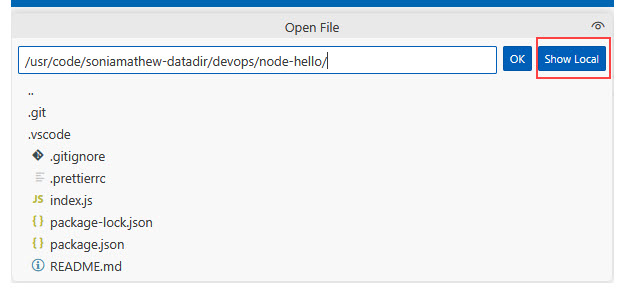
Code provides the Show Local button feature, which allows you to browse files from your local machine. This gives you the option to choose between using the file system of your local computer or that of the dev container.
Download
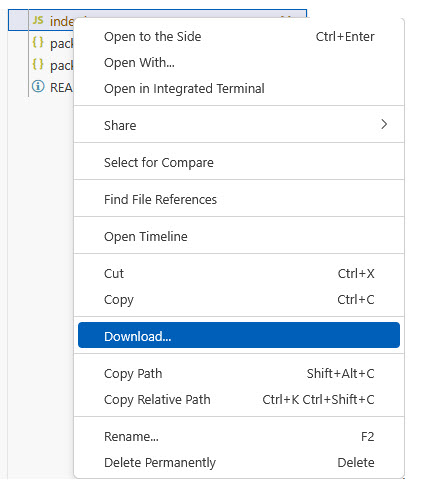
Code provides the Download option to easily download files and folders from the server IDE to your local system. Simply right-click on the required file or folder, select the Download option, and the file will be transferred to your local machine for backup.