Managing customer segments
Marketing Managers create customer segments to use as targets for marketing campaigns and promotions.
About this task
Procedure
-
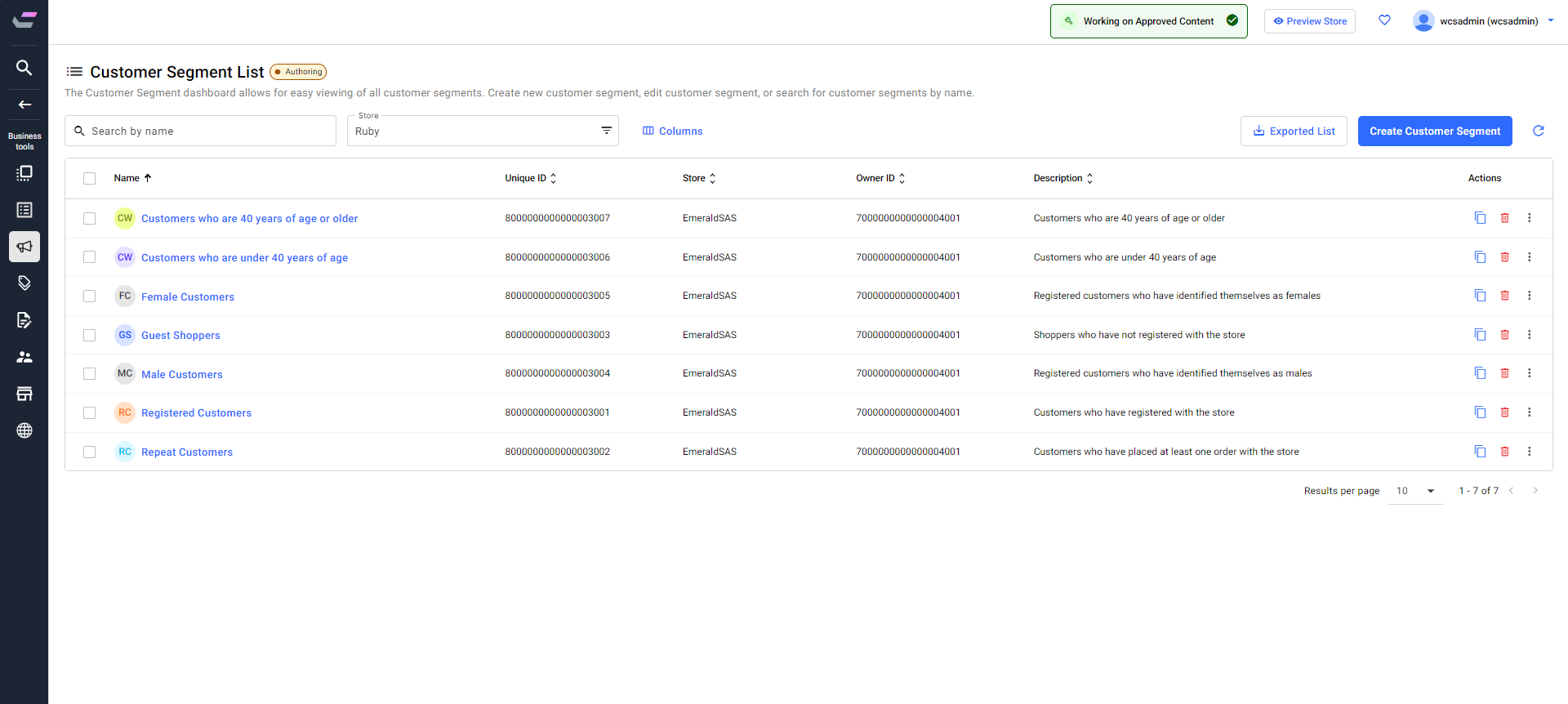
You can perform the following functions from the Customer Segment List
page:
- Create a new customer segment. See Creating a customer segment for more information.
- Edit the existing customer segment. See Changing a customer segment for more information.
- Delete the customer segment. See Deleting a customer segment for more information.
- Create duplicate customer segments. See Duplicating the existing customer segment for more information.
- Search for the customer segment by entering the name of the customer segment in the Search field.
- Click the
 Refresh icon to refresh the page with the latest updates.
 - From the Store filter, select the store you want to manage customer segments.
- You can manage the columns shown on the screen using the Column button.
- You can change the number of results shown on the Customer Segment List page. Click the drop-down beside the Results per page option at the bottom and change the number of results displayed.
- You can edit, export customer segments, and preview store as segment from the three vertical dots given in the Actions menu.
- By default, the list is sorted in the ascending order of names. Except for the Actions column, you can sort all the columns in ascending and descending order.