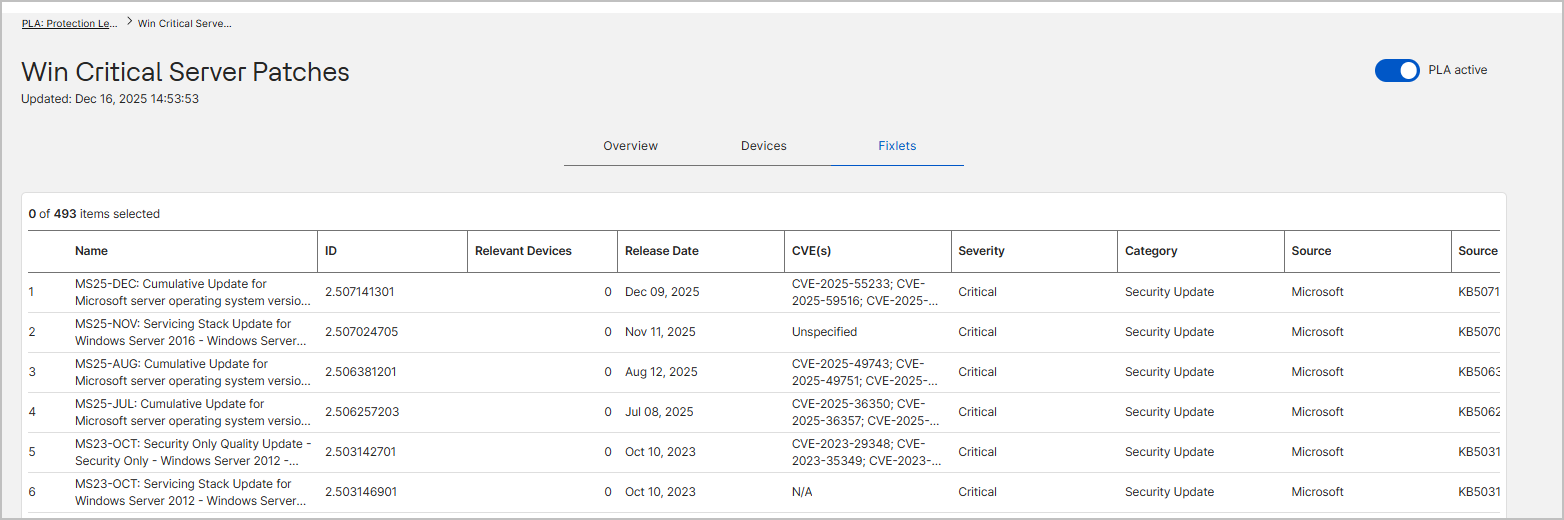
PLA Details Page
The PLA Details page provides a comprehensive view of a Protection Level Agreement, including its remediation progress, scope, and configuration. This page helps administrators monitor compliance, understand remediation performance, and review which devices and Fixlets are governed by the PLA.
You can access this page by clicking a PLA name from the PLA landing page.
From the PLA Details page, you can:
- Monitor remediation progress against the defined target days
- View the devices and Fixlets covered by the PLA
- Verify the criteria used to define the PLA
- Activate or deactivate the PLA
- Edit or delete the PLA (custom PLAs only)
Overview tab
The Overview tab displays a high-level summary of the PLA.
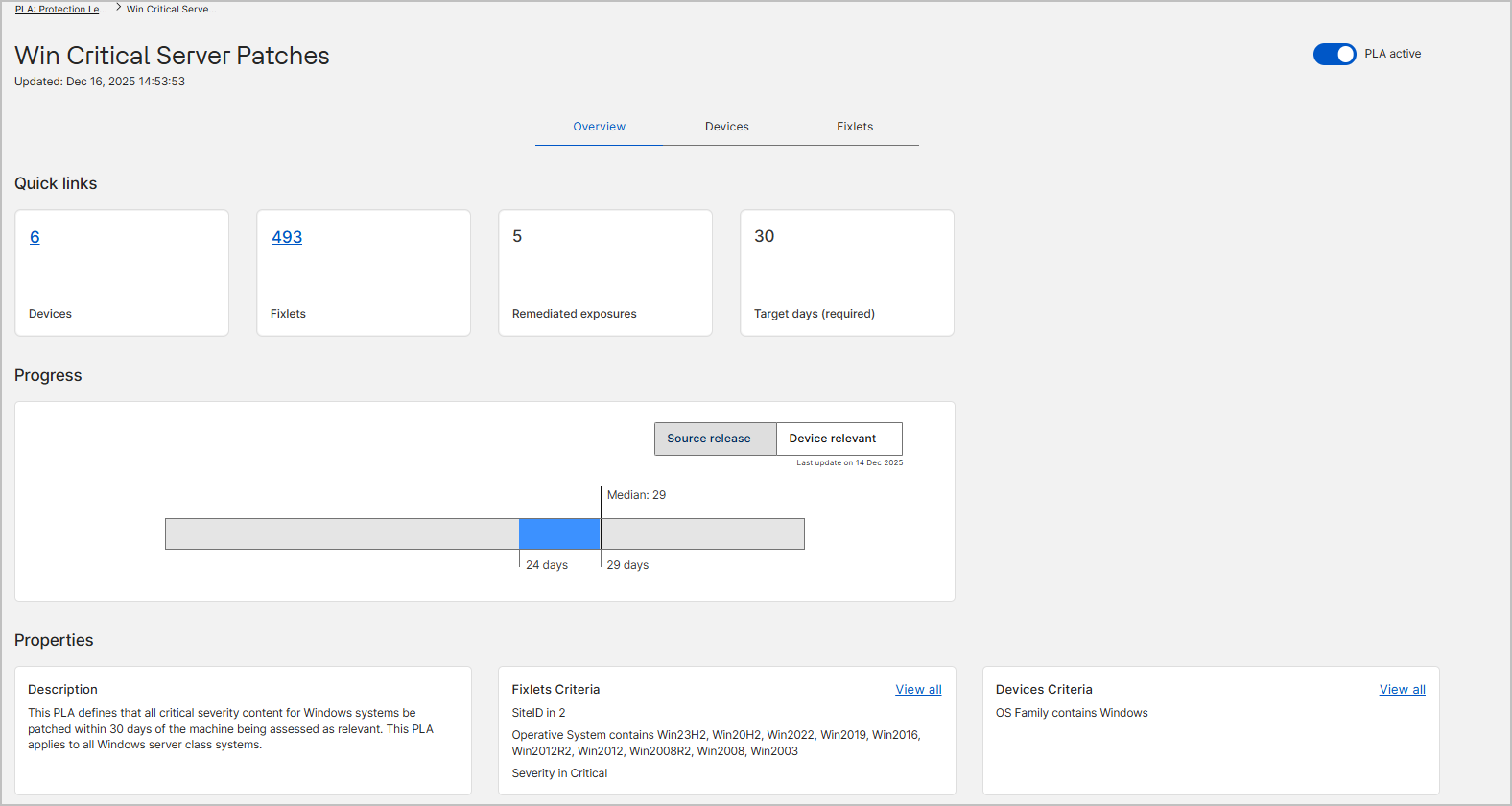
Quick links: Quick summary tiles provide instant visibility into the scope of the PLA:
- Devices – Number of devices monitored
- Fixlets – Number of Fixlets tracked
- Remediated exposures – Number of vulnerabilities successfully remediated
- Target days – The remediation timeline defined for the PLA
These values update dynamically as remediation progresses.
Remediation progress:
The remediation progress bar visualizes how long vulnerabilities take to be remediated across devices.
- The bar is divided into quartiles
- The median marker shows the typical remediation time
- Values are displayed in days
You can switch the reference used for calculating remediation time:
- Source release – Calculates time from the vendor patch release date
- Device relevant – Calculates time from when the vulnerability becomes applicable to the device
Switching the reference recalculates the timeline and updates the displayed values.
Properties:
The Properties section summarizes how the PLA is defined and what it applies to.
- Description – Explains the remediation policy enforced by the PLA.
- Fixlet criteria – Defines the conditions used to select the Fixlets monitored by the PLA.
- Device criteria – Defines which devices are included for monitoring.
These criteria are evaluated dynamically while the PLA is active.
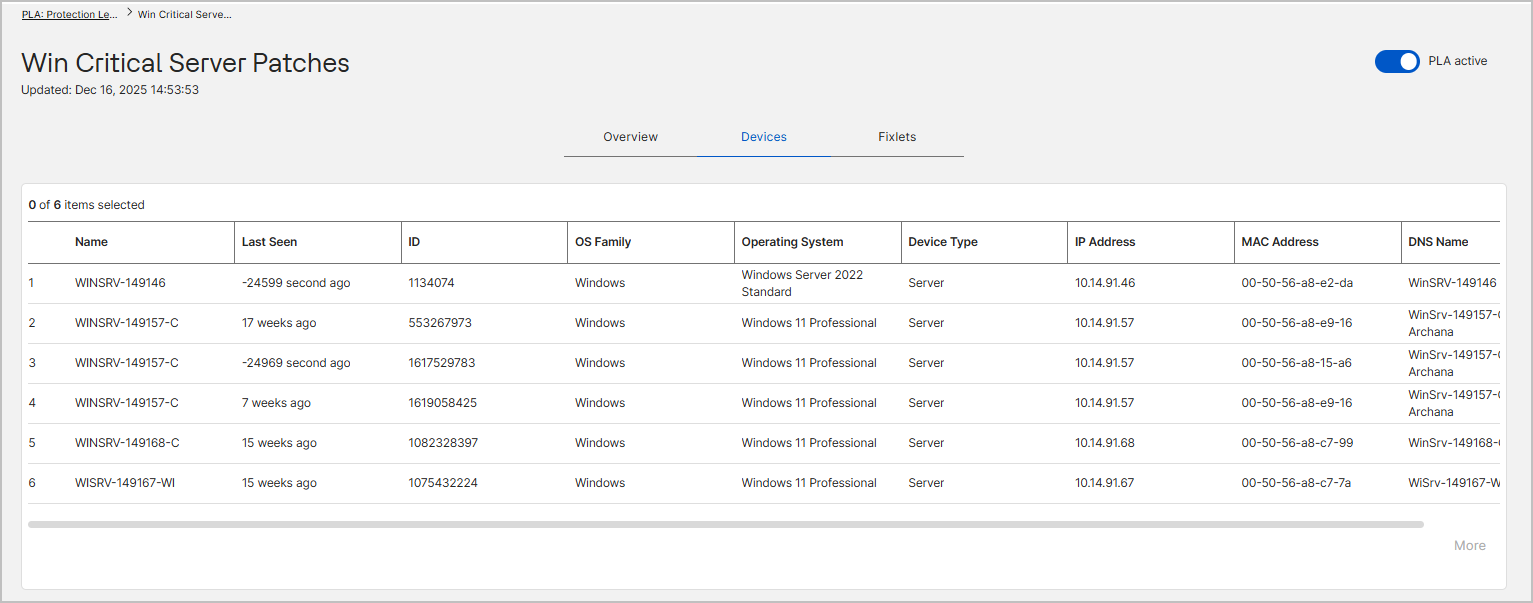
Devices tab
The Devices tab lists all devices currently monitored by the PLA. Use this tab to identify which devices are within the scope of the PLA.
Fixlets tab
The Fixlets tab lists all Fixlets tracked by the PLA. This tab helps you verify exactly which vulnerabilities are being monitored.