Deployment VIOS Health Checks Dashboard overview
Use the Deployment VIOS Health Checks Dashboard to view the summary of the installation preview results and the inventory list of filesets on the endpoints in your deployment.
You must subscribe to the Patches for VIOS site to access this dashboard from the Dashboards node of this site.
Before you can use the dashboard, you must activate the following analyses:
- VIOS Preview Deployment Result (ID #77)
- VIOS Filesets Inventory Result (ID #80)
The Deployment VIOS Health Checks dashboard provides two tabs:
- Preview Deployment Results
-
Note: No data will displayed until you create a preinstallation check by using the Creating preinstallation verification checks.
- You can view the status of the targeted endpoints and the completion date of the preview
task from the Preview Deployment System list, which is in the left side of the dashboard. This
list also provides the completion date of the preview task.
Figure 1. Preview Deployment Results 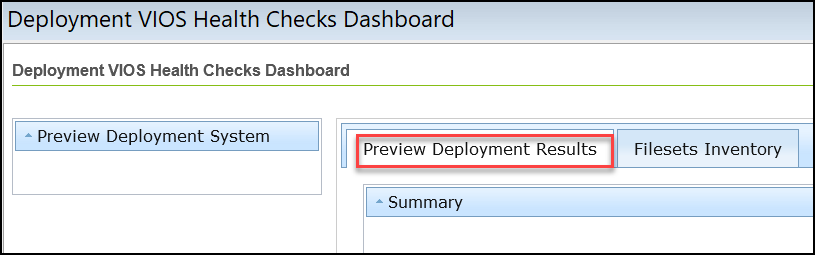
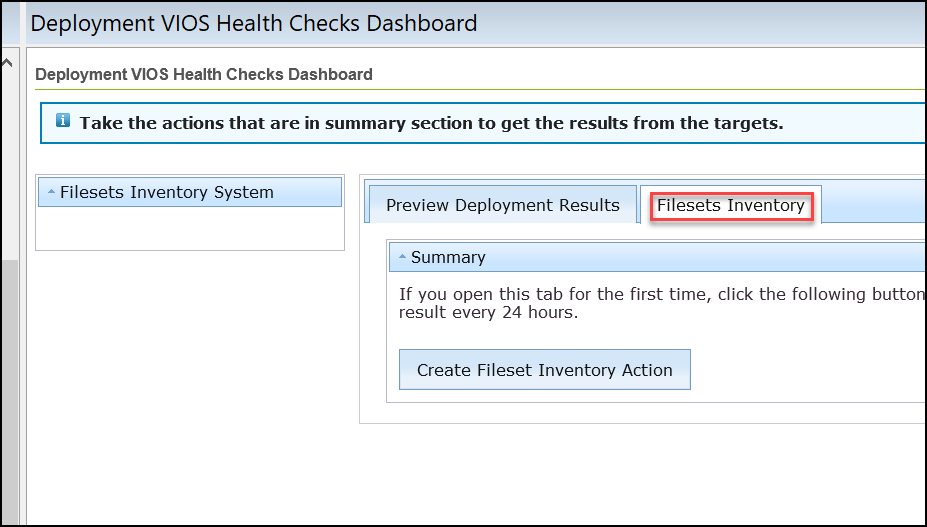
- Filesets Inventory
-
Note: If you open this tab for the first time, click Create Fileset Inventory Action to gather the inventory result every 24 hours.
-
Figure 2. Filesets Inventory